15 Best Appointment Booking Software for Businesses in 2026: Full Compared (A to Z)


Table of Contents
Managing appointments should not mean spending hours answering emails, checking calendars, rescheduling meetings, or following up with clients.
That is why businesses increasingly rely on appointment booking software to automate the entire scheduling process. A good scheduling platform can let customers book appointments 24/7, sync availability across calendars, send automatic reminders, collect payments, manage team schedules, and reduce repetitive administrative work.
So, which appointment booking software is actually right for your business?
In this guide, we compare 15 of the best appointment booking software for businesses in 2026, including Timetics AI, Calendly, Acuity Scheduling, Square Appointments, YouCanBookMe, SimplyBook.me, Setmore, Zoho Bookings, Cal.com, Trafft, Lunacal, Doodle, TidyCal, Booksy, and HubSpot Meetings.
We evaluate them based on their booking experience, key features, AI and automation capabilities, integrations, team scheduling, pricing, advantages, limitations, and best use cases by industry.
Top 15 Appointment Booking Software at a Glance
The right appointment scheduling platform depends on more than price. Some inexpensive plans are limited to one calendar,while others include payments, multiple team members, automation, or AI features at the entry level.
Here is a quick comparison of the 15 appointment booking software.
| Appointment Booking Software | Key Features | Free Plan | Paid Price | User Rating |
|---|---|---|---|---|
| Timetics AI | AI scheduling agent, unlimited bookings and event types, recurring bookings, service booking, payments, workflow automation, team management, multi-location scheduling | Yes – up to 3 users, 1 calendar connection, unlimited bookings | $12/month – Earn plan, up to 10 users | 4.6/5 on G2 |
| Calendly | Booking links, calendar sync, automated reminders, workflows, payments, integrations, round-robin and routing | Yes – 1 event type and 1 calendar | $10/user/month – Standard | 4.7/5 on G2 |
| Acuity Scheduling | Client self-scheduling, intake forms, payments and deposits, packages, memberships, reminders and multi-calendar scheduling | No – 7-day free trial | $20/month – Starter when billed monthly | 4.6/5 on G2 |
| Square Appointments | Online booking, Square POS and payments, staff calendars, reminders, waitlists, no-show protection and resource management | Yes | $49/month/location – Square Plus | 4.5/5 on Capterra |
| YouCanBookMe | Custom booking pages, calendar sync, automated notifications, SMS, payments, booking forms and team scheduling | Yes | $9/month – Individual | 4.7/5 on G2 |
| SimplyBook.me | Booking website, widgets, online payments, POS, memberships, client app, service providers and business-specific booking features | Yes – 50 bookings/month, 1 provider | $13.90/month – Basic | 4.4/5 on G2 |
| Setmore | Booking page, unlimited appointments, payments, email reminders, staff calendars, video meetings and mobile apps | Yes – up to 4 users | $12/user/month – Pro on monthly billing | 4.5/5 on G2 |
| Zoho Bookings | Calendar sync, round-robin scheduling, workflows, appointment reports, payments, CRM integrations and multi-location workspaces | Yes – 1 user | $8/user/month – Basic on monthly billing | 4.4/5 on Capterra |
| Cal.com | Unlimited event types, multiple calendars, team scheduling, routing, workflows, developer APIs and open-source scheduling infrastructure | Yes – Individual | $12/user/month – Teams | 4.6/5 on G2 |
| Trafft | Booking website, group bookings, recurring appointments, payments, coupons, packages, resources, WhatsApp and multi-location support | Yes | $7.99/month – Mini | 4.7/5 on G2 |
| Lunacal | Custom booking pages, unlimited calendars and services, payments, reminders, team scheduling, packages and AI Voice Agent on higher plans | No – 7-day trial | $9/user/month – Standard | 4.9/5 on G2 |
| Doodle | Group polls, booking pages, 1:1 meetings, calendar synchronization, sign-up sheets and group scheduling | Yes | $15/month – Pro on monthly billing | 4.4/5 on G2 |
| TidyCal | Unlimited booking types, paid bookings, calendar sync, group meetings, recurring bookings, packages and AI booking assistant on paid plans | Yes | $12/month – Pro; lifetime plans also available from $29 one-time | 4.7/5 on G2 |
| Booksy | 24/7 online booking, client management, payments, marketing, waitlists, reminders, gift cards and marketplace discovery | No – 14-day trial | $29.99/month + $20/month per additional team member | 4.4/5 on Capterra |
| HubSpot Meetings | Shareable meeting links, CRM sync, calendar integration, automated follow-up, sales workflows and AI-assisted meeting preparation | Yes | Sales Hub Starter from $15/user/month | 4.5/5 on Capterra |
TL;DR: Important Pricing Notes
Pricing alone does not show the full value of each appointment scheduler.
For example, Timetics AI’s $12/month Earn plan supports up to 10 users, while Calendly’s $10 Standard price is charged per user. Timetics AI also includes an AI scheduling agent, service booking, payments, customer management, and multiple business-focused tools in its plans.
Acuity Scheduling does not currently have a forever-free plan. Its Starter plan costs $20 per month on monthly billing, while the frequently displayed $16 figure applies when customers pay annually.
Square Appointments has a free option, but growing businesses that need features such as multi-staff booking, waitlists, and stronger no-show management move to Square Plus at $49 per location per month in the U.S. Payment processing fees are separate from the subscription fee.
SimplyBook.me also has a real free plan, but it is capped at 50 bookings per month, one provider, and one premium custom feature. Its Basic plan costs $13.90 monthly, while the lower $11.90 figure requires annual billing.
Setmore is another case where the advertised low price needs context. Its annual rate can drop to around $5 per user per month, but its standard monthly Pro pricing is higher. The current Setmore documentation lists monthly Pro pricing separately from the annual discount.
Zoho Bookings offers a forever-free plan for one user. The Basic plan is currently $8 per user per month on monthly billing, dropping to $6 per user with annual billing. Premium is $12 monthly or $9 per user with annual billing.
Lunacal does not currently provide a forever-free tier. Its Standard plan starts at $9 per user per month, with a seven-day free trial. Its AI Voice Agent is positioned in the higher Enterprise plan rather than the entry-level Standard plan.
Doodle’s pricing also changes based on billing term. Its official help center currently lists $15/month for an individual Professional subscription, or $132 per year when paid annually.
TidyCal is slightly different from the usual subscription model. It has a free plan, a $12/month Pro subscription, and separate lifetime licenses starting at $29 one time. The lifetime plan should therefore not be presented as though it were a $29 monthly SaaS subscription.
Booksy does not have a forever-free plan. It offers a 14-day trial, after which its standard U.S. subscription costs $29.99 per month, plus $20 per month for each additional team member. Payment processing and optional marketplace promotion can add separate costs.
Finally, HubSpot’s meeting scheduler itself can be used for free. However, businesses that want the wider Sales Hub functionality, automation, CRM tools, and more advanced sales capabilities need a paid HubSpot Sales Hub plan.
How We Evaluated These Appointment Booking Software
We evaluated each appointment booking platform in depth rather than relying only on feature lists or marketing claims. We reviewed the actual product experience, pricing and plan limitations, customer reviews, common user use cases, and the level of support available to both free and paid users.
Our evaluation focused on:
- Booking experience: How easy it is for customers to book, reschedule, cancel, and manage appointments.
- Core scheduling features: Calendar sync, recurring appointments, team scheduling, availability rules, reminders, and time zone support.
- AI and automation: AI assistants, automated workflows, follow-ups, smart scheduling, and other time-saving features.
- Integrations: Connections with calendars, video meeting tools, CRMs, payment gateways, and automation platforms.
- Payments: Support for paid appointments, deposits, subscriptions, packages, coupons, and no-show policies.
- Ease of use: How quickly businesses can set up booking pages, services, staff, and availability.
- Pricing and limitations: We compared real free and paid plans, user limits, booking restrictions, feature limits, and standard pricing instead of promotional offers.
- Customer reviews: We checked user feedback across major review platforms to identify common strengths, complaints, and real-world experiences.
- Customer support: We reviewed the support options available to both free and paid customers, including documentation, live chat, email, and priority support where available.
- Best use cases: We considered how well each tool fits consultants, teams, agencies, service businesses, sales teams, salons, healthcare providers, and other industries.
This approach helped us evaluate not just which software offers the most features, but which one provides the best value for different business needs.
15 Best Appointment Booking Software Details List
Below, we review 15 of the best appointment booking software in 2026 based on features, pricing, usability, integrations, and business fit. Each tool includes its strengths, limitations, best use cases, and pricing to help you compare options quickly.
Note: Pricing was checked in September 2026. Prices may change over time.
1. Timetics AI
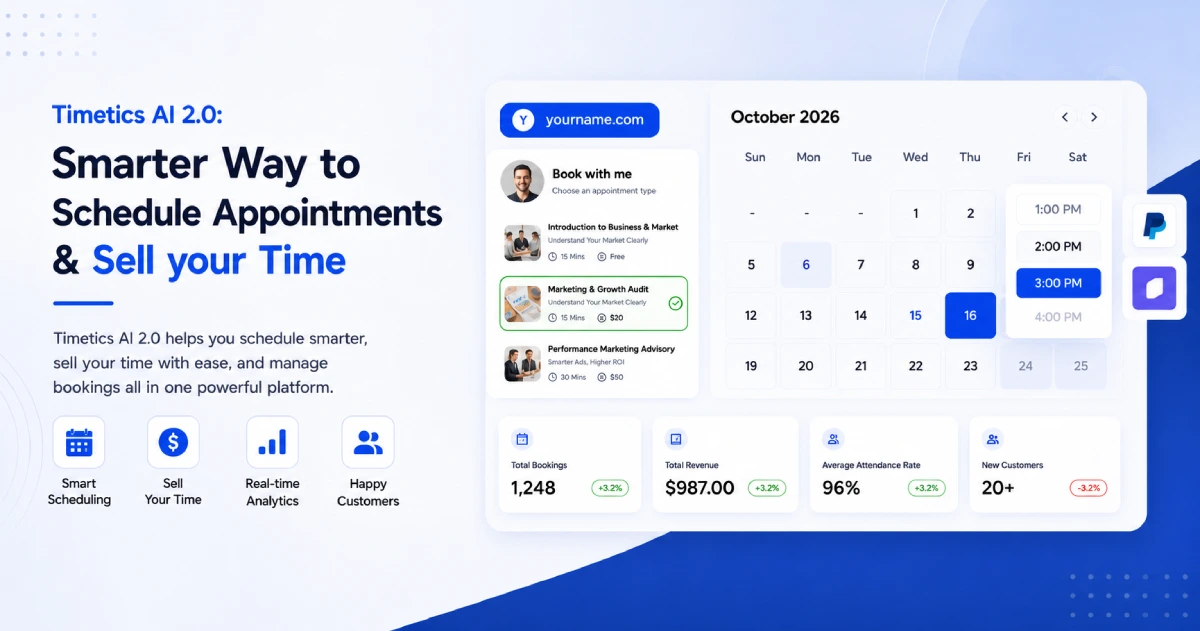
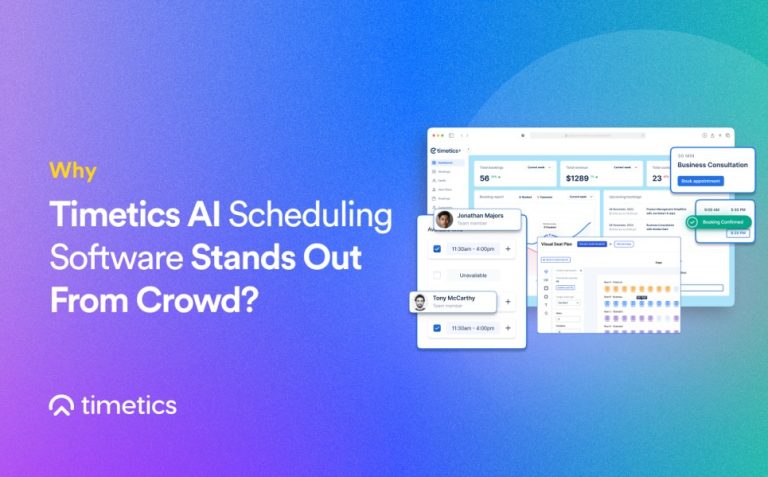
Timetics AI is an AI-powered appointment booking platform built for consultants, service businesses, agencies, and growing teams. It combines online scheduling with payments, customer management, team controls, automation, and an AI scheduling agent. Users can manage one-to-one meetings, recurring appointments, group bookings, and service-based scheduling from one dashboard.
Best For: Service businesses, consultants, coaches, agencies, teams, and businesses looking for AI-assisted scheduling and paid appointment workflows.
Key Features
- Unlimited bookings and event types
- Timetics AI Agent
- Sales-driven booking pages
- Multiple Workspaces
- Booking Page Builder
- Service-Based Scheduling
- Team Scheduling
- Workflows & Automation
- Secret booking links
- White-label Booking Experience
- Agency Dashboard
- Facepopup
- Progressive Web App (PWA)
- Add video conferencing
- Reminder & feedback workflow emails
- Team invitation & role permissions
- Advanced coupon logic
- Custom SMTP & SMS
- Tax control
- and many more
Pros and Cons
| Pros | Cons |
|---|---|
| Free plan supports up to three users | Full multilingual support is listed as coming soon |
| AI agent included | Currently don’t have any mobile apps |
| Strong payment and deposit options | |
| Paid plans include several users | |
| Wide range of CRM, calendar, and automation integrations |
Best Use Cases by Industry
- Consultants & coaches: Paid consultations and recurring sessions
- Agencies: Team scheduling and client meetings
- Beauty & wellness: Services, staff, locations, and deposits
- Education: Classes and recurring sessions
- Professional services: Client bookings and payment collection
- Multi-location businesses: Centralized scheduling across locations
Pricing
Timetics AI offers a free Start plan and two regular paid subscriptions:
- Start: Free forever for up to 3 users
- Earn: $12 per month for up to 10 users
- Scale: $19 per month for up to 30 users
- Consultants and Agencies lifetime plan: Currently listed at $299
- Scaling Teams lifetime plan: Currently listed at $499
It also offers lifetime pricing options for users who prefer a one-time payment instead of a recurring subscription. Pricing and plan availability may vary by billing option. (timetics.ai)
2. Calendly
Calendly is one of the most widely used appointment scheduling tools for individuals, sales teams, recruiters, and customer-facing teams. It focuses on removing back-and-forth communication by letting invitees choose available meeting times directly. Beyond basic booking links, Calendly now includes workflows, team scheduling, lead routing, payments, and many more capabilities.
Best For: Consultants, sales teams, recruiters, customer success teams, and organizations that mainly schedule meetings rather than service-based appointments.
Key Features
- One-to-one scheduling
- Unlimited meetings
- Custom booking pages
- Multiple calendar connections
- Group and collective meetings
- Round-robin team scheduling
- Automated reminders and workflows
- Time zone detection
- Stripe and PayPal payments
- Lead routing
- CRM integrations
- AI scheduling assistant through Callie
Pros and Cons
| Pros | Cons |
|---|---|
| Very easy booking experience | Free plan allows only one event type |
| Strong calendar and video integrations | Pricing increases per user |
| Excellent team scheduling tools | Round-robin scheduling requires Teams plan |
| Strong CRM and sales integrations | Advanced routing is mainly designed for higher plans |
| Large integration ecosystem | Less focused on service-business management |
Best Use Cases by Industry
- Sales: Lead qualification and meeting routing
- Recruiting: Candidate interviews
- Consulting: Client meetings
- Customer success: Onboarding and support calls
- Agencies: Discovery and project meetings
- Teams: Round-robin and collective scheduling
Pricing
Calendly offers four main plans:
- Free: $0
- Standard: $12/user/month, or $10/user/month billed annually
- Teams: $20/user/month, or $16/user/month billed annually
- Enterprise: Starts at $15,000/year for 50+ seats
The cheaper $10 and $16 figures shown prominently on Calendly’s pricing page require annual billing.
3. Acuity Scheduling
Acuity Scheduling is an appointment management platform designed primarily for service-based businesses. It combines self-service booking with payments, intake forms, client management, memberships, packages, classes, and automated appointment communication. This makes it particularly useful for businesses that need to manage the customer journey before and after an appointment, not just schedule meetings.
Best For: Coaches, consultants, wellness professionals, salons, fitness businesses, healthcare-related services, and businesses selling appointment packages or memberships.
Key Features
- 24/7 online self-scheduling
- Custom booking pages
- Appointment and class scheduling
- Custom intake forms
- Calendar management
- Automated email reminders
- SMS reminders
- Payments and deposits
- Invoicing
- Packages and memberships
- Gift certificates
- Automatic time zone conversion
Pros and Cons
| Pros | Cons |
|---|---|
| Strong service-business scheduling features | No permanent free plan |
| Built-in payments and deposits | Only a 7-day free trial |
| Supports packages and memberships | Entry plan supports only one calendar |
| Custom intake forms | SMS and advanced features require higher plans |
| Good for classes and recurring services | Can cost more than simpler meeting schedulers |
Best Use Cases by Industry
- Coaching: Sessions and appointment packages
- Wellness: Recurring client appointments
- Fitness: Classes and memberships
- Beauty: Service appointments and deposits
- Consulting: Paid client sessions
- Professional services: Intake forms and appointment payments
Pricing
Acuity does not offer a forever-free plan. It provides a 7-day free trial.
- Starter: $20/month, or $16/month billed annually
- Standard: $34/month, or $27/month billed annually
- Premium: $61/month, or $49/month billed annually
The annual prices shown on Acuity’s pricing page reflect roughly a 20% billing discount rather than the regular month-to-month cost.
4. Square Appointments
Square Appointments combines online appointment scheduling with Square’s payment and point-of-sale ecosystem. It is particularly useful for appointment-based businesses that need to manage staff, bookings, payments, customers, and in-person checkout from the same platform. Advanced plans add tools such as waitlists, resource management, multi-staff bookings, no-show protection, and multi-location management.
Best For: Salons, spas, barbers, beauty businesses, wellness providers, and local service businesses that need scheduling and payment processing together.
Key Features
- Online appointment booking
- Unlimited calendars
- Staff scheduling
- Online and in-person payments
- Automated appointment reminders
- Cancellation and no-show fees
- Waitlist management
- Resource booking
- Multi-location management
- Multi-staff appointments
- Class and package booking
- Square POS integration
Pros and Cons
| Pros | Cons |
|---|---|
| Combines appointments and POS | Advanced plans are relatively expensive |
| Free plan available | Payment processing fees still apply |
| Strong tools for local service businesses | Plus and Premium pricing is per location |
| Excellent staff and resource management | Some advanced booking features require higher tiers |
| Strong payment ecosystem | Less suitable for simple business meeting scheduling |
Best Use Cases by Industry
- Salons & spas: Staff, services, payments, and waitlists
- Barbers: Appointments and POS
- Beauty businesses: Deposits and no-show protection
- Wellness: Client scheduling and payments
- Fitness: Classes and packages
- Multi-location services: Centralized staff and booking management
Pricing
Square currently uses three main pricing tiers in the U.S.:
- Square Free: $0/month per location
- Square Plus: $49/month per location
- Square Premium: $149/month per location
- Square Pro: Custom pricing for qualifying businesses
Square Plus and Premium include 30-day trials, but payment-processing fees remain separate from the monthly subscription cost.
- Education: Student and tutor scheduling
- Sales teams: Round-robin lead scheduling
- Customer success: Onboarding and support calls
- Remote teams: Video meetings across time zones
Pricing
YouCanBookMe offers four plans:
- Free: $0/month
- Individual: $9/month
- Professional: $13/month
- Team: $18/member/month
Annual billing provides a 10% discount, while two-year billing provides a 20% discount. A 14-day free trial is also available.
6. SimplyBook.me
SimplyBook.me is a feature-rich appointment booking system built mainly for service businesses. It combines online scheduling with payments, memberships, POS, client apps, marketing tools, and industry-specific booking features. Its large collection of optional custom features makes it particularly suitable for businesses that need more than a simple meeting scheduler.
Best For: Salons, spas, healthcare providers, fitness businesses, educators, and multi-service businesses.
Key Features
- Online booking website
- Website booking widget
- Service and provider scheduling
- Online payments and deposits
- POS system
- Memberships and packages
- Coupons and gift cards
- Client mobile app
- Recurring appointments
- Group bookings and classes
- HIPAA features on supported plans
- Multi-location and enterprise management
Pros and Cons
| Pros | Cons |
|---|---|
| Very strong service-business features | Booking limits apply on most plans |
| Free plan available | Custom features are limited by plan |
| Supports payments, POS, and deposits | Interface can feel complex for basic users |
| Good industry-specific functionality | Advanced features require higher tiers |
| Enterprise and multi-location options | Premium plan is relatively expensive |
Best Use Cases by Industry
- Salons & spas: Staff, services, memberships, and payments
- Healthcare: Appointments and privacy-focused features
- Fitness: Classes, memberships, and recurring bookings
- Education: Lessons and group sessions
- Professional services: Client bookings and payments
- Multi-location businesses: Centralized scheduling across branches
Pricing
SimplyBook.me offers five pricing levels:
- Free: $0/month
- Basic: $13.90/month
- Standard: $29.90/month
- Premium: $59.90/month
- Enterprise: Custom pricing
Annual billing lowers the monthly equivalent by about 17%. The free plan includes up to 50 bookings per month and one service provider.
7. Setmore
Setmore is an online appointment scheduling platform for small businesses and service teams. It offers a customer-facing booking page, staff calendars, payments, reminders, recurring appointments, video meeting integrations, and mobile apps. Its free plan is particularly useful for small teams that want basic appointment scheduling without an immediate subscription cost.
Best For: Small service businesses, consultants, beauty professionals, fitness providers, educators, and small teams.
Key Features
- Online booking page
- Staff calendars
- Unlimited appointments
- Recurring appointments
- Class scheduling
- Email reminders
- SMS reminders on paid plans
- Stripe payments
- Two-way calendar sync
- Zoom and Google Meet integration
- Mobile apps
- Google Reviews integration
Pros and Cons
| Pros | Cons |
|---|---|
| Generous free plan | Advanced features require Pro |
| Supports up to four users on the free plan | SMS reminders are paid-plan features |
| Easy to use | Limited advanced routing features |
| Strong service and class scheduling | Less flexible for complex enterprise workflows |
| Includes payment and video integrations | Some integrations are more basic than competitors |
Best Use Cases by Industry
- Beauty & wellness: Appointment and staff scheduling
- Fitness: Classes and recurring sessions
- Consultants: Client appointments
- Education: Lessons and tutoring sessions
- Healthcare services: Basic appointment management
- Small teams: Shared staff calendars and online bookings
Pricing
Setmore keeps pricing relatively simple:
- Free: $0/month
- Pro: $12/user/month on monthly billing
- Pro annual: $5/user/month when billed annually
Setmore also provides larger-business options through custom arrangements.
8. Zoho Bookings
Zoho Bookings is an online appointment scheduling platform designed for businesses that want scheduling connected with the broader Zoho ecosystem. It supports individual appointments, team scheduling, recurring bookings, workspaces, online payments, reminders, and customer management. It is especially useful for organizations already using Zoho CRM, Zoho Meeting, or Zoho One.
Best For: Small businesses, consultants, sales teams, service businesses, and companies already using Zoho products.
Key Features
- One-to-one appointment scheduling
- Collective bookings
- Recurring appointments
- Group bookings
- Calendar synchronization
- Automated reminders
- Multiple workspaces
- Resource scheduling
- Online payments
- Customer portal
- Video meeting integrations
- Zoho CRM and Zoho ecosystem integrations
Pros and Cons
| Pros | Cons |
|---|---|
| Affordable paid plans | Free plan supports only one user |
| Strong integration with Zoho products | Best experience is within the Zoho ecosystem |
| Supports multiple booking types | Resource scheduling requires Premium |
| Good team and workspace management | Some advanced features require higher plans |
| Offers a permanent free plan | Interface may feel complex for new users |
Best Use Cases by Industry
- Consulting: Client appointments
- Sales: Demo and lead scheduling
- Education: Classes and recurring sessions
- Professional services: Client meetings
- Multi-location businesses: Separate workspaces
- Zoho users: CRM-connected appointment workflows
Pricing
Zoho Bookings offers three plans:
- Free: $0 for one user
- Basic: $8/user/month
- Premium: $12/user/month
Annual billing lowers Basic to $6 and Premium to $9 per user per month. Regional pricing may vary.
9. Cal.com
Cal.com is an open scheduling platform built for individuals, teams, developers, and larger organizations. It offers a highly flexible scheduling infrastructure with unlimited event types and calendars on the free individual plan. Teams can add round-robin scheduling, routing, collective events, workflows, analytics, APIs, and advanced organization controls.
Best For: Developers, SaaS companies, startups, sales teams, technical organizations, and businesses that need customizable scheduling infrastructure.
Key Features
- Unlimited event types
- Unlimited calendar connections
- One-to-one scheduling
- Round-robin scheduling
- Collective meetings
- Recurring events
- Routing forms
- Automated workflows
- Stripe and PayPal payments
- Booking analytics
- 100+ app integrations
- APIs and open-source flexibility
Pros and Cons
| Pros | Cons |
|---|---|
| Very generous free individual plan | Team features require paid plans |
| Unlimited events and calendars | Can feel more technical than simpler schedulers |
| Strong API and developer capabilities | Organization plan is significantly more expensive |
| Advanced team and lead routing | Some features may be unnecessary for solo users |
| Open-source and self-hosting flexibility | Setup can require more configuration |
Best Use Cases by Industry
- SaaS: Sales, onboarding, and support scheduling
- Developers: Embedded scheduling and APIs
- Sales teams: Lead routing and round-robin meetings
- Recruitment: Collective interviews
- Agencies: Team scheduling
- Enterprise: Custom scheduling infrastructure
Pricing
Cal.com offers:
- Individual: Free forever
- Teams: $12/user/month when billed annually
- Organizations: $28/user/month when billed annually
- Enterprise: Custom pricing
Cal.com currently highlights annual pricing for its paid team plans and offers a 14-day trial.
10. Trafft
Trafft is an appointment booking platform built primarily for service-based businesses and teams. It combines online scheduling with a booking website, staff management, recurring appointments, payments, packages, deposits, coupons, resources, and multi-location management. It is particularly strong for businesses that sell appointments or services rather than simply arranging meetings.
Best For: Salons, consultants, coaches, healthcare providers, fitness businesses, agencies, and multi-location service businesses.
Key Features
- Online booking website
- Embeddable booking forms
- Unlimited appointments on paid plans
- Group bookings
- Recurring appointments
- Deposit payments
- Packages and gift cards
- Coupons and service extras
- Staff and resource management
- Multiple locations
- Calendar and video integrations
- API, webhooks, and WhatsApp messaging
Pros and Cons
| Pros | Cons |
|---|---|
| Strong service-business feature set | Free plan is limited to 100 appointments per month |
| Free plan available | Some integrations require higher plans |
| Supports packages, deposits, and recurring bookings | Advanced features can make setup more complex |
| Good multi-location capabilities | SMS credits can cost extra |
| No booking commission charged by Trafft | Higher team plans become more expensive |
Best Use Cases by Industry
- Salons & barbers: Staff and service scheduling
- Coaching: Sessions and packages
- Healthcare: Appointment management
- Fitness: Recurring and group sessions
- Home services: Staff and location scheduling
- Agencies: Team booking management
Pricing
Trafft currently offers:
- Free: $0
- Mini: $7.99/month
- Growth: $9.99/month
- Professional: $39.99/month
- Business: $64.99/month
- Enterprise: Custom pricing
Annual billing can reduce the price by up to 25%. Paid plans also include a 14-day trial.
11. Lunacal
Lunacal is a customizable appointment scheduling platform designed for professionals, teams, and service businesses. It places strong emphasis on visually rich booking pages while also offering team scheduling, payments, packages, workflows, reminders, and multi-location booking. Its higher-tier plan also includes an AI Voice Agent for handling scheduling-related interactions.
Best For: Consultants, coaches, creators, startups, service businesses, and teams that want highly customizable booking pages.
Key Features
- Customizable booking pages
- Unlimited calendars and services
- Calendar synchronization
- Automated email and SMS reminders
- Paid bookings
- Stripe and PayPal support
- Multi-session packages
- Team scheduling
- Round-robin scheduling
- Collective scheduling
- Workflow automation
- AI Voice Agent on Enterprise
Pros and Cons
| Pros | Cons |
|---|---|
| Highly customizable booking experience | No permanent free plan |
| Unlimited calendars and services | AI Voice Agent requires Enterprise |
| Supports paid bookings and packages | Smaller integration ecosystem than larger competitors |
| Good team scheduling features | Some business features require higher tiers |
| Charges 0% booking commission | Newer platform with a smaller market presence |
Best Use Cases by Industry
- Consultants: Branded client booking pages
- Coaches: Paid sessions and packages
- Creators: Personalized booking experiences
- Sales teams: Round-robin scheduling
- Service businesses: Multi-service and multi-location bookings
- Startups: Team scheduling and workflows
Pricing
Lunacal currently offers:
- Standard: $9/user/month
- Teams: $15/user/month
- Enterprise: $25/user/month
There is no permanent free plan, but Lunacal provides a 7-day free trial.
12. Doodle
Doodle is a scheduling platform best known for group polls, but it also supports booking pages, 1:1 meetings, sign-up sheets, calendar syncing, video integrations, and payments. It works especially well when multiple people need to agree on a meeting time or when teams need a simple way to coordinate availability.
Best For: Teams, recruiters, educators, consultants, and organizations that frequently schedule group meetings.
Key Features
- Group polls
- Booking pages
- 1:1 scheduling
- Sign-up sheets
- Calendar synchronization
- Google Meet integration
- Zoom integration
- Microsoft Teams and Webex on paid plans
- Stripe payments
- Automated reminders
- Custom branding
- Zapier integration
Pros and Cons
| Pros | Cons |
|---|---|
| Excellent for group scheduling | Free plan has strong limits |
| Easy polling and availability coordination | More meeting-focused than service-focused |
| Free booking and poll tools available | Advanced integrations require paid plans |
| Supports video meetings and payments | Team pricing can become expensive |
| Simple interface | Limited business-management features |
Best Use Cases by Industry
- Recruiting: Interview coordination
- Education: Faculty and student meetings
- Consulting: Client scheduling
- Teams: Group availability planning
- Nonprofits: Committee and volunteer meetings
- Remote work: Cross-team scheduling
Pricing
Doodle currently offers:
- Free: $0
- Pro: $15/month, or $132/year
- Team: $21/user/month for 2–5 users, with lower per-user rates for larger teams
- Enterprise: Custom pricing
Annual subscriptions reduce the effective monthly cost.
13. TidyCal
TidyCal is a lightweight appointment scheduler from AppSumo that combines booking pages, calendar syncing, payments, recurring bookings, packages, team scheduling, and an AI booking assistant. It stands out because users can choose between a normal subscription and one-time lifetime plans.
Best For: Solopreneurs, consultants, freelancers, small agencies, and budget-conscious teams.
Key Features
- Unlimited booking types
- Unlimited bookings
- Recurring bookings
- Package bookings
- Paid appointments
- Stripe and PayPal payments
- Group bookings
- Round-robin scheduling
- Collective meetings
- AI booking assistant
- Calendar synchronization
- SMS reminders on supported plans
Pros and Cons
| Pros | Cons |
|---|---|
| Very affordable lifetime options | Free plan allows only one calendar connection |
| Unlimited bookings even on Free | Advanced team tools require Agency or Pro |
| AI booking assistant available | Lifetime plans retain some platform limits |
| Supports paid and package bookings | 1% Stripe platform fee on Free and lifetime plans |
| Pro removes branding and platform fees | Smaller integration ecosystem than major competitors |
Best Use Cases by Industry
- Freelancers: Client meetings
- Consultants: Paid sessions
- Coaches: Recurring packages
- Agencies: Team scheduling
- Creators: Booking pages
- Small businesses: Low-cost appointment management
Pricing
TidyCal currently offers four options:
- Free: $0
- Individual Lifetime: $29 one-time
- Agency Lifetime: $79 one-time
- Pro: $12/month or $99/year
The lifetime plans are one-time purchases, while Pro is the recurring subscription. Free and lifetime plans carry a 1% platform fee on Stripe bookings; Pro does not.
14. Booksy
Booksy is an all-in-one booking and business management platform built mainly for beauty, wellness, and local service professionals. Along with scheduling, it includes payments, client management, marketing tools, marketplace discovery, waitlists, deposits, memberships, packages, and no-show protection. Booksy also now promotes an AI Receptionist that can handle phone-based booking conversations.
Best For: Salons, barbers, beauty professionals, wellness providers, independent service professionals, and appointment-based local businesses.
Key Features
- 24/7 online booking
- Customizable calendar
- Automated waitlist
- Client management
- Integrated payments
- Deposits and cancellation fees
- Memberships and packages
- Gift cards
- Marketing automation
- SMS and email campaigns
- Booksy Marketplace
- AI Receptionist
Pros and Cons
| Pros | Cons |
|---|---|
| Strong beauty and wellness focus | No permanent free plan |
| Scheduling, payments, and marketing in one app | Additional users cost extra |
| Built-in marketplace can help attract clients | Payment processing fees still apply |
| Strong no-show protection | Boost marketplace promotion can add acquisition fees |
| Packages, memberships, and loyalty tools included | Less suited to standard business meeting scheduling |
Best Use Cases by Industry
- Hair salons: Staff and service scheduling
- Barbershops: Appointments and payments
- Beauty professionals: Client booking and marketing
- Wellness: Memberships and recurring services
- Independent professionals: Marketplace discovery
- Multi-staff salons: Calendars and performance tracking
Pricing
Booksy’s U.S. pricing is simple:
- Base subscription: $29.99/month
- Additional users: $20/month each
- Free trial: Available
Payment-processing fees are separate. Booksy Boost is optional and charges a one-time percentage of a new client’s first visit when that client is acquired through Boost.
15. HubSpot Meetings
HubSpot Meetings is a scheduling tool built directly into HubSpot’s CRM and Sales Hub ecosystem. It lets prospects book meetings through shareable scheduling links while automatically syncing appointment information with CRM records. Paid Sales Hub editions add more advanced sales automation, team scheduling, AI-assisted meeting preparation, follow-ups, and revenue workflows.
Best For: Sales teams, B2B companies, customer success teams, marketers, and organizations already using HubSpot CRM.
Key Features
- Shareable meeting links
- Embeddable scheduling widget
- Google Calendar synchronization
- Office 365 calendar synchronization
- CRM integration
- Round-robin scheduling
- Group meeting links
- Automatic time zone detection
- Automated confirmation and reminder emails
- Sales workflow integration
- AI meeting preparation
- AI-assisted follow-ups
Pros and Cons
| Pros | Cons |
|---|---|
| Deep integration with HubSpot CRM | Advanced capabilities can become expensive |
| Free scheduler available | Many AI features require higher Sales Hub plans |
| Strong sales and lead-management workflows | Overkill for businesses needing only simple scheduling |
| Supports round-robin and group scheduling | Pricing is per seat |
| Excellent choice for existing HubSpot users | Professional and Enterprise plans include onboarding costs |
Best Use Cases by Industry
- B2B sales: Demo and discovery calls
- SaaS: Sales and onboarding meetings
- Marketing: Lead-to-meeting conversion
- Customer success: Onboarding and account reviews
- Professional services: CRM-connected client meetings
- Revenue teams: Scheduling tied to pipelines and workflows
Pricing
HubSpot Meetings is available inside Sales Hub:
- Free: $0 for up to 2 users
- Starter: $20/seat/month on monthly billing
- Professional: $100/seat/month with annual commitment
- Enterprise: $150/seat/month
HubSpot may show lower promotional or annual prices on its pricing page, so the regular monthly or commitment-based figures should be used for comparison. Professional and Enterprise also have one-time onboarding fees.
How to Choose the Right Appointment Booking Software
The best appointment booking software should fit your workflow, team size, customer experience, and budget. Instead of choosing a tool only because it is popular, evaluate whether it supports the features your business actually needs.
Step 1: Start With Your Booking Needs
First, define what you need to schedule. A consultant may only need one-to-one meetings, while a salon or clinic may need staff scheduling, recurring appointments, services, deposits, and multiple locations.
Look for support for:
- One-to-one appointments
- Group or class bookings
- Recurring appointments
- Team scheduling
- Multi-location booking
Step 2: Check Calendar Sync and Availability Controls
Your booking software should stay connected with your existing calendar and prevent double bookings.
Important features include:
- Google and Outlook calendar sync
- Real-time availability updates
- Buffer time between appointments
- Booking limits
- Time zone detection
- Custom working hours
Step 3: Look for Automation and Integrations
The right tool should reduce manual work, not create more of it.
Prioritize features such as:
- Automated email and SMS reminders
- Follow-up workflows
- AI scheduling assistance
- CRM integrations
- Zoom or Google Meet integration
- Zapier, webhooks, or API support
Step 4: Review Payments and Customer Experience
If you sell services, your booking process should make it easy for customers to schedule and pay in the same flow.
Check whether the software supports:
- Online payments
- Deposits
- Coupons
- Packages or memberships
- Intake forms
- Rescheduling and cancellation
- Mobile-friendly booking pages
Step 5: Compare Pricing, Limits, and Scalability
Finally, compare what you actually receive for the price. A cheaper plan may become expensive if you need to add users, calendars, locations, or integrations later.
Check:
- Free plan limitations
- Per-user or per-location pricing
- Booking limits
- Payment processing fees
- Features locked behind higher plans
- Team and multi-location scalability
A good appointment scheduling platform should solve your current booking problems while still giving you enough flexibility to grow without switching tools too soon.
Which of the Best Appointment Schedulers is Right for Your Organization?
The best appointment scheduler depends on how your organization handles bookings, customers, payments, and team availability. Based on the platforms reviewed above, these are the strongest choices by business type.
Best for Service Businesses
Recommended: Timetics AI, Acuity Scheduling, SimplyBook.me
These platforms are better suited to businesses that manage services, staff, payments, recurring appointments, and customer bookings rather than simple meetings.
Top Pick: Timetics AI for businesses that want service booking, payments, team management, automation, and AI scheduling in one platform.
Best for Consultants, Coaches, and Agencies
Recommended: Timetics AI, Calendly, YouCanBookMe
These tools make it easy to manage client calls, paid consultations, recurring sessions, discovery meetings, and follow-ups.
Top Pick: Timetics AI because it combines appointment scheduling with AI assistance, payments, customer management, and team workspaces.
Best for Sales and Revenue Teams
Recommended: HubSpot Meetings, Calendly, Timetics AI
Sales teams need more than a booking link. CRM integrations, automated workflows, lead routing, reminders, and customer information become increasingly important as teams grow.
Top Pick: HubSpot Meetings for organizations already using HubSpot. Timetics AI is a strong alternative for teams that want more flexible booking and AI-powered workflows without adopting a full CRM suite.
Best for Salons, Wellness, and Local Businesses
Recommended: Square Appointments, Booksy, Timetics AI
These businesses often need staff calendars, service scheduling, deposits, payment collection, recurring bookings, and multiple locations.
Top Pick: Square Appointments for businesses heavily using Square POS, while Timetics AI is a better fit when flexible scheduling, team management, and AI automation are priorities.
Best for Growing Teams and AI-First Businesses
Recommended: Timetics AI, Cal.com, Calendly
Growing organizations should prioritize team scheduling, permissions, integrations, automation, scalability, and AI capabilities.
Top Pick: Timetics AI for teams that want AI-assisted scheduling alongside service booking, customer management, payments, and business workflows.
Final Recommendation
If you want more than a traditional booking link, Timetics AI is one of the most complete options in this comparison, especially for service businesses, consultants, agencies, and growing teams. Its free plan also makes it easy to test the platform before upgrading.