Best Multi-Business Scheduling Software for Managing Multiple Brands


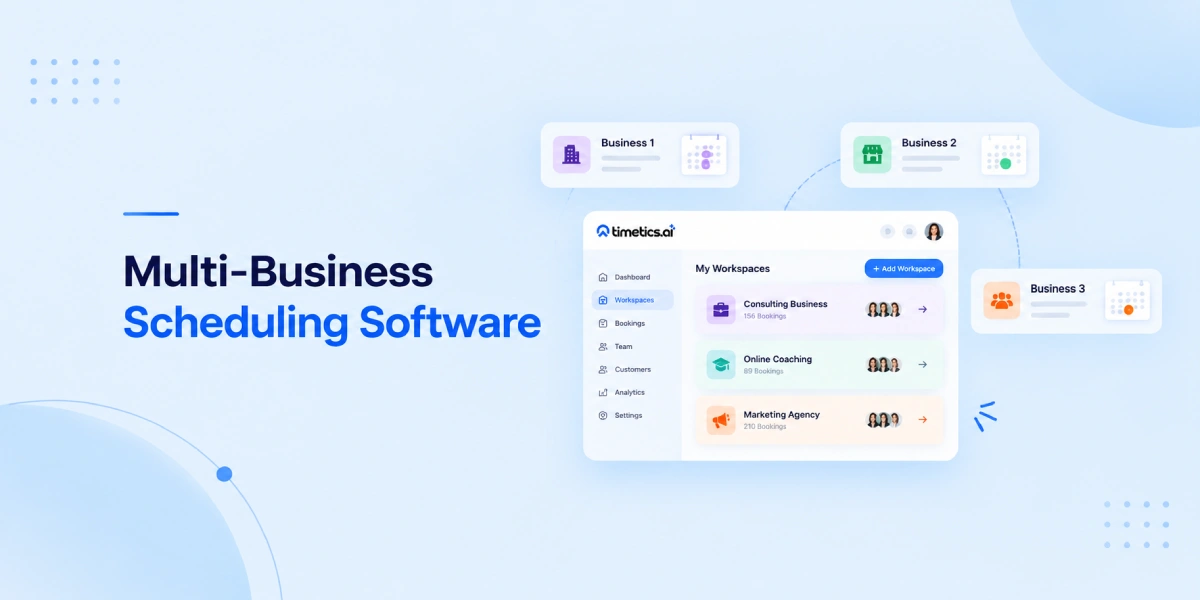
Table of Contents
Managing one business is already challenging. Managing multiple businesses, brands, or service teams can become much harder when everything depends on the same calendar, booking system, and customer list.
Imagine you run a marketing agency, a consulting business, and an online training program. Each business has different customers, different teams, different meeting types, and different availability. Using one basic scheduling system for all of them can quickly create confusion.
Multi-business scheduling software helps solve this problem by allowing you to manage multiple businesses from one platform while keeping each business organized separately. You can create different workspaces, booking pages, calendars, teams, and customer experiences without mixing everything together.
Whether you manage multiple brands, operate franchise locations, or run different service businesses, the right scheduling software can save time, reduce booking mistakes, and create a better experience for your customers.
In this guide, we’ll explain what multi-business scheduling software is, why a single scheduling account may not be enough, and how tools like Timetics AI help businesses manage multiple brands efficiently.
What Is Multi-Business Scheduling Software?
When a scheduling system allows you to manage appointments, meetings, teams, and customers for multiple businesses or brands from one place, it is considered multi-business scheduling software.
For example, imagine you own three different businesses:
- A digital marketing agency
- A business consulting service
- An online coaching platform
Each business may have different employees, different customers, different meeting types, and different availability. Instead of creating separate tools for every business, a multi-business scheduling system helps you organize them individually while controlling everything from one account.
The main idea is separation with centralized management.
You can keep each business independent by creating separate calendars, booking pages, teams, and customer experiences. At the same time, you don’t need to switch between different accounts or platforms to manage daily operations.
A good multi-business scheduling platform should help you avoid mixed calendars, incorrect bookings, and confusing customer experiences while making it easier to manage all your businesses from a single dashboard.
Why One Scheduling Account Isn’t Enough for Multiple Businesses
Using one scheduling account may work when you manage only one business with a small team. But when you start handling multiple businesses, the same setup can quickly become difficult to manage.
The problem is not only about creating more appointments. The real challenge is keeping each business operation separate while still managing everything efficiently.
For example, if you run a consulting company and an online training business from the same scheduling account, both businesses may have different customers, different meeting types, and different teams. Mixing them together can create confusion for both you and your customers.
A multi-business scheduling setup helps by keeping each part of your operation organized separately.
Separate calendars
Each business usually has its own schedule, working hours, and availability.
Using one shared calendar can make availability unclear and increase the chance of double bookings. Separate calendars allow each business to manage its own appointments without affecting other operations.
Separate teams
Different businesses often have different people responsible for handling appointments.
A marketing agency may have account managers, while a consulting business may have expert advisors. A training platform may have instructors.
A multi-business scheduling system allows you to assign the right team members to the right business instead of showing everyone in one combined list.
Separate customers
Customers from one business may not need to see services from another business.
Keeping customer groups separate creates a cleaner experience and helps each business maintain its own relationship with customers.
Separate branding
Every business may have its own identity, even when they are managed by the same company owner.
Different brands may require different:
- Logos
- Colors
- Booking page designs
- Business information
- Communication style
A multi-business scheduling system helps each brand maintain a professional and consistent customer experience.
Separate booking pages
Each business needs a booking page designed around its own services.
A consultant may need a page for one-on-one consultations, while an agency may need pages for discovery calls, project meetings, or client reviews.
Separate booking pages make sure customers only see the services that are relevant to them.
Separate reporting
When multiple businesses share one scheduling account, understanding performance becomes harder.
You may want to know:
- Which business gets the most bookings?
- Which team handles the most meetings?
- Which service is most popular?
- How many customers belong to each brand?
Separate reporting helps you track each business clearly and make better decisions based on accurate data.
Multi-Business vs Multi-Location Scheduling
Multi-business and multi-location scheduling may sound similar, but they solve different operational problems.
Multi-business scheduling is for managing different businesses or brands that may offer completely different services.
Multi-location scheduling is for managing the same business across different physical locations. For example, a salon chain may have branches in different cities, but all locations provide similar services.
The main difference is what you are separating – different businesses or different locations.
| Difference | Multi-Business Scheduling | Multi-Location Scheduling |
| Main purpose | Manage different brands or businesses | Manage different branches of one business |
| Services | Usually different services | Usually the same services in different places |
| Branding | Each business may have its own brand identity | Usually one shared brand |
| Example | Agency + Consulting + Coaching business | One salon with 5 branches |
Some businesses may need both. In that case, the scheduling system should be flexible enough to handle both structures.
5 Best Multi-Business Scheduling Software
Managing multiple businesses requires more than just a basic booking calendar. The right scheduling platform should help you separate brands, organize teams, manage different booking pages, and keep customer data structured.
The best choice depends on your business model. Some tools focus on simple appointment scheduling, while others provide advanced workspace management for agencies, consultants, and companies handling multiple brands.
Below are some of the most popular multi-business scheduling software options.
1. Timetics AI
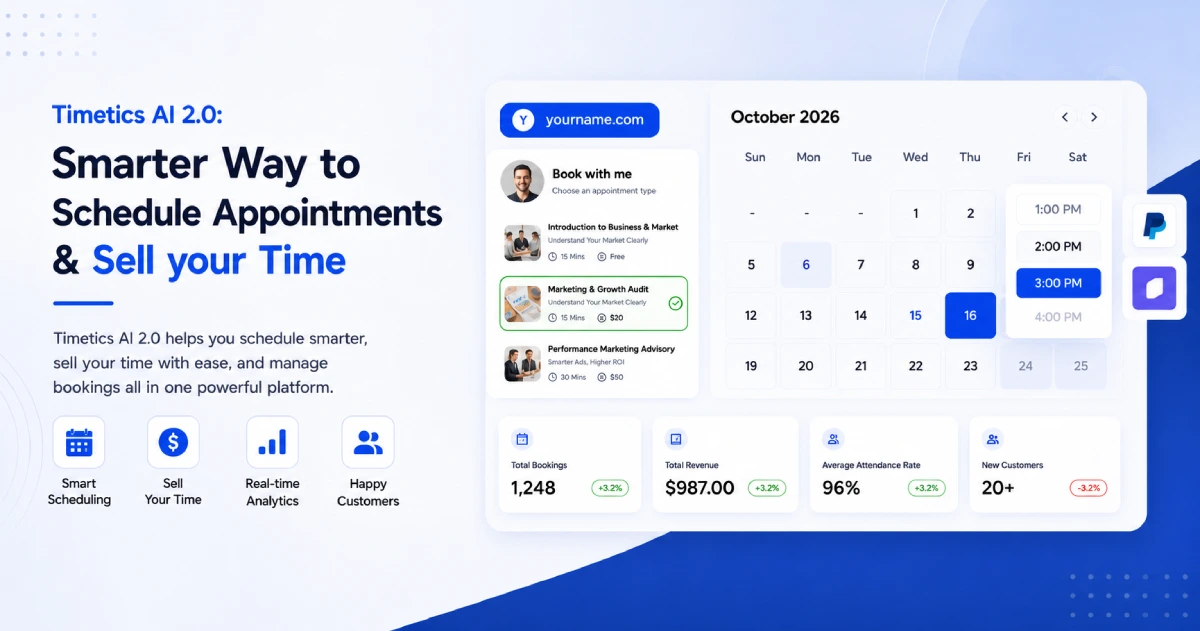
When you need to manage multiple businesses, brands, or client projects from one scheduling platform, Timetics AI focuses on keeping each operation separate through workspaces.
Instead of mixing different businesses into one booking system, you can create separate workspaces with their own calendars, teams, booking pages, settings, and branding. This makes it suitable for agencies, consultants, service businesses, and companies managing multiple brands.
Key Features
- Multiple workspaces to manage different businesses
- Separate calendars and booking pages
- Team roles and permission management
- Custom branding options
- Consultation and service booking
- Payment collection through integrations
- Automated reminders and customer follow-ups
- AI-powered scheduling assistance
Pros and Cons
| Pros | Cons |
| Manage multiple businesses from one account | Advanced features may require higher plans |
| Separate workspace-level settings and teams | Best suited for service-based businesses |
| Includes booking, payments, and automation features | May have more features than simple users need |
Pricing
- Free plan: $0/3-user with AI Agent
- Paid plans: Starts at $12/month/ 10-user
- Higher plans: Up to $19/month, 30-user for growing teams.
2. Calendly
Calendly is one of the most recognized scheduling platforms for individuals and teams. It helps businesses create booking pages, connect calendars, and automate meeting scheduling.
For companies managing multiple businesses, Calendly can work through separate teams and account structures. However, organizations with many brands may need careful setup to keep each business operation separated.
Key Features
- Meeting scheduling links
- Team scheduling
- Calendar integrations
- Automated reminders
- Routing forms
- Meeting polls
- Workflow automation
Pros and Cons
| Pros | Cons |
| Very simple and easy to use | Multiple business management may require separate structures |
| Strong calendar integrations | Advanced features are available on higher plans |
| Popular among professionals and teams | Branding control can be limited compared to dedicated multi-brand tools |
Pricing
- Free plan: $0
- Standard: Starts around $10/user/month
- Teams: Starts around $16/user/month
- Enterprise: Custom pricing
3. Acuity Scheduling
Acuity Scheduling is an appointment management platform designed for businesses that need detailed control over client bookings, services, and availability.
It is commonly used by consultants, wellness providers, coaches, and service businesses that need more customization than a basic calendar tool.
Key Features
- Client appointment scheduling
- Intake forms and questionnaires
- Payment collection
- Appointment packages
- Calendar synchronization
- Client management tools
Pros and Cons
| Pros | Cons |
| Strong appointment customization | Not specifically built around multi-brand workspace management |
| Useful for service businesses | Can become complex for large multi-business setups |
| Includes client information management | Branding separation may require additional setup |
Pricing
- Emerging: Around $16/month
- Growing: Around $27/month
- Powerhouse: Around $49/month
4. Cal.com
Cal.com is an open scheduling platform focused on flexibility and customization. It allows businesses and teams to create scheduling systems with more control over hosting, integrations, and workflows.
It can be useful for companies that want more technical flexibility or need customized scheduling experiences.
Key Features
- Open-source scheduling platform
- Team scheduling
- Custom booking pages
- Calendar integrations
- Workflow automation
- API access
Pros and Cons
| Pros | Cons |
| Highly customizable | Requires more technical knowledge for advanced setups |
| Flexible integrations | Setup can take more time compared to simpler tools |
| Suitable for developers and teams | Some features depend on plan or configuration |
Pricing
- Free plan available
- Paid plans start around $12/user/month
- Enterprise pricing available
5. YouCanBookMe (YCBM)
YouCanBookMe helps businesses create personalized booking pages and manage customer appointments. It is commonly used by individuals, teams, and service providers who want a simple scheduling workflow.
For businesses handling multiple services or teams, it provides useful booking customization options.
Key Features
- Custom booking pages
- Calendar synchronization
- Automated emails
- Team scheduling
- Time zone management
- Booking forms
Pros and Cons
| Pros | Cons |
| Easy booking page setup | Less focused on multi-brand operations |
| Good customization options | Large organizations may need additional structure |
| Simple customer scheduling experience | Advanced business management features are limited |
Pricing
- Free plan available
- Paid plans start around $12/month
- Higher plans available for teams
Note: Pricing can change based on billing cycles, features, and region. Always check the official pricing page before making a final decision.
Multi-Business Scheduling Software Comparison
| Feature | Timetics AI | Calendly | Acuity Scheduling | Cal.com | YCBM |
| Separate workspaces for different businesses | ✅ | Limited | Limited | Limited | Limited |
| Separate calendars & availability | ✅ | ✅ | ✅ | ✅ | ✅ |
| Team scheduling & permissions | ✅ | ✅ | ✅ | ✅ | ✅ |
| Separate booking pages | ✅ | ✅ | ✅ | ✅ | ✅ |
| Custom branding options | ✅ | Limited | Limited | ✅ | ✅ |
| Payment & service booking support | ✅ | Limited | ✅ | Limited | Limited |
| Multi-business management from one account | ✅ | Limited | Limited | Limited | Limited |
Which Businesses Need Multi-Business Scheduling?
Multi-business scheduling is useful for businesses that manage multiple brands, services, teams, or business operations. Instead of handling separate scheduling systems for every business unit, companies can organize everything from one platform while keeping each operation independent.
Agencies
Agencies often manage different services, departments, and client requirements at the same time. Multi-business scheduling helps agencies create separate booking flows, calendars, and team availability for each service area while keeping management centralized.
Franchise businesses
Franchise businesses need scheduling systems that can support multiple branches while maintaining consistent operations. A multi-business scheduling setup allows each franchise location to manage its own appointments, staff schedules, and customer bookings separately.
Multi-brand companies
Companies operating multiple brands need different customer experiences for each brand. Multi-business scheduling helps them maintain separate booking pages, calendars, and business settings without creating multiple disconnected accounts.
Multi-location service businesses
Businesses with multiple locations need to manage different teams, working hours, and appointment availability. A flexible scheduling system allows each location to handle its own bookings while giving administrators a complete overview.
Consultants managing multiple businesses
Consultants who provide different services or manage multiple ventures need a simple way to separate their professional activities. Multi-business scheduling allows them to organize different services, clients, and booking processes from one account.
How Timetics AI Handles Multiple Businesses
Managing multiple businesses becomes easier when each business can operate separately without creating multiple disconnected scheduling accounts. Timetics AI solves this through Workspaces, which allow you to manage different brands, teams, or business operations from one dashboard while keeping their data separated.
Instead of mixing all appointments, customers, and team members in one place, you can create dedicated workspaces for each business. Each workspace can have its own booking pages, calendars, team members, services, and settings based on that business’s needs.
Separate Workspaces for Each Business
Workspaces help you organize multiple businesses without confusion. You can create an individual workspace for every brand, branch, or client operation and manage them from a single account.
This makes it easier to maintain:
- Separate business data
- Different teams
- Different services
- Independent booking experiences
Multi-Brand Management
For companies managing multiple brands, Timetics AI provides multi-brand management features that help keep each brand’s scheduling operations separate. Each brand can maintain its own booking experience while the admin manages everything from one place.
Separate Booking Websites and Pages
Each business may need a different customer-facing booking experience. Timetics AI’s booking website builder allows you to create customized booking pages without coding.
You can customize booking experiences based on:
- Business identity
- Services offered
- Customer requirements
- Brand presentation
Team Management Across Businesses
Different businesses often require different teams. Timetics AI allows you to manage team members, assign roles, and control access so each team can focus on its own operations.
This helps prevent:
- Wrong team assignments
- Calendar confusion
- Unnecessary access between different business units
Multiple Services and Locations Management
A multi-business setup often requires handling different services and locations. Timetics AI supports service-based scheduling, multiple locations, availability rules, and booking limits to help businesses manage different operations efficiently.
Automation for Every Business Operation
Managing multiple businesses means handling many repetitive tasks. Timetics AI helps automate reminders, confirmations, follow-ups, and booking workflows so each business can run smoothly without manual work.
Analytics and Performance Tracking
When multiple businesses run through one platform, tracking performance becomes important. Timetics AI provides analytics and reporting features to help monitor bookings, revenue, and business activity from your scheduling system.
Best Fit for Growing Businesses
Timetics AI is especially useful for businesses that need a centralized scheduling system but want each brand, team, or business unit to remain independent.
With workspaces, multi-brand management, team controls, booking pages, automation, and reporting, businesses can manage multiple scheduling operations without creating separate systems for every brand.
Frequently Asked Questions
Can I manage multiple businesses from one scheduling account?
Yes, multi-business scheduling software allows you to manage different businesses from one account while keeping each business’s calendars, teams, booking pages, and settings separate.
Does multi-business scheduling software support different branding?
Yes, many multi-business scheduling tools allow businesses to customize booking pages, branding elements, and customer experiences for different brands or services.
Can one scheduling software handle multiple brands?
Yes, a multi-business scheduling platform is designed to manage multiple brands by keeping their appointments, customers, teams, and booking systems separated.
How does Timetics AI manage multiple businesses?
Timetics AI uses workspaces to separate different businesses, brands, or operations. Each workspace can have its own teams, calendars, booking pages, services, and settings.
Is Timetics AI suitable for agencies and consultants managing multiple businesses?
Yes, Timetics AI is suitable for agencies and consultants who manage multiple services, brands, or client operations because it provides workspace-based scheduling management.