What Is Revenue-First Booking and Why Are More Consultants Switching to It?


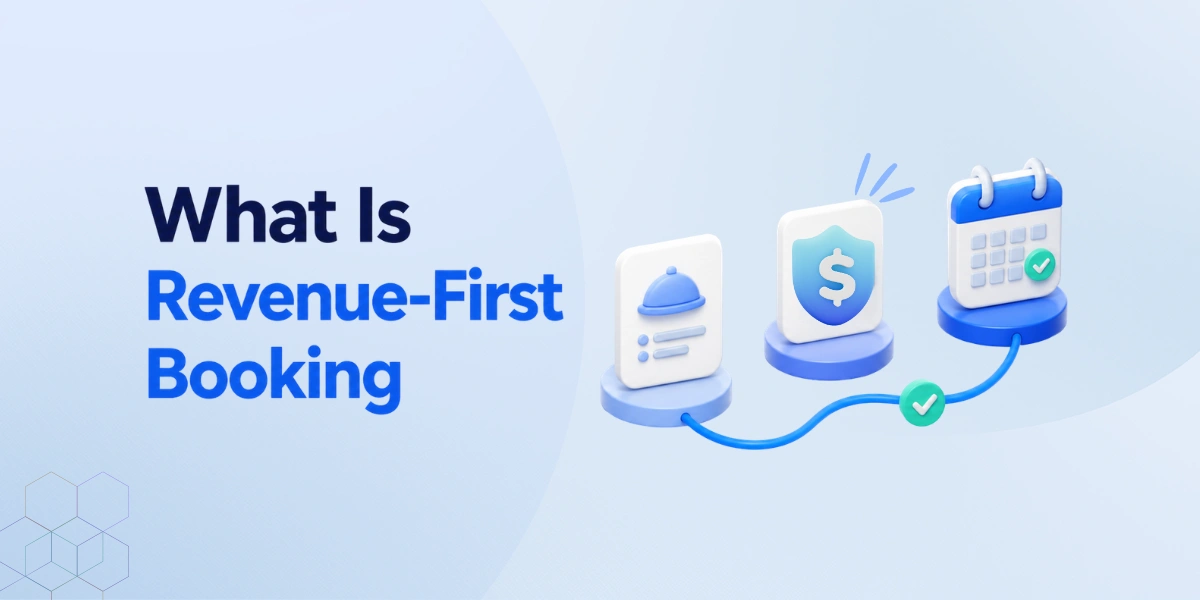
Table of Contents
Revenue-first booking is a scheduling approach that presents the service, qualifies the client, and secures payment or commitment before confirming an appointment.
In this way prospective clients first understand what the service includes, how much it costs, and whether it fits their needs.
Revenue-first booking changes the objective from “How many meetings can I schedule?” to “How many suitable, valuable appointments can I confirm?”
For service providers, it can create a more structured path from initial interest to a confirmed engagement. Pricing, qualification, payment, scheduling, and follow-up become parts of one booking journey instead of separate administrative tasks.
Let’s explore how it works and why it’s gaining popularity.
How Does Revenue-First Booking Work?
A normal booking system tries to fill your calendar.
On the other hand, a revenue-first booking system tries to fill your calendar with the right people, those who are more likely to become customers. This helps you save time, improve your conversion rate, and grow your business faster.
What the client experiences
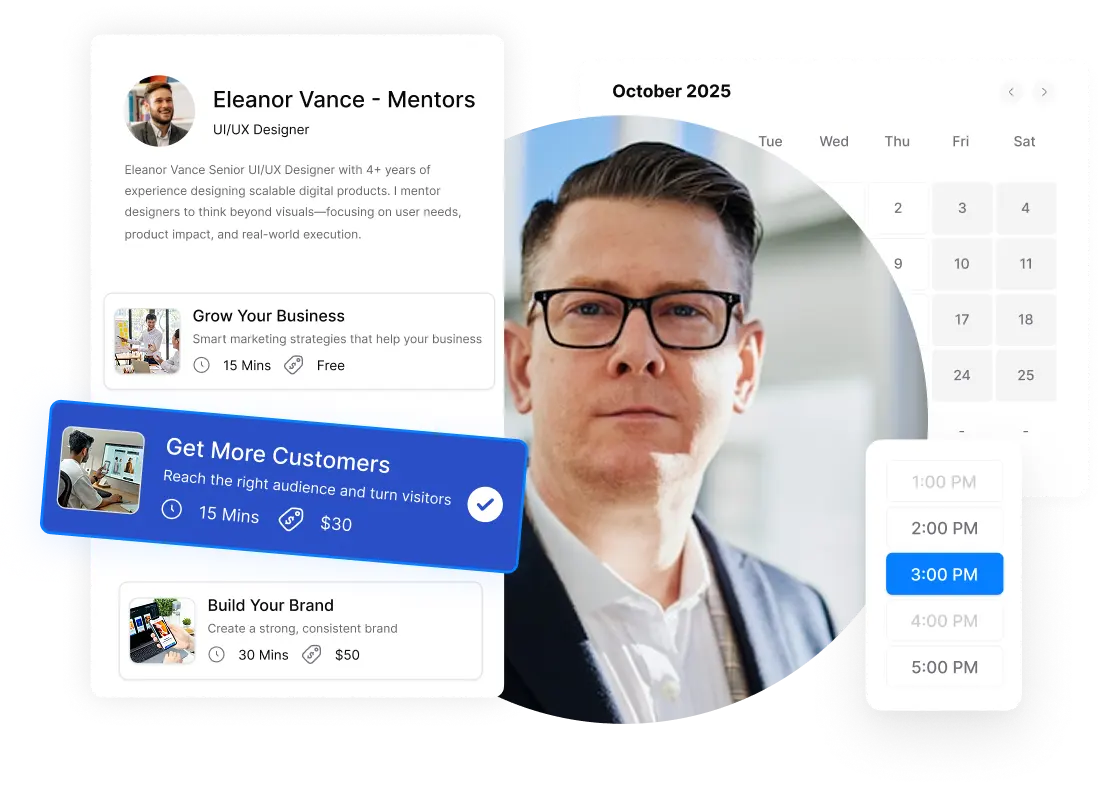
The client visits a booking page and reviews the available services, including the price, duration, description, and expected outcome. After choosing the right service, they answer a few relevant questions, select an available time, and pay the full fee or a deposit when required.
Once the booking is complete, the client receives a confirmation, calendar invitation, meeting or location details, and scheduled reminders. They know what they booked, what it costs, and how to prepare.
What happens for the host
The host defines each service, sets pricing and availability, adds qualification questions, and chooses whether to require full payment, a deposit, or no payment. The booking system then applies those rules automatically.
When a client completes the process, the host receives the appointment details, payment status, and intake answers in advance. Calendar updates, confirmations, and reminders can run automatically, reducing repetitive administration and helping the host prepare for a more focused appointment.
In simple terms, the client gets a clearer booking experience, while the host receives a better-qualified and more committed appointment.
Why Are More Service Businesses Adopting Revenue-First Booking?
Service businesses are increasingly shifting to revenue-first booking because a full calendar does not always mean a healthy business. In many cases, people book without fully understanding the service, the pricing, or whether they are actually ready to move forward. This often leads to wasted time for both the client and the service provider.
Revenue-first booking helps solve this by making the process more intentional and structured:
- Clients choose the right service first, before selecting a time slot
- They can clearly see what the service includes, how long it takes, and how much it costs
- This reduces confusion and prevents mismatched expectations
It also improves how payments are handled:
- Clients often pay the full amount or a deposit at the time of booking
- Businesses no longer need to chase invoices or follow up for payments later
- Cash flow becomes more predictable and consistent
Another key advantage is stronger commitment from clients:
- Prepayment increases the likelihood that clients will show up
- People are less likely to miss or forget appointments they have already paid for
- Clear cancellation policies and automated reminders further reduce no-shows
Revenue-first booking also improves preparation and service quality:
- Simple intake questions help the host understand client needs in advance
- Businesses can quickly identify whether the client is a good fit
- Sessions become more focused, with less time spent on basic discovery during the call
Finally, it reduces manual administrative work through automation:
- Calendars update automatically after each booking
- Confirmation emails and meeting details are sent instantly
- Automated reminders keep clients informed before the appointment
For service businesses, the main benefit is clear: less time spent managing bookings and more time focused on delivering value to the right clients.
Which Businesses Benefit Most from Revenue-First Booking?
Revenue-first booking works best for businesses that sell their time, skills, or services through appointments. It is especially useful when a missed meeting, wrong booking, or late payment can cause a loss of time and money.
- Consultants and coaches: They can offer different sessions with clear prices and collect payment before the call. Intake questions also help them understand the client’s goals in advance.
- Freelancers and creative professionals: Designers, writers, developers, and marketers can charge for audits, reviews, or advice sessions instead of giving away valuable time through free calls.
- Agencies and studios: Agencies can offer paid discovery sessions, workshops, and project consultations. This helps them find serious clients before spending time preparing proposals.
- Tutors and trainers: Tutors, language teachers, fitness trainers, and instructors can sell one-time or recurring sessions. Payment and reminders can be handled during the booking process.
- Wellness and local service providers: Salons, spas, therapists, and other appointment-based businesses can collect deposits, explain services clearly, and protect their time from last-minute cancellations.
Revenue-first booking may not be necessary for simple internal meetings or casual conversations. However, it can be valuable when every appointment uses limited time, requires preparation, or has a clear financial value.
Revenue-First Booking vs Traditional Booking
Traditional booking mainly helps someone find an available time. Revenue-first booking manages more of the client journey, including service selection, qualification, payment, and follow-up.
| Area | Traditional booking | Revenue-first booking |
| Main goal | Fill available time slots | Confirm valuable bookings |
| First step | Choose a date and time | Choose the right service |
| Service details | Often limited | Clearly shown before booking |
| Pricing | May be discussed later | Displayed before confirmation |
| Client questions | Usually basic details | Questions help check needs and fit |
| Payment | Often collected later | Full payment or deposit at booking |
| Client commitment | Booking may be easy to abandon | Payment creates stronger commitment |
| Host preparation | Details may arrive later | Client information is collected early |
| Follow-up | May require manual work | Messages and reminders automated |
| Success measure | Number of bookings | Quality, attendance, and booking value |
Traditional booking is suitable for internal meetings, casual calls, and appointments that do not require payment or detailed preparation.
Revenue-first booking is better suited to paid services where the host needs to protect time, understand the client, and receive payment without extra follow-up.
Is Revenue-First Booking Different From Calendly Or Acuity?
Yes, but they are not direct opposites. Revenue-first booking is a business strategy, while Calendly and Acuity are scheduling tools that can support parts of that strategy.
- Calendly is mainly known for making meetings easy to schedule. It also supports payment collection and routing forms, which can help businesses qualify people before showing a booking option.
- Acuity is more focused on appointment-based services. It supports service listings, intake forms, deposits, payments, packages, and automated reminders.
The main difference is not simply which tool has the most features. It is how the booking process is designed. A standard setup may focus on getting more people onto the calendar. A revenue-first setup focuses on helping the right clients choose the right service, provide useful details, and make the required commitment.
Both Calendly and Acuity can support parts of this process. However, businesses should compare how easily each platform connects service presentation, qualification, payment, scheduling, and automation in one workflow.
How Timetics Supports a Revenue-First Booking Strategy
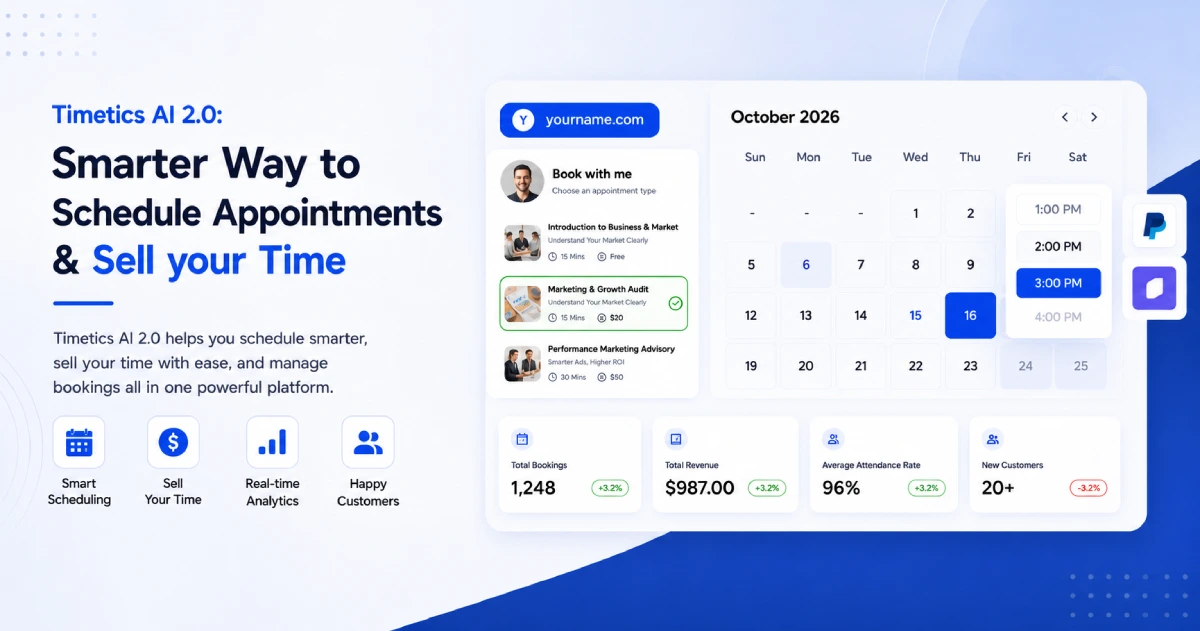
Timetics AI helps service businesses manage the full journey from service selection to confirmed appointment. It combines booking pages, client questions, payments, calendar management, and automated communication in one platform.
Present services clearly
Timetics allows a business to create service-based booking pages instead of sharing only an open calendar. Each service can include:
- A clear title and description
- The meeting duration
- The service price
- Online, phone, or in-person options
- An assigned team member
- Optional extra services
Clients can review the available services and choose the best option before they select a time. This helps prevent people from booking the wrong type of appointment.
Qualify clients before the meeting
Businesses can add custom questions to the booking process. These questions help the host understand what the client needs and prepare for the appointment.
For example, a consultant might ask:
- What problem would you like to solve?
- What result are you hoping to achieve?
- When do you need the work completed?
- Have you worked with a consultant before?
The questions should be short and useful. Asking too many questions can make the booking process feel difficult.
Collect payment during booking
Timetics supports online payment collection through Stripe and PayPal. A business can charge the full service price or require a partial deposit.
It also supports useful payment options such as:
- Discount prices
- Coupon codes
- Refund settings
- Optional paid add-ons
- On-site payment for in-person services
Collecting payment during booking means the host does not need to send a separate invoice after the appointment is scheduled.
Protect the host’s time
Timetics includes scheduling controls that help businesses manage when and how clients can book.
Hosts can set:
- Working days and hours
- Buffer time between appointments
- Daily or weekly booking limits
- Minimum and maximum booking notice
- Cancellation and rescheduling rules
- Calendar conflict checks
These controls make it easier to avoid double bookings and protect time for other important work.
Automate routine booking tasks
After a booking is completed, Timetics can help manage the next steps. Calendar events, confirmations, meeting details, and reminders can be handled automatically.
Timetics also connects with tools such as Google Calendar, Outlook, Apple Calendar, Zoom, Google Meet, and Microsoft Teams. This keeps appointment information connected to the tools the business already uses.
Use AI to reduce setup work
The Timetics AI Agent lets hosts manage common scheduling tasks using simple language. A user can ask it to create a booking calendar, change working hours, block an unavailable day, find a setting, or explain how to complete a task.
For example: “Create a 60-minute paid strategy consultation.”
The AI Agent can help create the booking calendar and apply the requested settings. This reduces the time spent searching through menus.
Revenue-first booking example
Imagine a marketing consultant who offers a paid website audit.
- The consultant creates a website audit service with a description, price, and duration.
- They add a few questions about the client’s website and main marketing problem.
- They require full payment before confirmation.
- The client chooses the service, answers the questions, selects a time, and pays.
- Timetics confirms the booking and sends the appointment details.
- The consultant reviews the answers and arrives prepared for the session.
The client receives a clear and simple experience. The consultant receives a qualified, paid appointment without managing several separate tools.
Turn your booking page into a revenue workflow
If your business sells consultations, coaching, lessons, audits, or other appointment-based services, Timetics can help connect your offers, payments, and scheduling in one place. 👉 Explore revenue-focused scheduling with Timetics AI
Frequently Asked Questions
What is revenue-first booking?
Revenue-first booking is a scheduling method that focuses on valuable, qualified appointments. Clients review the service, provide useful details, and make the required payment or commitment before confirmation.
Does revenue-first booking require full payment?
No. A business can request full payment, a partial deposit, or no payment for a qualified introductory call. The right choice depends on the service and the value of the reserved time.
Can revenue-first booking reduce no-shows?
Payment, deposits, clear policies, and automatic reminders can encourage stronger commitment. However, no system can prevent every missed appointment or late cancellation.
Is revenue-first booking only for consultants?
No. It can help coaches, freelancers, tutors, agencies, salons, wellness professionals, and other businesses that sell services through appointments.
Is revenue-first booking the same as online scheduling?
No. Online scheduling mainly helps clients choose a time. Revenue-first booking also includes service selection, qualification, pricing, payment, and automated follow-up.
Can I use revenue-first booking for free consultations?
Yes. A free consultation can support a revenue-first strategy when it has a clear purpose, useful qualification questions, and a planned next step.
Can Calendly or Acuity support revenue-first booking?
Yes. Both platforms support several parts of the strategy. Businesses should compare how well each tool handles service details, client questions, payments, scheduling, and automation.
How does Timetics support revenue-first booking?
Timetics combines service-based booking pages, custom questions, payments, scheduling rules, reminders, integrations, and AI-assisted calendar management in one platform.