How to Collect Payment Before a Consultation


Paid consultation booking creates a clearer journey. Clients can review the service, understand its price and scope, choose an available time, provide relevant information, and complete payment before receiving confirmation.
Timetics AI brings these steps together through service-based booking pages, intake questions, calendar synchronization, payment integrations, availability rules, and automated notifications. The result is more than a scheduling link: it is a structured system for selling and delivering professional time.
In this guide, you’ll learn why upfront payment matters, the best ways to collect payment before a consultation, and how to set up a simple process that creates a better experience for both you and your clients.
What Is Paid Consultation Booking?
Collecting payment before a consultation means asking clients to pay the full fee or a required deposit while reserving their appointment.
Paid consultation booking can use several payment models:
- Full prepayment: The client pays the entire consultation fee before confirmation. This works well for fixed-price strategy calls, audits, coaching sessions, and professional reviews.
- Partial deposit: The client pays a fixed amount or percentage to reserve the appointment. The remaining balance is collected before or after the consultation.
- Manual payment verification: The client pays through a bank transfer, mobile wallet, or another off-platform method and submits a transaction reference or proof of payment.
- Payment on-site: The client reserves the appointment but pays in person. The booking system records the outstanding balance until the business marks it as paid.
A paid consultation should also have a defined outcome. Clients are more likely to understand the value when the offer explains what they will receive-for example, a written assessment, expert recommendations, a prioritized action plan, or answers to a defined set of questions.
For this reason, “60-minute product roadmap review with prioritized next steps” is a stronger offer than “60-minute meeting.” The first describes a professional service; the second describes only a block of time.
Paid consultation booking is therefore not simply about adding a checkout screen to a calendar. It turns professional knowledge and time into a clearly described, bookable service with transparent pricing, qualification, payment, and confirmation built into one client journey.
How Is Paid Consultation Booking Different From a Traditional Scheduling Link?
A traditional scheduling link mainly answers, “When are you available?” Paid consultation booking also presents the service, collects client information, processes payment, and confirms the appointment.
| Area | Traditional scheduling link | Paid consultation booking |
| Purpose | Coordinates available meeting times | Sells defined consultation services |
| Client decision | Selects an available time | Chooses service and time |
| Service details | Basic title and duration | Scope, outcome, price included |
| Pricing | Often hidden or separate | Visible before time selection |
| Payment | Collected through separate tools | Collected during the booking |
| Confirmation | Immediate after form submission | After payment requirements are met |
| Intake | Basic contact details only | Qualification and preparation questions |
| Booking quality | Open to anyone invited | Filters lower-intent requests |
| Admin work | Requires manual payment follow-up | Connects bookings with payments |
| Calendar protection | Availability and conflict control | Adds deposits, buffers, limits |
| Expectations | Knows meeting time only | Knows scope, price, preparation |
| Notifications | Basic calendar confirmation | Payment, reminders, follow-ups |
| Best for | Free meetings and coordination | Paid professional services |
| Outcome | Saves scheduling administration time | Supports qualified, paid bookings |
A traditional link works well for free meetings and simple coordination. Pre-paid consultation booking is more suitable when the appointment delivers professional value and payment should be part of the reservation process.
Who Should Use Pre-Paid Consultation Booking
Pre-paid consultation booking works best for professionals whose advice, analysis, or personalized guidance is the service being purchased. It is especially valuable when appointments require preparation, reserve limited working time, or frequently attract people who are not ready to become paying clients.
Consultants and Advisors
Business, marketing, product, legal, financial, and travel consultants can charge for strategy sessions, assessments, or specialist advice. Prepayment ensures the client understands that the appointment provides professional value-not just an introductory conversation.
Coaches
Career, executive, business, and personal coaches can use prepaid booking for individual coaching sessions or recurring programs. Clients can choose the appropriate session, pay, and receive preparation instructions in one process.
Freelancers and Creative Experts
Designers, developers, writers, and other specialists can sell audits, portfolio reviews, technical guidance, or project consultations. This creates a clear boundary between a short discovery call and detailed paid advice.
Agencies
Agencies can offer paid website audits, marketing reviews, strategy workshops, or campaign consultations. Intake questions help the assigned specialist understand the client’s goals before the session begins.
Tutors and Educators
Tutors, trainers, and instructors can collect payment for private lessons, exam preparation, or specialized training. Recurring booking can also support students who need weekly or monthly sessions.
Wellness and Professional Service Providers
Therapists, nutritionists, fitness professionals, and other service providers may use deposits or full payment to reserve appointments. Their payment, cancellation, privacy, and refund processes should always follow applicable professional and local requirements.
Pre-paid booking may be unnecessary for internal meetings, job interviews, brief networking calls, or early discovery conversations where both sides are still evaluating basic fit.
How You Set Up a Pre-Paid Consultations System With Timetics AI
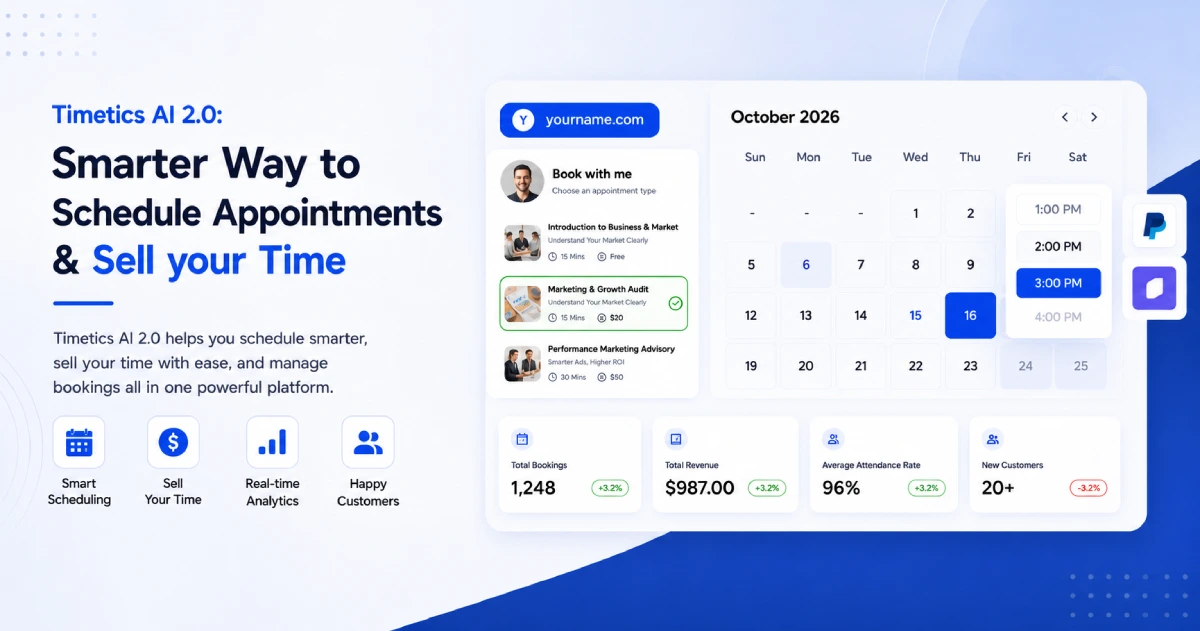
Setting up a seamless prepaid consultation flow in Timetics AI allows you to streamline bookings, secure payments in advance, and deliver a more professional client experience.
In just a few steps, you can configure a fully automated system where clients select a service, choose a time, and complete payment in a single, frictionless process.
1. Create a Service-Based Booking
Start by navigating to your Timetics AI dashboard and opening Manage Calendars. Click Create New and select Service-Based Booking.
Next, define the core details of your consultation:
- Consultation title
- Short, value-focused description
- Session duration
- Price and currency
- Custom booking URL
- Assigned team member (if applicable)
Choose a clear, outcome-driven title that communicates value immediately. For example, “60-Minute Marketing Strategy Review” is far more compelling and specific than a generic “Consultation Call.”
2. Define the Consultation Format
Select how the session will be delivered:
- Video meeting
- Phone call
- In-person appointment
For virtual consultations, integrate platforms such as Zoom or Google Meet. Timetics AI will automatically generate and attach meeting details to each confirmed booking.
For in-person sessions, ensure you provide a precise business address or branch location so clients know exactly where to arrive.
3. Set Pricing and Payment Rules
Enter your standard consultation fee, and optionally include promotional pricing or discount codes when needed.
Then define how payments will be handled:
- Full payment: The entire fee is collected at the time of booking
- Deposit: A partial payment secures the appointment
- On-site payment: Payment is collected after the session
- Manual payment: Clients submit proof of payment for verification
For most fixed-price online consultations, full upfront payment is the most efficient and reliable option. Deposits are better suited for high-value, extended, or in-person engagements.
4. Connect a Payment Gateway
Timetics AI integrates with trusted payment providers such as Stripe and PayPal. You can connect your preferred gateway from the Integrations section of the dashboard.
Once connected, payments are processed automatically during booking, and Timetics records both the appointment and its payment status in real time.
For manual or local payment methods, transactions are not processed automatically. Instead, clients may submit bank transfer references or payment confirmations, which you can review and approve before finalizing the booking.
5. Configure Your Availability
Define when clients can schedule appointments by setting your working hours and availability rules. This ensures your calendar remains structured and conflict-free.
You can also apply advanced scheduling controls:
- Add buffer time between sessions
- Limit daily or weekly bookings
- Set minimum notice periods before booking
- Control how far in advance clients can schedule
- Sync external calendars to avoid conflicts
- Block holidays or unavailable time slots
These settings help maintain a balanced schedule while preventing overbooking.
6. Add Strategic Intake Questions
Collect relevant information from clients before the session to ensure you are fully prepared.
Keep your questions focused and purposeful, such as:
- What challenge would you like to address?
- What outcome are you expecting from this session?
- What steps have you already taken?
- Is there a specific deadline involved?
- Are there any documents or materials to review beforehand?
Well-structured intake questions improve session quality and allow you to deliver more targeted, high-value consultations.
7. Customize and Publish Your Booking Page
Refine your booking page to reflect your brand identity. Add your logo, brand colors, service imagery, pricing details, and any preparation instructions clients should follow.
Before publishing, preview the page on both desktop and mobile to ensure a consistent user experience.
Once ready, you can:
- Share the direct booking link
- Embed it on your website
- Add it to your email signature
- Include it in social media profiles
- Send it directly to qualified leads
Before going live, it’s best practice to run a full test booking. Verify the entire flow-from scheduling and payment to calendar updates, meeting links, confirmations, and automated reminders.
Timetics AI also includes a scheduling assistant that can help you manage administrative tasks using natural language commands, such as adjusting availability, creating calendars, or locating payment settings. While the assistant simplifies setup and management, all payment processing continues to run securely through your selected payment provider.
Frequently Asked Questions About Paid Consultation Booking
Can I collect payment before confirming a consultation?
Yes. A paid consultation system can require full payment or a deposit before confirming the appointment. This keeps scheduling and payment within one booking process.
Should I charge the full fee or a deposit?
Full payment works well for fixed-price online consultations. A deposit may be better for expensive, extended, or in-person sessions with a remaining balance.
Which payment methods does Timetics AI support?
Timetics AI supports online payments through Stripe and PayPal. It also offers workflows for on-site, manual, and supported local payment methods.
Can I offer free and paid consultations together?
Yes. You can use a free discovery call for basic qualification and offer paid sessions for detailed advice, audits, planning, or personalized recommendations.
Does prepayment help reduce no-shows?
Prepayment gives clients a financial reason to attend, but it cannot guarantee attendance. Clear policies, confirmations, and timely reminders are still important.
What happens when a client cancels?
The outcome depends on your cancellation and refund policy. Clearly explain deadlines, rescheduling options, deposit terms, and refund conditions before payment.
Can clients reschedule a prepaid consultation?
Yes, if your booking rules allow rescheduling. Set a reasonable cutoff period so clients can change their appointment without disrupting your schedule.