How to Reduce Low-Intent Bookings Without Losing Qualified Clients


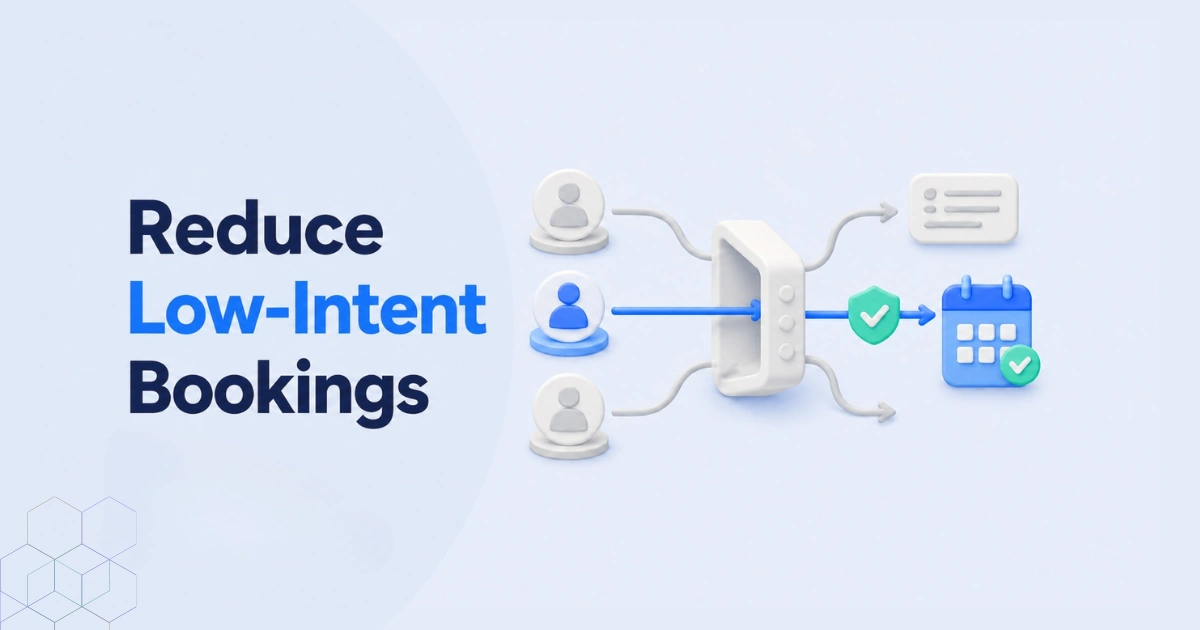
Getting more bookings is not always better. You need bookings from people who understand your service and are ready to take the next step.
To reduce low-intent bookings, explain your service before showing your calendar. Display the service details, price, and expected result. Ask a few simple questions to check whether the person is a good fit. For valuable sessions, you can also request payment or a deposit.
This does not mean making booking difficult. A long form may push serious clients away. The goal is to add just enough information and commitment to filter weak bookings.
In this guide, you will learn how to improve booking quality without losing qualified clients. You will also see how Timetics AI can help you create clear booking pages, collect useful details, accept payments, and automate scheduling tasks.
What Are Low-Intent Bookings?
Low-intent bookings are appointments made by people who are interested in a service but are not seriously planning to buy or move forward.
The person may book because the process is easy. However, they may not understand what you offer. They may not know the price. They may also be looking for free advice instead of a paid service.
Common signs of a low-intent booking include:
- The person gives unclear answers about their needs.
- They do not know what result they want.
- They have no clear budget or timeline.
- They choose a free call without reading the service details.
- They cancel or change the appointment several times.
- They are not ready to make a decision.
A low-intent booking is not always an unqualified booking. The person may be a good fit but needs more information before booking. Clear service details, pricing, and booking questions can help them choose the right next step.
It is also different from a no-show. Low intent describes the person’s level of interest when they book. A no-show happens when someone books an appointment but does not attend.
The goal is not to block everyone who is still learning. It is to guide each person toward the best option. Serious clients can book a consultation. Early-stage visitors can read a guide, watch a video, or contact the business later.
How Can You Reduce Low-Intent Bookings
You can reduce low-intent bookings by giving people clear information before they choose a time. Ask a few useful questions and offer the right booking option. The goal is to filter weak bookings without making the process difficult for serious clients.
1. Explain Your Service Clearly
Tell visitors what the service includes, who it is for, how long it takes, and what result they can expect. This helps people decide whether the service matches their needs.
2. Show the Price Before Booking
Show a fixed price when possible. If the price changes, provide a starting price or price range. Clear pricing prevents people from booking and discovering later that they cannot afford the service.
3. Ask a Few Booking Questions
Ask three to five simple questions before showing the calendar. For example:
- What do you need help with?
- What result do you want?
- When do you want to start?
- Which service are you interested in?
Every question should have a clear purpose. A long form may push good clients away.
4. Offer Different Booking Options
Not every visitor needs the same appointment. You could offer:
- A short free call for checking fit.
- A paid consultation for detailed advice.
- A full service for clients who are ready to begin.
People who are still researching can be sent to a guide, video, or FAQ page.
5. Request Payment When It Makes Sense
A payment or deposit can show that the client is serious. This works well when the session provides useful advice or a clear result.
However, every call does not need to be paid. A short fit call can remain free if its purpose is only to check whether both sides should work together.
6. Set Clear Booking Rules
Explain your cancellation and rescheduling rules before the booking is confirmed. Send a clear confirmation message with the date, time, service details, and preparation steps.
These simple changes can produce fewer bookings overall. But the bookings you receive are more likely to be relevant, prepared, and valuable.
What Should a High-Intent Booking Flow Look Like
A high-intent booking flow gives people the right information before they reserve your time. It should be simple, clear, and easy to complete.
A good booking flow follows these steps:
- Visitor understands the service: The booking page explains what the service is, who it is for, and what result the client can expect.
- Visitor chooses the right option: They select a free call, paid consultation, or another service that matches their needs.
- Visitor answers a few questions: Simple questions collect important details about their problem, goal, budget, or timeline.
- Visitor selects an available time: The calendar appears after the visitor understands the service and shares the required information.
- Visitor confirms their commitment: They may pay the full price, place a deposit, or accept the booking and cancellation rules.
- Visitor receives clear instructions: The confirmation message explains what was booked, how to prepare, and how to reschedule if needed.
This flow helps serious clients book without confusion. It also guides early-stage visitors toward a better next step instead of placing them directly on your calendar.
How Does Timetics AI 2.0 Help Filter Better Bookings
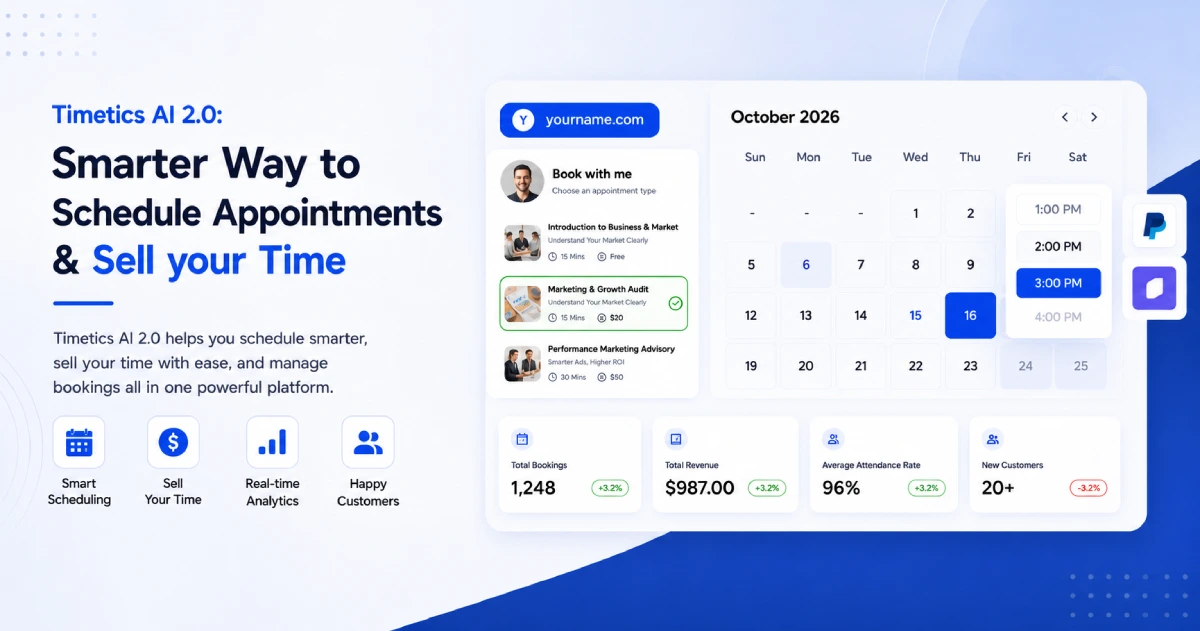
Timetics AI helps you create a booking process that gives people more information before they select a time. It does not simply display an empty calendar. You can explain your services, collect useful details, and ask for payment when needed.
Show Services and Prices Clearly
You can create different booking options with their own names, descriptions, prices, and durations. This helps visitors understand what they are choosing before they reach the calendar.
For example, a consultant could offer a free 15-minute fit call and a paid 60-minute strategy session.
Ask Questions During Booking
Timetics lets you add custom questions to the booking form. You can ask about the client’s goal, problem, timeline, or preferred service.
These answers help you prepare for the meeting. They can also reveal when someone has selected the wrong service.
Collect Payments or Deposits
You can collect full payment or a deposit during the booking process. Timetics supports payment options such as Stripe and PayPal. It also supports on-site and custom payment methods.
Payment can add commitment when the appointment provides real advice or another clear benefit.
Set Better Booking Rules
You can control your available hours, add buffer time, limit advance bookings, and create cancellation or rescheduling rules. These settings protect your time and make expectations clear.
Timetics can also send confirmations and reminders. This helps booked clients remember the appointment and arrive prepared.
Use the AI Scheduling Agent
The Timetics AI Agent helps you create booking calendars, update availability, find settings, and get setup guidance through simple commands.
The AI Agent does not need to judge whether a client is good or bad. Instead, it helps you build and manage a clear booking system that encourages better clients to choose the correct next step.
Which Businesses Benefit Most From Booking Qualification?
Booking qualification is most useful for businesses that sell their time, skills, or professional services. It helps them understand a client’s needs before accepting an appointment.
Consultants and Coaches
Consultants and coaches often receive requests from people who are only looking for free advice. Clear service details and a few questions can separate a short fit call from a paid session.
Freelancers and Creative Professionals
Designers, writers, marketers, and other freelancers may receive many “quick call” requests. Asking about the project, budget, and deadline helps them avoid calls about unsuitable work.
Agencies and Studios
Agencies can ask about the client’s business, goals, budget, and project size. This helps the right team member prepare for the meeting.
Tutors and Trainers
Tutors and trainers can ask about the student’s subject, skill level, goals, and preferred schedule. This prevents people from choosing the wrong lesson or program.
Wellness and Personal Service Businesses
Fitness coaches, beauty professionals, and wellness providers can show service details, prices, and preparation rules before booking. A deposit may also help confirm longer or more valuable appointments.
SaaS Sales Teams
Software companies can ask about company size, current problems, and desired results before a product demo. Visitors who are still researching can be sent to a guide or video instead.
Booking qualification is less important for simple, low-cost appointments. In those cases, adding too many questions may make booking harder than necessary.
Is Timetics Better Than Calendly or Acuity for Reducing Low-Intent Bookings?
Timetics, Calendly, and Acuity can all help improve booking quality. However, they use different methods. The best choice depends on how your business qualifies clients.
| Platform | How it helps | Best for |
| Timetics AI | Shows services, prices, and durations. It supports booking questions, deposits, payment options, and booking rules. | Consultants, coaches, freelancers, and service businesses |
| Calendly | Uses Routing Forms to send qualified visitors to the correct event or team. It can send unqualified visitors to a message or another page. | Sales teams that need rule-based lead routing |
| Acuity Scheduling | Offers appointment types, custom intake forms, agreements, deposits, full payments, packages, and classes. | Established appointment-based businesses |
Where Timetics Stands Out
Timetics is a strong choice when you want to present your service before showing your calendar. Visitors can review the service, price, duration, and booking rules before choosing a time.
You can also ask booking questions and collect full or partial payment. The Timetics AI Agent helps you create calendars, update availability, and find settings with simple commands.
Timetics does not currently document the same type of automatic qualification routing offered by Calendly Routing Forms. Its main strength is creating a clear, service-first booking journey.
Which One Should You Choose?
- Choose Timetics AI for service-focused booking pages, payments, booking questions, and AI-assisted setup.
- Choose Calendly when automatic lead routing is your main need.
- Choose Acuity when you need detailed intake forms, classes, packages, or flexible payment rules.
Timetics is not better for every business. But it can be a better fit for individual experts who want to turn a simple scheduling page into a clear service-booking experience.
Feature information was checked against the official Timetics, Calendly, and Acuity documentation.
Frequently Asked Questions About Low-Intent Bookings
What is a low-intent booking?
A low-intent booking is an appointment made by someone who is not fully ready, interested, or suitable for the service. The person may need more information before speaking with the business.
How can I qualify someone before they book?
Explain your service, price, and expected result. Then ask a few questions about the person’s problem, goal, budget, and timeline. Keep the questions short and relevant.
How many questions should I add to a booking form?
Three to five questions are enough for most consultations. Ask only for information that helps you understand the client or prepare for the meeting. Too many questions may discourage good clients.
Should I charge for every consultation?
No. Charge when the session provides useful advice, planning, or another clear result. A short call that only checks whether you and the client are a good fit can remain free.
Can reminders fix low booking intent?
Reminders can help people remember an appointment, but they cannot fix poor service fit. Booking qualification must happen before the appointment is confirmed.
How can I reduce weak bookings without losing good clients?
Use a small amount of helpful friction. Show clear information, ask a few questions, and offer different booking choices. Serious clients can continue, while early-stage visitors can choose a guide, video, or other resource.
Can Timetics AI collect information and payment before booking?
Yes. Timetics AI supports custom booking questions, service pricing, full payments, and deposits. These tools help businesses collect useful details and confirm the client’s commitment before the appointment.