Booking Software for Agencies: Qualify Leads and Automate Client Scheduling


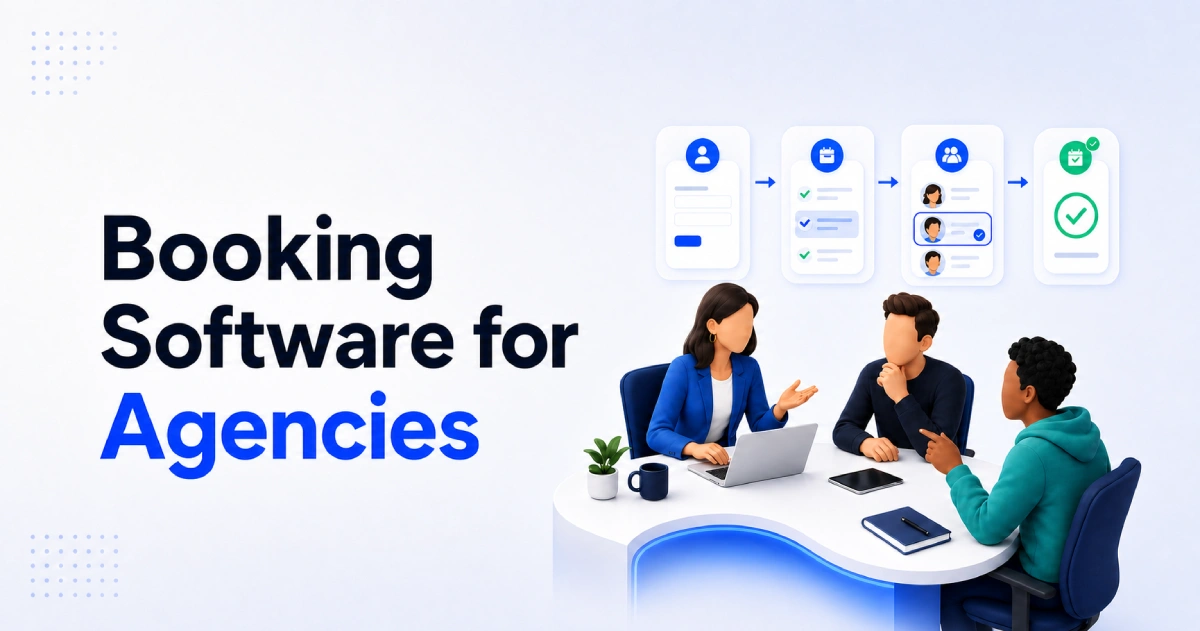
Table of Contents
Modern clients expect quick responses and a hassle-free booking experience. If they have to wait days for an email reply or exchange multiple messages just to schedule a meeting, many will simply move on to another agency.
That’s why more agencies are adopting booking software to automate client scheduling and streamline lead qualification. With the right system, prospects can book meetings instantly, answer pre-screening questions, and arrive at discovery calls already prepared.
In this guide, we will examine what agency booking software should do, which features matter most, how different agencies can use it, and how Timetics AI 2.0 supports automated booking workflows across teams, brands, and client environments.
What Is Booking Software for Agencies?
Booking Software for Agencies means it’s about turning the first touchpoint with a prospect into a qualified, well-routed meeting, and turning every client session after that into something that runs on autopilot.
Unlike a standard calendar, agency booking software manages the steps that happen before and after an appointment. It connects the agency’s services, team availability, client information, calendars, payments, and notifications in one booking flow.
For example, a marketing agency may offer several booking options:
- A free 15-minute qualification call
- A 30-minute campaign discovery call
- A paid marketing strategy session
- A client onboarding meeting
- A monthly campaign review
The agency can set a different duration, price, availability rule, and intake form for each option. When someone books, the system can collect details such as their website, project goals, budget, timeline, and preferred service.
After the booking is confirmed, the software can update the connected calendar, create an online meeting link, and send confirmation and reminder emails. This reduces the need to arrange every meeting manually.
Agency booking software can support both new-business and existing-client meetings. It may also help an agency manage multiple team members, departments, brands, or client booking environments.
Why Is a Basic Booking Link Often Not Enough for an Agency?
A basic booking link helps prospects choose an available time. But agencies often need more than a confirmed calendar slot. They need to understand what the prospect wants, whether the project is a good fit, and who should handle the conversation.
Most simple booking links do not give enough context about the agency’s services. A prospect may book a general discovery call without knowing:
- Which service matches their needs
- What the service includes
- How long the meeting will take
- Whether the session is free or paid
This lack of clarity can create unqualified or incorrectly scheduled calls.
For example, someone looking for a small website update may book a full development consultation. Another prospect may expect free advice during a session intended for project qualification.
The agency then has to request missing information by email, move the appointment to another team member, or schedule an additional call. These manual steps slow down the sales process and take time away from client work.
A service-based booking system creates a clearer journey. It allows agencies to present separate services, explain their scope, collect project details, and apply different booking rules. Prospects can choose the right option before viewing available times.
This helps agencies begin each call with better context. The team can review the prospect’s goals, budget, timeline, website, or project requirements in advance. If the agency offers paid audits or strategy sessions, it can also collect payment or a deposit during booking.
📚 Related reading: What Is Service-Based Booking Software? (And Why Your Business Needs It)
What Features Should Booking Software for Agencies Include?
Booking software for agencies should combine online scheduling with service selection, client intake, team availability, payments, reminders, and calendar integrations. The goal is to help an agency manage the complete booking journey-not simply display open time slots.
Here are the most important features to look for.
- Service-Based Booking Pages: An agency may offer discovery calls, paid audits, strategy sessions, onboarding meetings, and client reviews. This helps prospects choose the correct service before selecting a time.
- Custom Client Intake Questions: Booking forms should collect the information an agency needs to prepare for a call.Keep the form focused. Asking too many questions can make the booking process harder to complete.
- Team Availability Management: Agency booking software should connect with each team member’s availability and existing calendar. It should also support booking limits, buffer time, time-zone handling, and conflict checks.
- Payments and Deposits: Agencies that sell audits, workshops, consultations, or training sessions may need to collect payment during booking. Collecting payment at booking can confirm the client’s commitment and remove the need to send a separate invoice for a defined session.
- Automated Confirmations and Reminders: The system should send a confirmation as soon as an appointment is booked. It should also support pre-meeting reminders, cancellation notices, rescheduling updates, and follow-up emails.
- Calendar and Video Meeting Integrations: Booking software should connect with tools the agency already uses, such as Google Calendar, Microsoft Outlook, Zoom, Google Meet, or Microsoft Teams.
- Team Roles and Permissions: Not every team member needs access to every booking, setting, or client record. Role-based permissions let an agency control what owners, managers, account leads, and other staff can view or change.
- Separate Workspaces for Brands or Clients: Agencies managing multiple brands or client booking systems may need separate workspaces. Each workspace should keep its services, team, availability, booking pages, and calendars organized.
- CRM and Workflow Integrations: Connections with CRM and automation platforms can transfer booking information into the agency’s wider sales process. Depending on the setup, a new booking may trigger a contact update, internal notification, follow-up task, or email sequence.
- Booking and Performance Insights: Insights can reveal where prospects leave the process, which services attract demand, and where the agency still relies on manual work.
Together, these features turn a booking page from a passive calendar into an active part of the agency’s sales and delivery process.
📚 Related reading: How to Reduce Appointment No-Shows with Smarter Booking Software
Booking Software Use Cases for 8 Different Types of Agencies
Agencies can use booking software for sales calls, paid consultations, client onboarding, project reviews, and recurring meetings. The ideal booking workflow depends on the agency’s services, team structure, and the information it needs before each appointment.
Here are practical examples for different agency types.
1. Marketing and SEO Agencies
Marketing and SEO agencies often receive discovery-call requests from businesses with very different goals and budgets. A booking form can collect important details before the call, including:
- Website URL
- Target audience
- Current marketing channels
- Monthly budget range
- Main growth challenge
- Required service
The agency can offer separate booking options for an SEO audit, campaign consultation, content strategy session, or general discovery call. This helps the strategist prepare relevant questions and recommendations in advance.
2. Creative and Branding Agencies
Creative agencies need to understand a client’s brand, deliverables, deadline, and decision-making process. Booking software can collect this information while scheduling a brand consultation or creative workshop.
A branding agency might offer:
- Free project-fit call
- Paid brand strategy session
- Creative brief review
- Design presentation
- Existing-client feedback meeting
Clear meeting descriptions help clients choose the correct session and understand what to prepare.
3. Web Development Agencies
Web development agencies can use booking software to separate early sales conversations from technical meetings.
For example, a prospect may book a website discovery call and provide details about their current platform, required features, integrations, budget, and expected launch date. Existing clients could use a separate page for technical reviews, training, or maintenance consultations.
This prevents complex support or development requests from entering a general sales calendar.
4. Software and SaaS Development Agencies
Software agencies often need both business and technical stakeholders to join a meeting. The booking process can ask about the product idea, user type, required platforms, technical stack, project stage, and expected timeline.
Useful appointment types include:
- Product discovery call
- Technical consultation
- Architecture review
- Project kickoff
- Sprint review
- Client training session
The information collected during booking can help the agency assign the right product manager, developer, or technical lead.
5. Recruitment Agencies
Recruitment agencies coordinate meetings between employers, recruiters, and candidates. Booking software can support employer intake calls, candidate screening, interview preparation, and follow-up meetings.
Forms can collect the job title, location, salary range, required experience, availability, or candidate profile. However, complex interviews involving several participants may require advanced multi-person scheduling and routing features.
6. Public Relations Agencies
PR agencies can create separate booking options for campaign discovery, media strategy, crisis communication, and client updates.
Before the call, the booking form can ask about the announcement, target publications, campaign deadline, spokesperson availability, and communication risks. This gives the PR team enough context to assign the right specialist and prepare for the discussion.
7. Multi-Brand and White-Label Agencies
Some agencies manage scheduling for several brands or clients. They may need separate booking pages, services, calendars, and team permissions for each account.
Separate workspaces can keep each booking environment organized. For example, an agency could manage its own sales calls in one workspace and operate independent booking systems for three client brands in others.
8. Small and Growing Agencies
A small agency may begin with one booking page for discovery calls. As the business grows, it can create separate flows for paid consultations, onboarding, support, and recurring client meetings.
This gives the agency a more consistent process without forcing every client and prospect through the same calendar link.
Across these use cases, the main purpose remains the same: help the right person book the right service with the right team member-and give the agency enough information to make the meeting productive.
How Timetics AI 2.0 Automates Agency Booking Workflows?
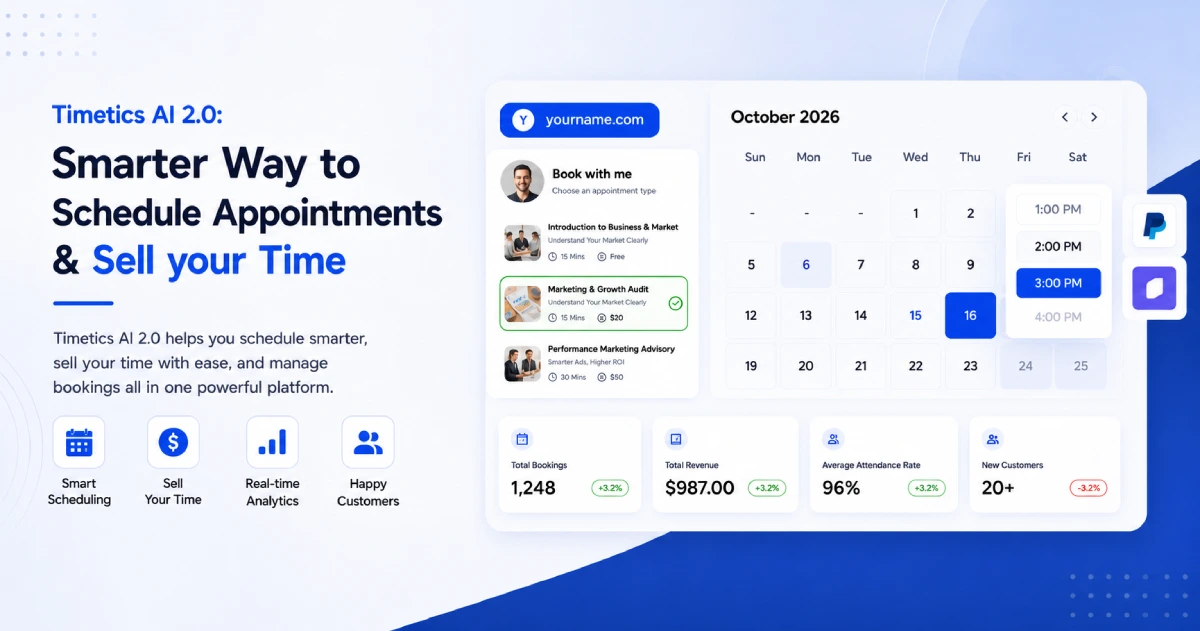
Timetics AI 2.0 helps agencies automate service selection, client intake, scheduling, payments, calendar updates, and reminders. Its AI Agent can also create booking calendars, update availability, and find settings through natural-language commands.
Here is how it supports an agency booking workflow.
Create Service-Based Booking Pages
Agencies can create separate booking pages for discovery calls, paid audits, strategy sessions, onboarding, and client reviews. Each service can have its own description, duration, price, availability, and assigned team member.
This helps prospects choose the right service instead of booking a generic meeting.
Collect Client Details Before the Call
Timetics supports custom booking questions. Agencies can ask about a prospect’s goals, website, budget, deadline, or project requirements.
The team receives this information before the meeting, reducing follow-up emails and improving call preparation.
Use AI to Manage Scheduling
The Timetics AI Agent responds to natural-language instructions. For example, a user can ask it to:
- Create a 30-minute booking calendar
- Block availability on a specific day
- Change working hours
- Open payment or calendar settings
- Find relevant setup instructions
Voice commands and AI-powered bulk rescheduling are listed as upcoming features, so they should not be treated as currently available.
Automate Payments and Meeting Details
Agencies can collect a full payment or deposit for paid consultations. Once a booking is confirmed, Timetics can update the connected calendar, generate a video meeting link, and send confirmation details.
Automated reminders and follow-up messages can reduce manual communication around each appointment.
Manage Teams and Brands with Workspaces
Timetics workspaces allow an agency to keep separate teams, services, calendars, and booking pages organized. This can support agencies operating multiple brands or managing booking environments for different clients.
By combining these functions, Timetics AI 2.0 turns appointment scheduling into a more complete agency workflow-from service selection and intake to confirmation and follow-up.
Ready to Simplify Agency Bookings?
Manage client scheduling, services, payments, and team availability from one place with Timetics AI 2.0. Create dedicated booking experiences for your agency, brands, or client accounts while reducing manual coordination. Start building a more organized booking workflow today.
Frequently Asked Questions
What is booking software for agencies?
Booking software for agencies helps prospects choose services, provide project details, and schedule the right team member online. It can also automate payments, calendar updates, confirmations, and reminders.
Why do agencies need booking software?
Agencies use booking software to reduce scheduling emails, collect client information, prevent calendar conflicts, and prepare for meetings. It also helps prospects choose the correct service before booking.
Can agency booking software qualify leads?
Yes. Agencies can use custom booking questions to collect a prospect’s goals, budget, timeline, website, and service requirements. However, structured intake is not the same as automated lead scoring.
Can agencies collect payments during booking?
Yes. Booking platforms such as Timetics AI support full payments and deposits for paid audits, workshops, consultations, and strategy sessions. Agencies should clearly explain their cancellation and refund policies.
Can Timetics manage multiple brands or clients?
Timetics AI provides separate workspaces for organizing different brands, teams, or client booking environments. Each workspace can maintain its own services, booking pages, calendars, and team access.
How does AI improve agency scheduling?
The Timetics AI Agent can create booking calendars, update availability, locate settings, and provide setup guidance through natural-language instructions. This reduces the number of manual steps required to configure scheduling workflows.