How Service-Based Booking Works: A Step-by-Step Guide


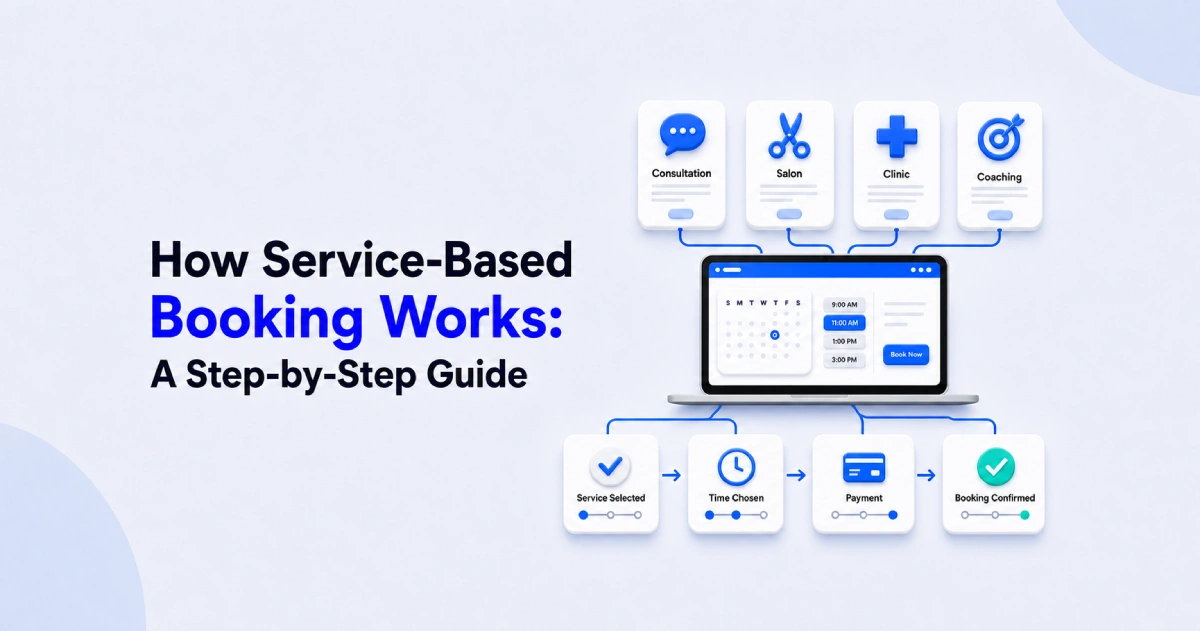
Table of Contents
When a customer books a service, they are choosing more than an available time. They may need to select the right service, understand its price and duration, choose a provider or location, share relevant information, and make a payment.
Service-based booking brings these steps together in one structured online workflow. Instead of relying on phone calls, messages, or back-and-forth emails, customers can move from choosing a service to receiving confirmation through a single booking process.
In this guide, we will break down that process step by step. We will also explain what happens behind the scenes, how service-based booking differs from a basic calendar link, and how businesses can manage the workflow with Timetics AI.
What Is Service-Based Booking?
Service-based booking is an online process that connects a specific service with its price, duration, provider, availability, and booking requirements.
Unlike general appointment scheduling, the process begins with what the customer wants to book, rather than simply showing when someone is available. Each bookable service can have its own:
- Name and description
- Category
- Duration
- Price or deposit requirement
- Assigned team member
- Online or physical location
- Availability rules
- Intake questions
- Cancellation and refund policies.
For example, a consultant might offer a 30-minute discovery call, a 60-minute strategy session, and a two-hour business audit. Each option serves a different purpose and may have a different price, duration, questionnaire, and availability. A service-based booking page helps the client understand those differences before selecting an appointment.
In practical terms, service-based booking turns a business’s services into an organized online booking system. It gives customers clearer choices and helps the business collect the information needed to prepare for each appointment.
How Does Service-Based Booking Work Step by Step?
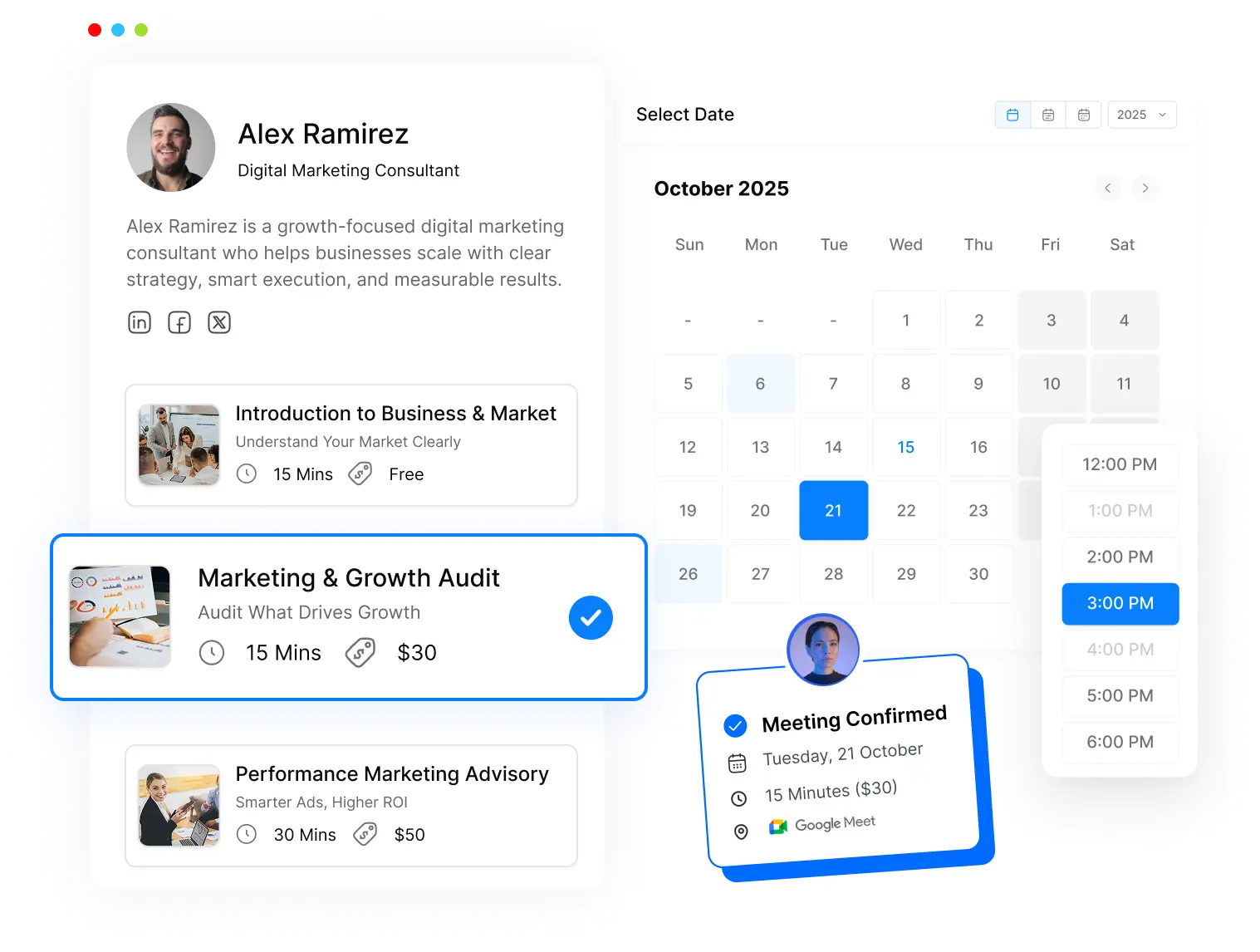
Service-based booking guides a customer from choosing a service to receiving a confirmed appointment. The exact journey varies by business, but most booking workflows follow seven connected steps.
Step 1: The Business Creates Its Services
Before customers can book online, the business defines what it offers. Each service is configured with information such as:
- Service name and description
- Category
- Appointment duration
- Price or deposit
- Assigned staff member
- Online, phone, or in-person location
- Availability
- Booking and cancellation rules
For example, a marketing consultant could create separate services for a free discovery call, a paid strategy session, and a website audit. Defining these options clearly helps customers choose the service that best matches their needs.
Step 2: The Customer Visits the Booking Page
The business shares its public booking page through its website, social media profile, email signature, advertisement, or direct message. When the customer opens the page, they can browse the available services without contacting the business first.
A well-structured booking page displays enough information to support the customer’s decision. This may include the purpose, duration, price, delivery method, and provider associated with each service.
Step 3: The Customer Selects a Service
The customer chooses the service that addresses their specific need. If the business offers categories, locations, staff choices, or optional add-ons, the customer may select those during this stage.
Consider a salon offering haircuts, coloring, and skincare treatments. Selecting “hair coloring” tells the booking system which duration, price, staff members, and availability rules to use. The customer is not simply reserving an arbitrary opening on the calendar.
Step 4: The System Displays Relevant Availability
After the customer selects a service, the booking system calculates which appointment times can be offered. Depending on the business’s configuration, it may consider:
- Working hours
- Staff availability
- Connected calendar events
- Service duration
- Customer and provider time zones
- Buffer time between appointments
- Daily or weekly booking limits
- Branch or service location
The customer then chooses from the available dates and times. For team bookings, the system may show a selected provider’s schedule or assign the appointment to an available team member using predefined distribution rules.
This is also where calendar synchronization matters. When the booking platform checks connected calendars, an existing event can make the corresponding period unavailable and reduce the risk of two appointments being scheduled for the same time.
Step 5: The Customer Provides the Required Information
The customer enters basic contact details and answers any questions needed to deliver the service. These questions should be relevant to the appointment rather than creating an unnecessarily long form.
A consultant might ask about the customer’s goals and current challenges. An agency may request a website address, project scope, and approximate budget. A salon might ask about the requested treatment or important service preferences.
Collecting this context during booking helps the provider understand why the customer is making the appointment and prepare before it begins. Businesses should request only information they genuinely need and handle sensitive data according to applicable privacy requirements.
Step 6: The Customer Reviews the Booking and Pays if Required
Before confirming, the customer reviews the selected service, appointment time, price, provider, location, and applicable policies. Depending on the service, the business may require:
- No payment
- A partial deposit
- Full payment
- An additional guest charge
- Payment for an optional add-on
The customer may also be able to apply a valid coupon or promotional code. Payment requirements should be stated clearly so customers understand the total cost and the business’s cancellation or refund terms before completing the booking.
Not every service needs an online payment. A free introductory call, for example, may be confirmed without one, while a paid consultation or salon treatment may require a deposit.
Step 7: The Booking Is Confirmed
Once the required information and payment have been completed, the system records the appointment and sends the relevant confirmation details.
Depending on the booking setup, it may automatically:
- Add the appointment to connected calendars
- Notify the customer and service provider
- Include an online meeting link or physical address
- Record the customer’s intake answers
- Send payment confirmation
- Schedule appointment reminders
- Provide rescheduling or cancellation instructions
The completed booking then becomes available to the business for management and follow-up. Staff can review the service, customer details, appointment status, payment information, and any responses submitted during the booking process.
📚 Related reading: How to Reduce Appointment No-Shows with Smarter Booking Software
What Happens Behind the Scenes During a Booking?
While the customer sees a simple booking page, the system processes several rules in the background. It connects the selected service with the correct price, duration, provider, location, and availability.
| Customer action | System action |
| Selects a service | Loads its duration, price, provider, and rules |
| Chooses a time | Checks staff availability and connected calendars |
| Submits details | Stores contact information and intake answers |
| Makes a payment | Records the payment or deposit status |
| Confirms the booking | Creates the appointment and sends notifications |
The system may also block conflicting time slots, apply buffer periods, generate an online meeting link, and schedule reminders. For team bookings, it can assign the appointment according to staff availability or distribution rules.
These actions reduce manual coordination, but they depend on accurate setup. Service details, calendars, availability, payment policies, and notifications must be configured correctly for the workflow to run smoothly.
How Is Service-Based Booking Different From a Basic Calendar Link?
A basic calendar link helps someone reserve an available time. Service-based booking connects that time to a defined service, price, provider, and complete customer workflow.
| Area | Basic calendar link | Service-based booking |
| Starting point | Available time slot | Customer’s required service |
| Service details | Usually limited | Includes description, duration, price, and category |
| Customer choice | Selects a date and time | Selects a service, provider, location, and time |
| Payments | Often separate or optional | Can include a deposit or full payment |
| Intake information | Basic contact details | Can collect service-specific answers |
| Team scheduling | General availability | Matches services with suitable team members |
| Add-ons | Usually unavailable | Can offer related extras during booking |
| Appointment types | Best for simple meetings | Supports paid, recurring, group, and in-person services |
| Automation | Confirmation and calendar event | Can include payment records, reminders, and follow-ups |
| Best suited for | Networking, internal meetings, and free calls | Consultants, coaches, agencies, salons, clinics, tutors, and other service businesses |
A basic calendar link may be enough for a simple meeting. Service-based booking is more suitable when the service’s scope, price, provider, location, or customer information affects the appointment.
📚 Related reading: How Smart Scheduling Saves Time (10+ Hours Per Month) and Keeps You Productive
What Does Service-Based Booking Look Like in Real Businesses?
Service-based booking follows the same basic process across industries, but each business can adapt it to its services, customers, and operational needs.
Consultants and Coaches
A consultant can offer discovery calls, paid strategy sessions, or business audits with different prices and durations. A coach can provide individual, group, or recurring sessions while collecting the client’s goals before the first meeting.
Agencies
An agency can separate discovery calls, project consultations, audits, and onboarding sessions. Each booking can be assigned to the appropriate account manager, strategist, or specialist based on the selected service.
Salons, Spas, and Clinics
Customers can choose a treatment or appointment type, select a provider or branch, and book according to that service’s duration. The business may also collect a deposit and send preparation instructions or reminders.
Tutors and Trainers
Tutors and trainers can offer trial classes, individual lessons, group sessions, or recurring programs. Students choose the relevant subject or session type before selecting an available time.
In every case, service-based booking gives customers clearer choices while helping the business organize the correct time, provider, price, and booking information.
Looking for a Smarter Way to Manage Service Bookings?
If you are looking for a booking platform that goes beyond displaying available time slots, you can go with Timetics AI.
Timetics AI is an AI-powered appointment scheduling and service-booking platform for professionals and businesses that sell their time, expertise, or services. It brings booking pages, service management, availability, team scheduling, payments, and automated communication into one connected system.
You can use it to:
- Create booking pages with services, prices, and durations
- Manage individual and team availability
- Accept deposits or full payments
- Offer recurring, group, and add-on services
- Coordinate online, phone, and in-person appointments
- Automate confirmations, reminders, and follow-ups
- Handle scheduling tasks with the Timetics AI Agent
Instead of sending customers to a basic calendar, Timetics AI lets you present clear service options and guide them through selection, scheduling, payment, and confirmation.
If you want to spend less time coordinating appointments and provide a more structured booking experience, Timetics AI is a practical option to consider.
Create your Timetics AI booking page and start managing your services, appointments, and payments from one connected platform. No credit card is required to get started.
Frequently Asked Questions
What is service-based booking?
Service-based booking is an online process that lets customers choose a specific service, select an available time, provide relevant details, and pay if required. The appointment is connected to the service’s duration, price, provider, location, and booking rules.
How does service-based booking work?
The business first creates its services and availability rules. A customer then selects a service, chooses a suitable time, submits the required information, and completes any necessary payment. The booking system records the appointment and sends confirmations or reminders.
How is service-based booking different from appointment scheduling?
Basic appointment scheduling primarily helps people reserve an available time. Service-based booking adds context by connecting that time to a defined service, price, duration, provider, intake form, location, and payment requirement.
Which businesses can use service-based booking?
Service-based booking is useful for consultants, coaches, agencies, salons, spas, clinics, tutors, trainers, and other businesses that sell appointments, sessions, or professional services. It can support both solo professionals and teams with multiple providers.
Can customers pay while booking a service?
Yes. Depending on the platform and business settings, customers may pay the full price or a partial deposit during booking. Businesses can also offer free appointments, apply coupons, or define cancellation and refund policies.
Can service-based booking help manage a team?
Yes. A service-booking platform can connect services with suitable team members, working hours, locations, and shared availability. Some systems also support round-robin scheduling, which distributes new bookings among available team members according to configured rules.
What platform can I use for service-based booking?
If you need a platform that combines service pages, scheduling, team availability, payments, and automated communication, Timetics AI is an option to consider. It helps service businesses manage the journey from service selection to confirmation within one connected booking system.