AI-Powered Appointment Booking Software: What It Is, How It Works, and Whether You Need It


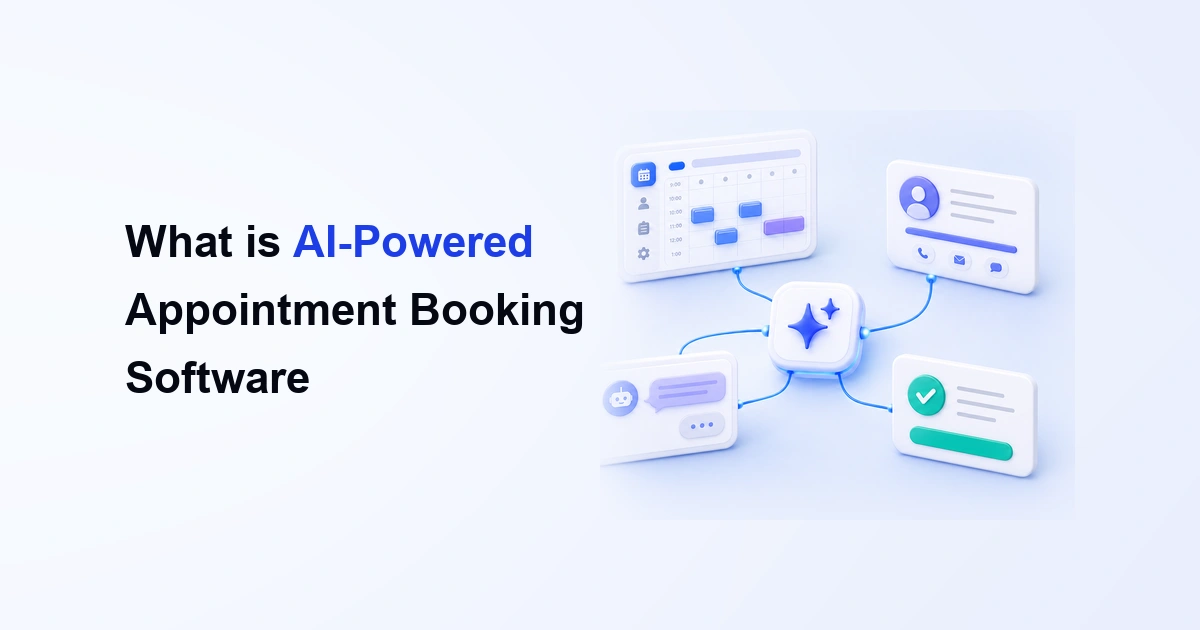
Table of Contents
AI-powered appointment booking software helps businesses automate scheduling, reduce manual work, and create a smoother booking experience for clients. It is useful for service-based businesses that need more than a simple calendar link.
Today, clients do not always want to message back and forth just to book a meeting. They want to see the available service, understand the details, choose a time, and confirm the appointment quickly.
At the same time, businesses need better control over availability, team schedules, reminders, payments, and booking information.
This is why AI-powered booking tools are becoming more useful. They help turn a basic appointment process into a smarter system that can guide clients, save admin time, and support better scheduling decisions.
In this guide, you will learn what AI-powered appointment booking software is, how it works, which features matter, how it compares with traditional booking tools, and whether a platform like Timetics AI 2.0 is the right fit for your business.
What Is AI-Powered Appointment Booking Software?
AI-powered appointment booking software refers to an intelligent system that enables customers to schedule and manage appointments through natural conversations.
In simple words, it helps people book appointments without creating extra work for the business.
A traditional booking tool usually lets someone pick a time from your calendar. That is helpful, but it often stops there.
AI-powered appointment booking software goes further. It can support smarter scheduling flows, suggest better booking options, collect useful client information, send automatic reminders, and help teams manage bookings more easily.
For example, a consultant can let clients choose a paid strategy call, answer a few questions, select a time, and receive a confirmation automatically. A clinic, salon, agency, or training business can use the same type of system to manage service bookings without handling every step manually.
The main goal is simple: make appointment booking faster for the client and easier for the business. AI-powered appointment booking software helps businesses:
- Show available services and time slots
- Reduce manual scheduling work
- Collect client details before the appointment
- Send confirmations and reminders
- Manage team availability
- Accept payments when needed
- Create a smoother booking experience
It is especially useful when your business sells time, expertise, sessions, consultations, classes, or service-based appointments.
How AI-Powered Appointment Booking Software Works (Step by Step)
AI-powered appointment booking works by letting users manage scheduling tasks through simple commands instead of clicking through multiple settings manually.
In a conversational booking system, the user can ask the AI to create calendars, update availability, open settings, or guide them through setup steps.
Here is how the process works in a practical way.
Step 1: The User Gives a Simple Scheduling Command
The process starts with a simple instruction.
Instead of opening several settings pages, the user can tell the AI what they want to create or change.
For example:
- “Create a 1:1 product strategy calendar for 30-minute meetings.”
- “Set my Friday availability from 10 AM to 4 PM.”
- “Take me to payment settings.”
This makes the scheduling process easier for non-technical users because they do not need to search for every option manually.
Step 2: The AI Understands the Booking Request
After receiving the command, the AI reads the request and identifies the key booking details.
For example, if the user says, “Create a 1:1 consultation calendar for 30-minute meetings,” the AI can understand:
- The calendar type
- The meeting format
- The appointment duration
- The booking purpose
- The setup action needed
This is the main difference between a normal booking tool and an AI-powered one. The user does not need to configure every field from scratch.
Step 3: The AI Creates or Updates the Booking Calendar
Once the request is understood, the system can create or update the booking calendar.
For a new calendar, it may:
- Create the booking calendar
- Set the meeting type
- Add the meeting duration
- Generate the public booking page
For an existing calendar, it may update booking settings based on the user’s command.
This helps users move faster because they can create a usable booking setup without going through every manual step.
Step 4: The AI Adjusts Availability and Working Hours
AI-powered scheduling can also help manage availability.
For example, a user may say:
- “Block my Tuesday availability.”
- “Set my Friday availability from 10 AM to 4 PM.”
The system can then update the schedule based on that instruction.
This is helpful when availability changes often. Instead of editing slots manually, the user can give a clear command and let the system update the calendar.
Step 5: The AI Helps Users Find the Right Settings
A booking system can have many settings, such as payment, calendar integrations, booking management, notifications, and team controls.
AI can reduce the time spent searching through the dashboard.
For example, the user can ask:
- “Open booking management.”
- “Go to calendar integrations.”
- “Take me to payment settings.”
Then the system sends the user directly to the correct page or setting area.
This makes the software easier to use, especially for teams or users who are still learning the platform.
Step 6: The AI Gives Setup Guidance When Needed
AI-powered appointment booking software can also act like an in-product guide.
If the user does not know how to set up a feature, they can ask a question such as:
- “How do I enable payments?”
- “How do I connect my calendar?”
- “How do I manage bookings?”
The AI can explain the steps and provide the right setup path or help link.
This reduces confusion and helps users solve setup problems faster without depending on support for every small task.
Step 7: The Client Uses the Booking Page
After the booking calendar is created, the client can visit the public booking page.
From there, the client can:
- View appointment details
- Choose a suitable time
- Share required information
- Confirm the booking
- Complete payment, if needed
This part still works like a normal client-facing booking flow. The difference is that the business side becomes easier to manage because the AI helps with setup, updates, and navigation.
Step 8: Future AI Actions Can Support Rescheduling and Voice Commands
More advanced AI booking systems can also support actions like natural language rescheduling and voice-based schedule management.
For example, a user may be able to say:
- “Reschedule all my next Monday bookings.”
- “Move my Tuesday meetings to Thursday.”
- “Check my available slots tomorrow.”
In this type of workflow, the AI can help detect affected bookings, find open slots, update calendars, and reduce manual rescheduling work.
Key Features to Look for in AI Appointment Booking Software
The best AI appointment booking software should help you manage bookings with less manual work. It should not only show available time slots. It should help you create booking pages, manage availability, guide clients, send reminders, and collect payments when needed.
Here are the key features to check before choosing one.
1. Conversational Scheduling
A good AI appointment booking tool should let you manage basic scheduling tasks through simple commands. For example, you should be able to ask the system to create a booking calendar, update your availability, open payment settings, or guide you to the right setup page.
This saves time because you do not need to search through every setting manually.
2. Smart Calendar Creation
The software should make calendar creation easier. Instead of setting up everything from scratch, you should be able to create a booking calendar with the right service name, meeting type, duration, host, availability, and booking page structure.
This is helpful for consultants, coaches, agencies, clinics, salons, and other service-based businesses.
3. Availability Management
AI booking software should help you control when clients can book you. It should support working hours, breaks, days off, buffer time, and team availability so you can avoid booking conflicts.
If your availability changes often, this feature becomes even more important.
4. Client Booking Page
Your booking page should clearly explain what the client is booking. It should show the service details, available time slots, price, host information, and any questions the client needs to answer before confirming the appointment.
A clear booking page helps clients feel more confident before they book.
5. Automated Reminders
The software should send automatic reminders before the appointment. This helps clients remember their booking and saves you from sending manual reminder messages every time.
For service businesses, reminders can also help reduce missed appointments.
6. Payment Options
If you sell paid services, your booking software should let clients pay during the booking process. This is useful for paid consultations, coaching calls, training sessions, salon services, and other appointment-based services.
Payment during booking also makes the appointment feel more confirmed and serious.
7. Team Booking Support
If you work with a team, the software should support multiple members. It should help you assign hosts, manage team availability, control workspaces, and organize bookings from one place.
This is useful for agencies, clinics, service teams, and businesses with multiple staff members.
8. Easy Setup Guidance
AI appointment booking software should also help you when you are stuck. You should be able to ask how to connect a calendar, create a booking page, enable payments, or manage appointments.
This makes the tool easier for beginners and reduces the need to contact support for every small question.
AI-Powered Appointment Booking Software vs Traditional Booking Tools
Traditional booking tools are useful when you only need to share available time slots. But AI-powered appointment booking software is better when you want to reduce manual setup, guide clients, manage services, and automate more parts of the booking process.
Here is a simple comparison:
| Feature | Traditional Booking Tools | AI-Powered Appointment Booking Software |
| Setup process | Manual setup | Guided or command-based setup |
| Booking flow | Time slot first | Service and time slot together |
| User control | Click through settings | Use simple commands |
| Availability | Basic calendar rules | Smarter availability control |
| Client details | Basic form fields | More guided client input |
| Reminders | Basic reminders | Automated reminders and follow-ups |
| Payments | Limited or separate | Built into the booking flow |
| Team booking | Basic team options | Better team and workspace control |
| Help and support | Search docs manually | Ask AI for setup guidance |
| Best for | Simple meetings | Service-based appointments |
Timetics AI 2.0- A Practical Look at AI-Powered Booking
Timetics AI 2.0 is a practical example of how AI-powered appointment booking software can go beyond a basic calendar link. It is built for businesses that sell time, services, consultations, or sessions online.
One of the key parts of Timetics AI 2.0 is its AI Agent. The agent is designed to help users manage scheduling tasks through simple commands.
For example, users can ask it to handle tasks like slots, reminders, refunds, or rescheduling instead of searching through settings manually. This makes the booking setup faster and easier for busy users.
Here’s what that looks like in practice.
The Core Idea: Selling Happens Before the Call
Most booking tools show clients an open calendar. Timetics AI 2.0 shows them something more useful first – your services, session types, pricing, and what’s included in each.
A client doesn’t pick a time until they’ve already chosen what they need and understood what it costs.
By the time a booking is confirmed, both sides already know why the meeting is happening, what it covers, and what it costs. That shift alone eliminates a significant portion of wasted first calls.
What Timetics AI 2.0 Actually Does
- Sales-driven booking pages: Each booking page displays your services side by side – with pricing, session duration, and a description of what’s included. Clients see your full offer at a glance and pick the right fit without any back-and-forth.
- Conversational AI Agent: Instead of navigating through dashboards and settings menus, you type what you need. “Create a 1:1 strategy session calendar for 30 minutes.” The AI sets it up – meeting type, duration, booking page – instantly. You can also block availability, update working hours, or navigate to any setting by just asking.
- Built-in payment collection: Timetics integrates directly with Stripe, PayPal, bKash, and on-site payment options. Payment happens at the point of booking – before the meeting is confirmed. Deposits are also supported for businesses that prefer a partial upfront model. No invoices, no chasing clients after the session.
- Workflow automation: Confirmations, reminders, follow-up messages, and no-show nudges run on automated sequences you configure once. Once a booking is made, the platform handles all the communication that follows – without you touching anything.
- Calendar and meeting integrations: Timetics syncs with Google Calendar, Microsoft Outlook, and Apple Calendar. Video meetings auto-generate links through Zoom, Google Meet, Microsoft Teams, or FaceTime – attached to the confirmation automatically.
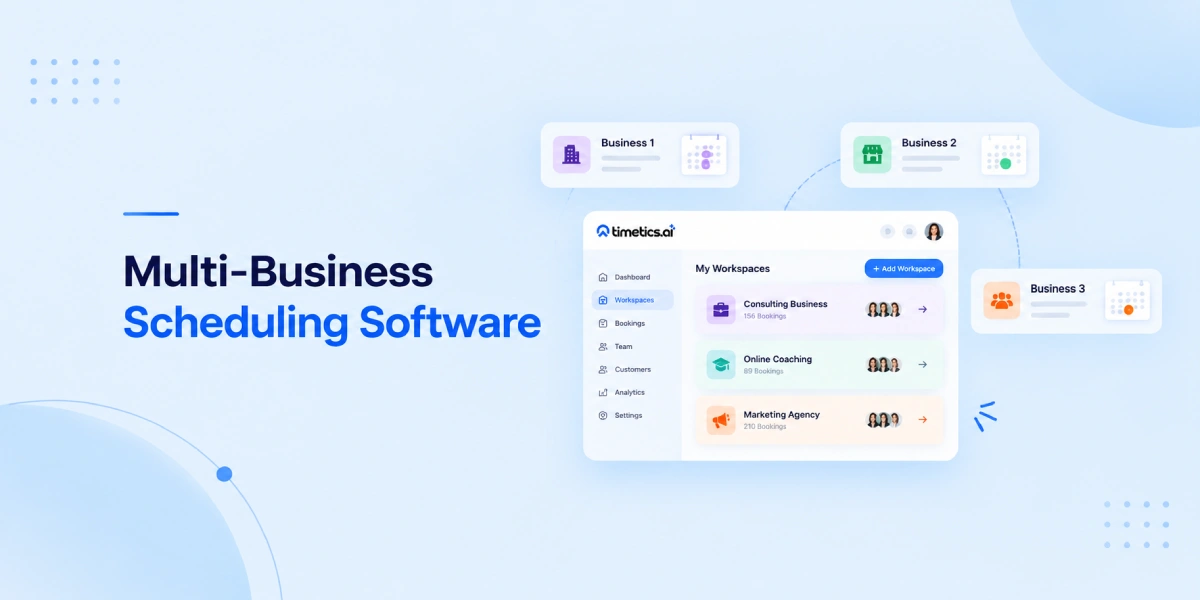
- Team scheduling and workspaces: For businesses with multiple staff members or client accounts, Timetics supports team-level scheduling with role-based permissions and fully isolated workspaces. Multiple brands or client organizations can run from a single dashboard without data mixing.
- CRM and automation connections: Timetics connects to GoHighLevel, ActiveCampaign, Zapier, Slack, and Discord – so bookings flow into your existing business systems without manual data entry.
- Recurring and group bookings: Weekly coaching clients, monthly retainers, group workshops , recurring and group bookings are native features, not workarounds.
Who It’s Built For Timetics AI 2.0:
- Coaches and consultants who want to pre-qualify clients and collect payment before the call
- Freelancers and creatives who offer multiple session types at different price points
- Service businesses that need team scheduling, intake forms, and automated follow-ups
- Agencies and multi-brand operators who manage multiple clients or brands from one account
- Therapists and wellness professionals who rely on recurring appointments and need a reliable automated reminder system
Where It May Not Fit
Timetics AI 2.0 is not designed for businesses that only need a simple internal meeting link between colleagues, or for large enterprise organizations requiring deep EHR or legacy system integrations. For those use cases, a more specialized or enterprise-grade tool may be a better fit.
What Users Say
Timetics AI 2.0 holds a 4.8/5 on G2, 4.6/5 on Trustpilot, and 4.6/5 on AppSumo – with consistent praise for its service-first booking model and ease of setup. The platform requires no credit card to start and lets most users publish a working booking page within a few minutes of signing up.
Is AI-Powered Appointment Booking Software Better Than Calendly or Acuity?
AI-powered appointment booking software is not always better than Calendly or Acuity. It depends on what your business needs.
Calendly is a strong choice if you want a simple and reliable way to share meeting links, connect calendars, route meetings, collect payments, and automate scheduling workflows. It works well for sales calls, interviews, demos, and team meetings.
Acuity is also a strong option for appointment-based businesses. It supports online booking, payment collection, email reminders, custom client forms, and time zone handling. This makes it useful for many service providers who need more details before each appointment.
AI-powered appointment booking software makes more sense when you want the system to help you manage the booking process more actively.
Where AI-Powered Booking Software Covers Different Ground
The gap becomes clear when your booking page needs to do more than schedule a meeting:
| Calendly | Acuity Scheduling | Timetics AI 2.0 | |
| Primary focus | Meeting scheduling | Appointment scheduling | Service-based booking + conversion |
| Service menu with pricing | No | Partial | Yes |
| Payment at booking | Limited | Yes | Yes (Stripe, PayPal, bKash, on-site) |
| Conversational AI agent | No | No | Yes |
| Intake questions | Basic | Yes | Yes |
| Workflow automation | Basic | Moderate | Yes |
| Workspaces (multi-brand) | No | No | Yes |
| CRM integrations | Yes | Yes | Yes (Zapier, GoHighLevel, ActiveCampaign) |
| AI-managed availability | No | No | Yes |
Before choosing any tool, answer this:
Is booking a logistics problem for you or a revenue problem?
- If it’s a logistics problem (getting people on your calendar efficiently), Calendly or Acuity are solid, proven choices.
- If it’s a revenue problem (you need clients to arrive pre-qualified, pre-informed, and ideally pre-paid), an AI-powered booking platform built around service-first flows will serve you better.
Neither answer is wrong. The right tool is the one that matches the actual job you need done.
Getting Started with AI-Powered Appointment Booking
Setting up Timetics AI 2.0 doesn’t require any technical skills. Most users have a live, working booking page within minutes – not hours. Here’s how to go from zero to fully automated booking.
Step 1: Create Your Free Account
Head to timetics.ai and sign up – no credit card required. The onboarding flow is short and guided. You’ll set up your basic profile and be inside the dashboard in under two minutes.
Step 2: Let the AI Agent Set Things Up for You
This is where Timetics AI 2.0 works differently from any other booking tool. Instead of clicking through settings menus, you simply tell the AI what you need.
Type something like:
- “Create a 1:1 strategy session for 45 minutes”
- “Set my availability to Monday through Thursday, 10 AM to 5 PM”
- “Add a 15-minute buffer between all my sessions”
The AI Agent handles it instantly. No manual configuration. No settings hunting.
Step 3: Build Your Service-Based Booking Page
Add your services – each with a name, duration, description, and price. Clients will see this before they ever touch your calendar. This is what separates a Timetics booking page from a basic scheduling link.
You can also:
- Add intake questions to collect client information before the session
- Set up coupons or deposit options
- Configure group or recurring booking if needed
Step 4: Connect Payment and Your Calendar
Timetics AI 2.0 integrates directly with:
- Payments – Stripe, PayPal, bKash, on-site payment, or custom payment options
- Calendars – Google Calendar, Microsoft Outlook, Apple Calendar
- Video meetings – Zoom, Google Meet, Microsoft Teams, FaceTime – links generate automatically on every confirmed booking
Payment and calendar sync take a few clicks each. Once connected, they run on their own.
Step 5: Connect Your Existing Business Tools
Plug in what you already use – GoHighLevel, ActiveCampaign, Zapier, Slack, or Discord – so every new booking flows into your existing systems without manual data entry.
Step 6: Configure Your Automation Sequences
Set up your confirmation messages, reminder sequences, and follow-up workflows once. Every booking that comes in will trigger them automatically – no manual sending, no follow-up to remember.
Step 7: Share Your Booking Page
Drop your Timetics booking link wherever your clients are:
- Email signature
- Social media bio
- Website or landing page
- Proposals and DMs
Clients land on your service page, choose what they need, answer your intake questions, pay, and the meeting is confirmed. You get notified. Everything else is handled.
Timetics AI 2.0 is free to start. You can build your first booking page, connect your calendar, and run a live test in one sitting – with no developer, no integrations expert, and no prior experience with booking software required.
👉 Start your free trial at timetics.ai – no credit card needed.
FAQs About AI-Powered Appointment Booking Software
What is AI-powered appointment booking software?
AI-powered appointment booking software helps businesses manage appointments with smart automation. It can help create booking pages, manage availability, guide clients through the booking process, send reminders, collect payments, and reduce manual scheduling work.
How does AI help with appointment booking?
AI helps by making booking tasks easier. For example, it can help users create calendars, update availability, find settings, manage scheduling steps, and guide clients through the booking flow without too much manual setup.
Who should use AI appointment booking software?
AI appointment booking software is useful for consultants, coaches, agencies, clinics, salons, trainers, service teams, and any business that books appointments with clients. It is especially helpful when the booking process includes services, payments, reminders, or team schedules.
Is AI-powered appointment booking software better than a normal calendar link?
Yes, if your business needs more than simple meeting scheduling. A normal calendar link is fine for basic meetings. But AI-powered appointment booking software is better when you need service selection, client questions, payments, reminders, and booking automation.
Can AI appointment booking software reduce no-shows?
It can help reduce no-shows by sending automatic reminders and confirmations before the appointment. It cannot fully stop no-shows, but it can make clients more aware of their booking and reduce missed meetings.
Can I collect payment during appointment booking?
Yes, many appointment booking tools allow payment during the booking process. This is useful for paid consultations, coaching calls, salon services, training sessions, and other service-based appointments. Timetics AI supports payment options, so businesses can collect payments before the appointment when needed.
Is Timetics AI good for service-based businesses?
Yes. Timetics AI is a good fit for service-based businesses because it supports service booking, booking pages, team scheduling, payments, reminders, and workflow automation. It works well for businesses that want a more organized booking process instead of only sharing a calendar link.
What makes Timetics AI different from basic scheduling tools?
Timetics AI focuses on smarter appointment booking. It helps with AI-powered scheduling tasks, service-based booking, team workflows, payment collection, reminders, and booking page management. This makes it more useful for businesses that sell time, services, or appointments.
Can Timetics AI work for teams?
Yes. Timetics AI can support teams that need to manage different members, services, schedules, and bookings from one place. This is useful for agencies, clinics, consultants, support teams, and service businesses with multiple staff members.
Is AI appointment booking software hard to set up?
No, most modern AI booking tools are built to be easy to use. With Timetics AI, users can set up booking calendars, services, availability, and booking pages without needing technical skills. The AI-powered workflow also helps reduce setup confusion.