Recurring Appointment Scheduling Software: Features, Tools & Setup


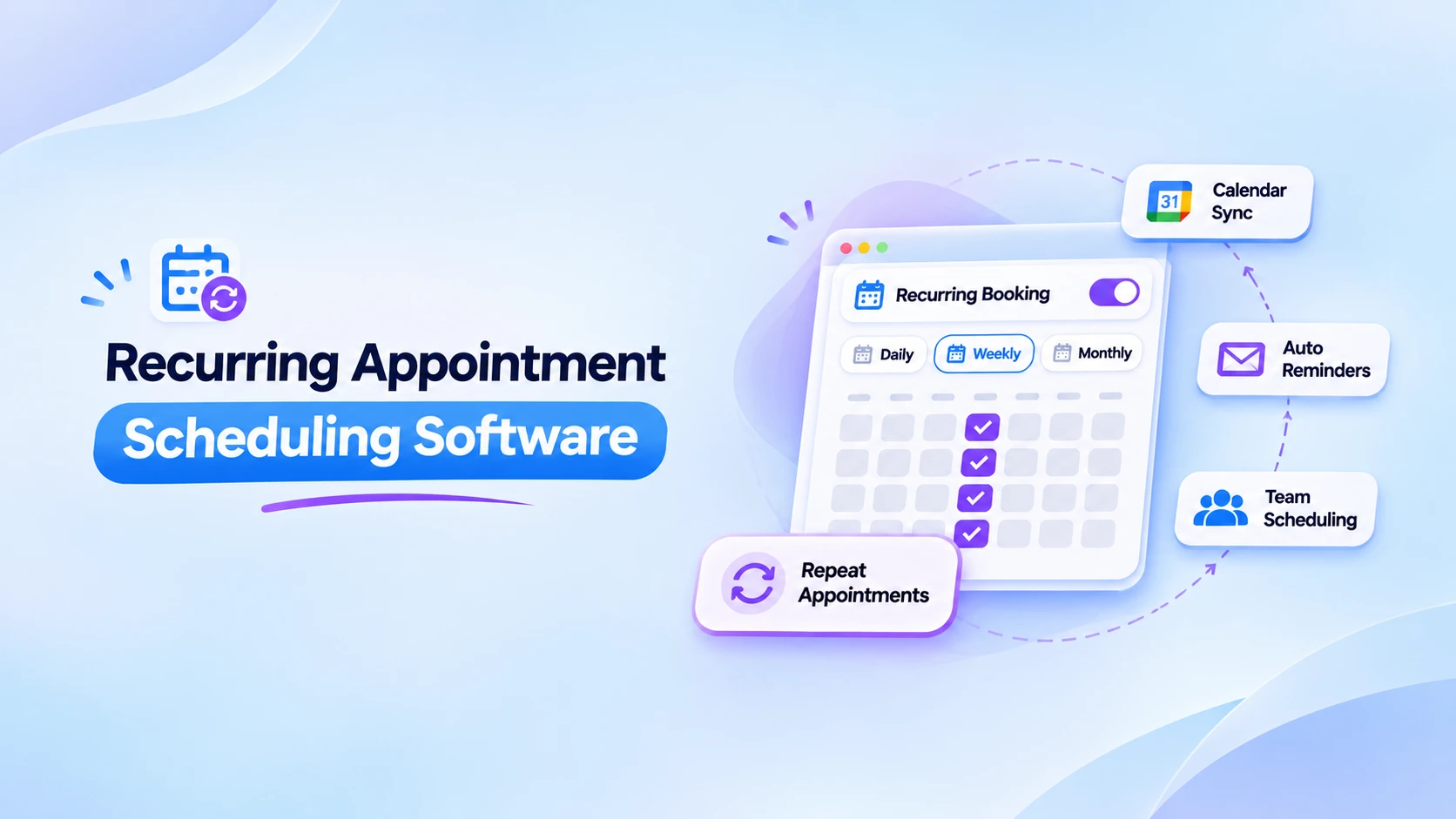
Table of Contents
Recurring appointment scheduling software helps businesses automate repeat bookings, manage availability, and send appointment reminders without manually scheduling every session. It is especially useful for tutors, consultants, coaches, and service businesses that meet with the same customers regularly.
But choosing the right software isn’t always easy. Some tools only support basic repeat bookings, while others offer flexible scheduling, calendar syncing, automated reminders, and team management.
Recurring bookings are one feature of online appointment scheduling software; see the full guide for availability, payments and team scheduling.
In this guide, we’ll compare five recurring appointment scheduling tools, including Timetics AI, Acuity Scheduling, Setmore, SimplyBook.me, and Zoho Bookings. You’ll discover their key features, how they compare, and how to set up recurring appointments step by step.
What Is Recurring Appointment Scheduling Software?
The main difference between regular and recurring appointment scheduling is how many bookings you can arrange at once.
With regular scheduling, you book one appointment for a specific date and time. If you need another appointment next week, you usually have to book it separately.
With recurring scheduling, you can arrange multiple appointments in one booking process using a repeat pattern.
For example, imagine a student needs eight English lessons, one every Monday at 4 PM.
- Regular scheduling: The student books each of the eight lessons separately.
- Recurring scheduling: The student selects a weekly schedule for eight sessions, and the software creates the appointments based on availability.
This makes recurring scheduling particularly useful for services that follow a fixed routine, such as tutoring, coaching, training, and ongoing client consultations.
Recurring Appointments vs. Recurring Availability
These two features may sound similar, but they serve different purposes.
| Feature | What it means | Example |
| Recurring appointments | Confirmed bookings that repeat on a schedule | A student has an English lesson every Monday at 4 PM |
| Recurring availability | Regular days and times when customers are allowed to book | A tutor is available every Monday from 3 PM to 7 PM |
The key difference: Recurring availability tells customers when they can book. Recurring appointments reserve specific times for actual meetings.
A scheduling tool may support recurring availability without allowing customers to book an entire series at once. Check for both features when choosing software.
How Does Recurring Appointment Scheduling Work?
Recurring scheduling follows a simple process.
First, a business creates a service that customers can book. This might be a consultation, lesson, fitness session, or another type of appointment.
Next, the customer or business selects how often the appointment should repeat.
The software then checks the schedule and helps create the appointments based on the chosen settings.
Here is how the process usually works:
- Choose a service: Select what the appointment is for, such as a 30-minute consultation.
- Select the first date: Choose when the first appointment should happen.
- Set the repeat pattern: Decide whether the appointment repeats daily, weekly, monthly, or at another supported interval.
- Check availability: Review whether the requested dates and times are available.
- Confirm the bookings: Save the appointment series and review the scheduled dates.
- Receive notifications: Get confirmations and reminders when supported and enabled.
For example, suppose a student wants an English lesson every Wednesday for eight weeks.
The student selects a Wednesday afternoon appointment and chooses a weekly repeat schedule for eight sessions.
The booking system checks the dates and creates the available appointments according to its rules.
Once the bookings are confirmed, both the teacher and student can follow the schedule.
One important thing: Different tools handle unavailable dates differently. Some skip busy dates, while others ask the customer to select another time or prevent the series from being booked.
That is why checking recurring booking rules is important before choosing software.
Key Features to Look for in Recurring Appointment Scheduling Software
Not every appointment scheduler handles repeat bookings in the same way.
Some tools only allow basic weekly appointments. Others provide more control over dates, reminders, staff schedules, payments, and booking changes.
Here are six important features to consider.
1. Flexible Recurring Booking Options
Your software should support the repeat patterns your business actually needs.
For example:
- Daily appointments for regular training
- Weekly appointments for tutoring
- Every two weeks for coaching sessions
- Monthly appointments for client reviews
- Custom repeat intervals for special services
You may also need an option to decide when the appointment series ends.
A four-week course should not keep creating appointments forever.
Before selecting a tool, check whether it lets you choose the number of sessions, an end date, or both.
2. Calendar Sync and Conflict Prevention
Imagine a client books a consultation at 2 PM, but you already have another meeting at that time.
This is called a scheduling conflict.
Calendar syncing helps reduce this problem by keeping connected calendars updated.
For example, if you connect your Google Calendar to a scheduling tool, the system may use your existing events to identify unavailable times.
A good scheduling system should also check the availability of future appointments in a recurring series.
Remember that calendar syncing and conflict checking are separate features. Confirm that both work with the calendar service you use.
3. Automated Confirmations and Reminders
Customers sometimes forget appointments, especially when they booked them weeks earlier.
Automated reminders help everyone remember upcoming sessions.
Depending on the software, you may be able to send:
- Booking confirmation emails
- Reminders before an appointment
- Cancellation notices
- Rescheduling updates
- Follow-up messages after a session
For example, a reminder email sent one day before a fitness session gives the customer time to prepare.
When comparing tools, check whether reminders are sent for every appointment in a recurring series, not just the first booking.
4. Easy Rescheduling and Cancellation
Plans change.
A student might be unable to attend one lesson, or a consultant might need to take a day off.
Your software should make it easy to handle these changes.
Ideally, it should offer a way to change one appointment without affecting the entire series.
For example, moving next Tuesday’s lesson to Thursday should not automatically change every future Tuesday lesson.
Some tools also let users update all future appointments together.
These options can save time, but they are not available in every scheduling system.
5. Team and Staff Availability
If your business has several employees, scheduling becomes more complicated.
You need to know who is available and which services they provide.
For example, a coaching company might have five coaches. Each coach works different hours and offers different sessions.
A team scheduling system can help organize those details.
Look for features such as staff calendars, service assignments, working hours, breaks, and time-off settings.
This is especially useful for growing service businesses.
6. Payment Collection and Integrations
Many businesses charge customers for appointments.
A tutor might charge for eight lessons, while a consultant might charge separately for each session.
Some scheduling tools support online payments, deposits, or appointment packages.
However, recurring appointments and recurring payments are not the same thing.
A recurring booking creates repeat appointments. A recurring payment charges a customer on a repeat schedule.
Before choosing software, check whether you can charge for the full series, collect payment for each session, or offer a subscription.
You should also check integrations with the calendar, video meeting, and payment tools your business already uses.
Best Recurring Appointment Scheduling Software to Consider
There are several appointment scheduling tools available, but the best choice depends on how you work.
A tutor who needs eight weekly lessons may want something different from a salon that handles hundreds of bookings each month.
Let’s compare five tools that support recurring appointment or service scheduling.
Quick Comparison of Recurring Appointment Scheduling Tools
| Software | Best for | Recurring booking support | Important consideration |
| Timetics AI | Consultants, coaches, and service teams | Daily, weekly, and monthly recurring bookings | Confirm advanced series-editing needs before choosing |
| Acuity Scheduling | Businesses managing regular client appointments | Daily, weekly, monthly, and other preset intervals | Limits apply to the number of recurring appointments |
| Setmore | Small teams and individual service providers | Daily, weekly, monthly, annual, and custom repeats | Recurring appointments require Setmore Pro |
| SimplyBook.me | Service packages, classes, and multi-session programs | Weekly and custom recurring service packs | Client rescheduling has restrictions for recurring packs |
| Zoho Bookings | Businesses using Zoho and structured service workflows | Daily, weekly, and monthly recurring services | Recurrence limits and paid-plan requirements apply |
Note: Features, limits, and pricing may change. Check each provider’s latest plan and documentation before purchasing.
1. Timetics AI – For Consultants, Coaches, and Service Teams
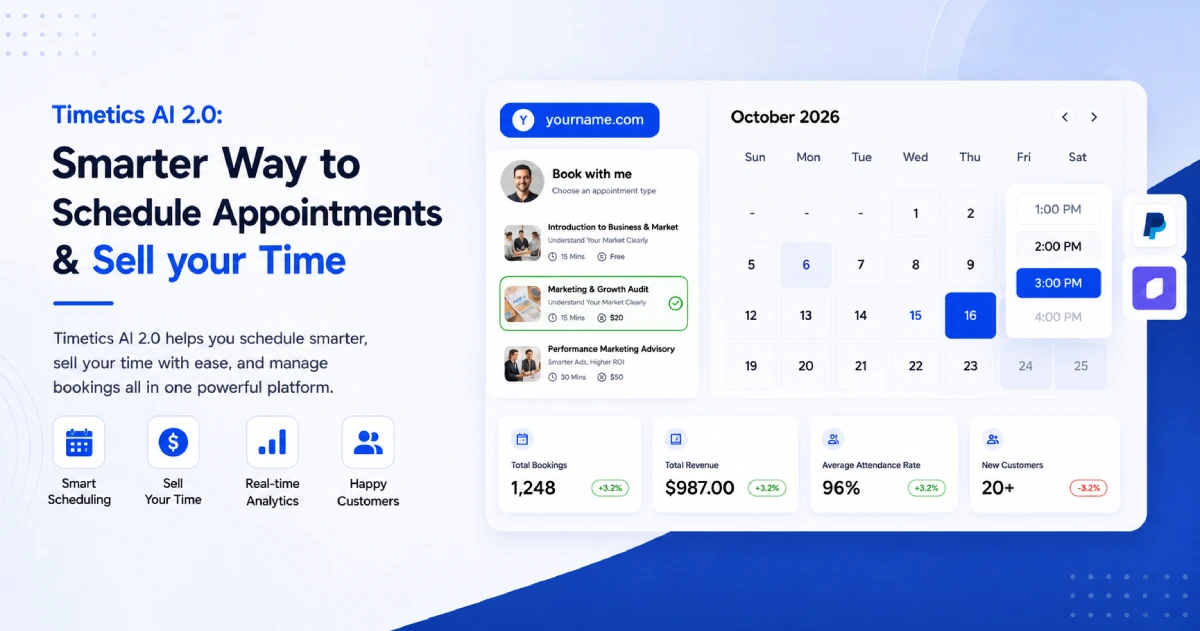
Timetics AI is an AI-powered appointment scheduling software that helps individuals and businesses manage bookings, availability, and client meetings more efficiently.
It supports recurring bookings for one-to-one meetings and service-based appointments.
For example, a consultant can create a service for weekly client sessions and allow customers to select recurring appointments from the booking page.
Timetics AI also includes connected calendars, booking rescheduling and cancellation options, customizable availability, booking reminders, and team management features.
Its booking pages can be customized with business information and branding.
Key features:
- Daily, weekly, and monthly recurring bookings
- One-to-one and service-based appointment scheduling
- Two-way calendar syncing
- Availability rules and buffer times
- Automated email reminders through workflows
- Booking page customization
- Team and workspace management
One useful advantage is that recurring bookings are listed in the current free plan, making it possible to explore the feature without starting with a paid subscription.
However, businesses needing unusual repeat patterns or advanced changes to an entire recurring series should test those requirements first.
Best for: Coaches, consultants, tutors, freelancers, and service businesses that want recurring scheduling alongside general booking management.
2. Acuity Scheduling – For Regular Client Appointments
Acuity Scheduling is another option for businesses that work with repeat customers.
It allows customers to book several appointments together instead of returning to the booking page each time.
For example, a wellness business can let customers book weekly or monthly appointments.
Acuity supports daily bookings, weekly intervals, and monthly patterns.
It also checks the selected dates against availability and can identify booking conflicts.
For businesses that sell ongoing services, Acuity offers subscription options on eligible plans.
Key features:
- Client-facing recurring appointment booking
- Multiple repeat frequency options
- Calendar availability checking
- Additional appointment selection
- Booking management tools
- Subscription options on supported plans
There are some limits to consider. Acuity currently allows clients to schedule up to 24 recurring appointments themselves. Staff can schedule up to 52 appointments for a client.
You also cannot combine different appointment types in one recurring booking transaction.
Best for: Wellness providers, consultants, and client-based service businesses that want repeat appointment booking with flexible scheduling patterns.
3. Setmore – For Small Service Teams
Setmore provides online appointment scheduling for individuals and service businesses.
Its recurring appointment feature allows users to create repeat sessions directly from the calendar.
You can choose daily, weekly, monthly, annual, working-day, or custom intervals.
For example, a barber could schedule a customer’s appointment every four weeks.
The software also provides tools to edit or delete one appointment or future appointments in a recurring series.
Key features:
- Flexible recurring appointment patterns
- Calendar-based booking
- Custom repeat intervals
- Appointment reminders
- Options to edit individual or future appointments
- Customer booking management
Setmore’s recurring appointment feature is available with Setmore Pro, so users looking for a completely free recurring scheduler should consider that cost.
Best for: Small service businesses that want a simple calendar interface and flexible repeat appointment settings.
4. SimplyBook.me – For Recurring Services and Class Packages
SimplyBook.me provides online scheduling for businesses that offer appointments, classes, and other services.
One of its useful features is recurring service packs.
Instead of letting customers book a single appointment, a business can create a service that includes several sessions.
For example, a fitness instructor could offer a package of six weekly training sessions.
Customers can choose a starting date and review the other appointments before confirming the booking.
SimplyBook.me also offers options for handling unavailable dates, including skipping them or adding replacement appointments later.
Key features:
- Recurring service packs
- Weekly and custom repeat patterns
- Multiple-session booking
- Booking reminders
- Online payment support
- Options for handling unavailable dates
One limitation is that its client rescheduling feature does not support appointments within a recurring service pack.
The recurring service price also represents the full package, so businesses need to configure their pricing carefully.
Best for: Fitness studios, educators, training providers, and businesses selling fixed sets of appointments.
5. Zoho Bookings – For Businesses Using Zoho
Zoho Bookings helps businesses manage appointments and staff schedules.
It offers recurring one-to-one services where appointments can repeat at daily, weekly, or monthly intervals.
For example, a company can schedule monthly client review meetings or regular consulting sessions.
Businesses can define the repeat frequency and the number of appointments in a series.
Customers can also review recurring dates from the booking page and manage individual appointments.
Key features:
- Recurring one-to-one services
- Daily, weekly, and monthly schedules
- Staff availability management
- Appointment reminders
- Customer rescheduling and cancellation
- Integrations with the Zoho ecosystem
Zoho Bookings has specific recurring appointment limits.
Its documentation currently lists a maximum of 31 recurrences for daily and weekly services and six for monthly services. Recurring one-to-one services are available on paid plans.
Best for: Teams already using Zoho products or businesses that need structured service and staff scheduling.
Which Recurring Appointment Scheduler Should You Choose?
Here is a simple way to decide.
👉If you want recurring appointments along with customizable booking pages, team scheduling, and a free starting option, consider Timetics AI.
👉 If your main priority is giving customers several repeat date options, Acuity Scheduling is worth exploring.
- Setmore may be suitable if you want to manage recurring appointments directly from a calendar.
- SimplyBook.me is useful when you sell a fixed number of sessions together.
- Zoho Bookings can work well if your business already uses Zoho tools.
Before making a final decision, try booking a short appointment series. Check what happens when one date is unavailable, when a customer needs to reschedule, and when a reminder is due.
That simple test will tell you more about whether a tool fits your business than a long feature list alone.
Editorial disclosure: Timetics AI is our product. We have included other scheduling tools to help readers understand their options. This comparison is based on publicly available product documentation, not independent hands-on testing of all five tools.
How to Schedule Recurring Appointments with Timetics AI
Now that you know what recurring scheduling software does, let’s look at how to set up recurring bookings using Timetics AI.
For this example, imagine you are a tutor who offers a 45-minute English lesson every week.
You want students to book repeat lessons without contacting you each time.
Step 1: Create Your Booking or Meeting Type
First, go to Timetics AI and sign in to your account.
If you are a new user, create an account and complete the basic setup.
During onboarding, you can choose a personal or business account and enter your booking page information.
Next, create a booking calendar for the service you want to offer.
For this example, you can name the service Weekly English Lesson.
Add a short description, such as:
Improve your English speaking skills with a 45-minute personal lesson.
Set the meeting duration to 45 minutes and choose whether the appointment will be online or at a physical location.
If you’re using an online meeting service, configure the supported video meeting option.
Save the basic meeting information.
Step 2: Enable Recurring Booking
Next, open the booking you created and go to its editing settings.
According to the current Timetics AI documentation, the recurring option is located under:
Edit Booking → Pricing Menu → Enable Recurring Booking
Turn on Recurring Booking.
This makes the recurring option available to customers when they schedule the supported booking type.
Timetics AI supports recurring booking for both one-to-one and service-based booking types.
For example, a student can select a weekly repeat schedule when booking an English lesson.
The customer can choose from the recurring options available on the booking page.
Before publishing, preview the page to confirm that the options fit your service.
Step 3: Set Your Availability and Connect Your Calendar
Now decide when students can book lessons.
Open the Availability section of your booking settings.
Choose the days and hours when you are available.
For example:
| Day | Available time |
| Monday | 4 PM – 7 PM |
| Tuesday | 4 PM – 7 PM |
| Wednesday | Unavailable |
| Thursday | 3 PM – 6 PM |
| Friday | 4 PM – 7 PM |
These are only example working hours. You can use your own schedule.
You can also configure buffer time between appointments.
A buffer is a short break between bookings.
For example, adding a 15-minute buffer after a 45-minute lesson gives you time to prepare for the next student.
Next, connect your supported calendar to Timetics AI.
Calendar connections help the system check existing meetings and reduce scheduling conflicts.
In the advanced booking settings, make sure your calendar conflict-checking options are configured correctly.
For recurring bookings, pay special attention to your future availability.
A time that is open this week might already be booked next week.
Step 4: Configure Booking Notifications and Reminders
Booking an appointment is only part of the job.
You also want students to remember their lessons.
Timetics AI supports automated booking emails through workflows.
To set one up, open:
Dashboard → Workflows
Click Create Workflow and give it a name, such as English Lesson Reminder.
In the workflow builder, add the required trigger, condition, and action.
For a basic appointment reminder, use:
- Trigger: Scheduled
- Condition: One-to-One Booking
- Action: Send Reminder
Choose how many hours before the appointment the reminder should be sent.
For example, set the reminder to arrive 24 hours before the lesson.
You can configure reminders from 1 to 72 hours before a booking, according to the current workflow documentation.
Save and publish the workflow to activate it.
You can also create a separate workflow for booking confirmation emails.
Before using the reminders with real customers, test them to make sure the correct message arrives.
Step 5: Preview and Share Your Booking Page
Once your service, recurring booking settings, availability, and reminders are ready, preview the booking page.
Check it as if you were a student booking a lesson for the first time.
Select the service, choose an available time, and review the recurring booking options.
Make a test booking using the repeat pattern you want to offer.
Check that the expected dates appear in your bookings and that the confirmation works correctly.
You should also test what happens if one of the future dates is unavailable.
When everything looks right, share your booking page link with customers.
You can add it to your website, email signature, or social media profile.
Now customers have a simple way to book recurring appointments without starting a new conversation for every session.
Want to simplify repeat bookings?
With Timetics AI, you can offer recurring appointments, manage your availability, and organize customer bookings from one place.
Who Benefits Most from Recurring Appointment Scheduling?
Recurring appointments are useful whenever people need the same service more than once.
Here are some common examples.
Coaches and Consultants
Coaches often meet their clients every week or every month.
For example, a business coach might offer four weekly sessions as part of a coaching program.
Instead of sending a new scheduling link before every meeting, the coach can arrange the sessions in advance.
This makes it easier for the coach and client to follow a regular schedule.
Tutors and Educators
Tutors often work with students on a fixed schedule.
A math tutor might teach the same student every Sunday afternoon.
Recurring scheduling helps the tutor organize upcoming lessons, while reminders help students and parents remember the sessions.
It is also useful for language lessons, music classes, and exam preparation.
Salons and Wellness Businesses
Some customers return for the same service regularly.
For example, a salon customer might book a haircut every four weeks, while a wellness customer might attend a weekly treatment session.
Recurring bookings help these businesses plan ahead and make it easier for regular customers to maintain their preferred appointment times.
However, businesses should still allow customers to change appointments when needed.
Agencies and Service Teams
Agencies often have regular meetings with clients.
These may include weekly project updates, monthly planning calls, or progress reviews.
Recurring scheduling helps teams organize these meetings and reserve time for ongoing client work.
It can also help managers see upcoming commitments more clearly.
Common Recurring Appointment Scheduling Problems and How to Avoid Them
Recurring booking software can make scheduling easier, but you still need to set it up carefully.
Here are five common problems to watch for.
1. Double Bookings
A double booking happens when two appointments are scheduled for the same time.
Solution: Connect your calendars, enable conflict checking, and test how the software handles repeat dates that are already busy.
2. Customers Forgetting Appointments
Customers may forget appointments that were booked several weeks earlier.
Solution: Enable reminders before every session. Make sure the message includes the correct date, time, and meeting details.
3. Changing One Appointment
A client may need to change one session without moving the rest.
Solution: Choose software that supports the level of individual appointment editing you need. Always check whether an action changes one booking or the whole series.
4. Holidays and Staff Time Off
A recurring appointment might fall on a public holiday or a day when an employee is unavailable.
Solution: Keep your availability updated and check how your scheduling tool handles unavailable dates within a series.
5. Time-Zone Differences
Online meetings can become confusing when the customer and service provider live in different countries.
Daylight-saving changes can make this even harder.
Solution: Use time-zone-aware booking software and confirm how recurring appointments behave when clocks change.
For international appointments, double-check the displayed dates and times before confirming a long series.
Frequently Asked Questions About Recurring Appointment Scheduling Software
What is the best software for recurring appointments?
-The best software depends on your needs. Timetics AI is worth considering for recurring bookings, calendar management, and customizable booking pages. Acuity Scheduling, Setmore, SimplyBook.me, and Zoho Bookings are also useful options for different types of service businesses.
Can customers book weekly or monthly recurring appointments?
-Yes. Timetics AI supports daily, weekly, and monthly recurring bookings. The exact options depend on the software and its booking settings.
Is there free recurring appointment scheduling software?
-Yes. Some appointment scheduling tools include recurring booking features in their free plans. Timetics AI currently lists recurring booking in its free Start plan. However, free plans may have limits on users, integrations, or advanced features. Check the latest pricing page before selecting a tool.
Can I reschedule one recurring appointment without changing the entire series?
-Some scheduling tools allow this, but not all of them. For example, Setmore supports editing an individual appointment or future appointments in a series. SimplyBook.me has restrictions on client rescheduling for recurring service packs.
Can recurring appointments sync with Google Calendar?
-Yes, recurring appointment software can support Google Calendar connections. For example, Timetics AI offers calendar syncing, which can help organize bookings and check availability. Make sure your calendar is connected correctly and test how recurring bookings appear before using the feature with customers.
Can recurring appointment software send automatic reminders?
-Yes. Many scheduling tools support automatic appointment reminders. Timetics AI, for example, offers email reminder workflows. You can set up reminders before scheduled appointments so customers receive important meeting information without needing a manual message every time. The available reminder channels and settings depend on the software and plan.
Make Recurring Appointment Scheduling Easier with Timetics AI
Managing repeat appointments should not mean doing the same work every day.
With the right recurring appointment scheduling software, you can organize future bookings, reduce manual scheduling, manage availability, and help customers remember their appointments.
The most important thing is choosing a tool that matches how your business works.
If you need recurring appointments alongside calendar syncing, booking pages, team management, and automated reminders, Timetics AI is one option worth exploring.
You can start with the free plan, create your booking service, and test recurring appointments before deciding whether you need more features.
Spend less time arranging repeat meetings and more time helping your customers.


