Paid Consultation Booking Software: Buyer’s Guide


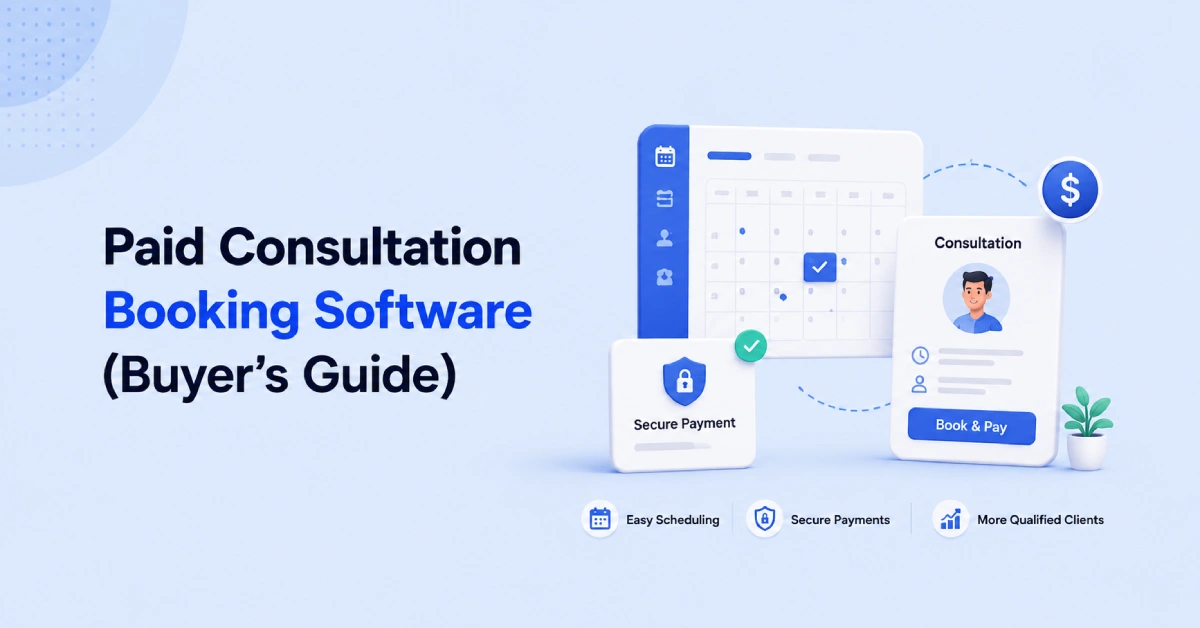
Booking a paid consultation should be simple. A client should be able to understand your service, choose an available time, and pay without using several different tools.
Paid consultation booking software brings these steps together in one clear booking process. It can also collect the full fee or a deposit, ask clients important questions, send reminders, and add the meeting to your calendar.
This type of software is useful for consultants, coaches, freelancers, tutors, lawyers, and other professionals who charge for their time or knowledge. It can reduce manual work, filter out some low-intent bookings, and make the client experience easier.
This guide explains how paid consultation booking software works, who needs it, and what to check before choosing a platform.
What Is Paid Consultation Booking Software?
Paid consultation booking software helps clients choose a service, select an available time, and pay for the session through one booking process.
It works like an online assistant for your business. It shows clients when you are available. It can also display the price, length, and details of each consultation.
The client chooses the right service, selects a time, answers any required questions, and makes the payment. After that, both the client and the service provider receive a booking confirmation.
The software may also:
- Collect the full consultation fee
- Collect a deposit
- Send appointment reminders
- Create an online meeting link
- Add the appointment to a calendar
- Let clients cancel or reschedule
- Prevent two clients from booking the same time
Paid consultation booking software is different from a basic calendar. A calendar mainly stores dates and appointments. Paid booking software manages more of the client journey, from choosing a service to confirming payment.
This helps professionals spend less time managing appointments and more time helping their clients.
Who Needs Paid Consultation Booking Software?
Paid consultation booking software is useful for anyone who charges clients for time, advice, or knowledge. It is especially helpful when you want clients to pay before the meeting. This can reduce payment chasing and discourage some low-intent bookings.
It can help:
- Consultants offering strategy or advice
- Coaches running paid coaching sessions
- Freelancers providing audits or project guidance
- Tutors and teachers offering private lessons
- Lawyers and accountants charging consultation fees
- Wellness professionals providing booked sessions
- Agencies offering paid discovery or planning calls
However, businesses that only arrange free meetings may not need payment features. Medical or highly regulated services should also check that the software meets their privacy and legal requirements.
What Problems Does Paid Consultation Booking Software Solve?
Paid consultation booking software solves several common problems for service professionals.
Unpaid Bookings
Clients can pay the full fee or a deposit while booking. This means you do not have to send a separate payment link or chase unpaid invoices.
Low-Intent Clients
Clear prices and service details help clients decide if the consultation is right for them before they book.
Missed Appointments
Payments and automatic reminders can encourage clients to take the appointment more seriously. However, they cannot prevent every no-show.
Too Much Manual Work
The software can manage booking confirmations, calendar updates, meeting links, reminders, cancellations, and rescheduling.
Calendar sync and conflict checks stop clients from choosing a time when you are already busy.
By managing these tasks in one place, paid consultation booking software saves time and creates a smoother experience for both you and your clients.
How Does Paid Consultation Booking Software Work?
Paid consultation booking software connects your services, calendar, payment method, and client messages in one simple process. Here is how it usually works:
- Create your consultation: Add its name, description, price, and length.
- Set your availability: Choose the days and times when clients can book you.
- Share your booking page: Add the link to your website, emails, or social media pages.
- Let the client book and pay: The client selects a service, chooses a time, answers your questions, and pays the fee or deposit.
- Confirm the appointment: The software sends a confirmation and adds the meeting to your calendar.
- Send reminders: Automatic reminders help the client remember the appointment.
Some platforms can also create video meeting links and let clients cancel or reschedule without contacting you.
Is Paid Consultation Software Better Than a Traditional Booking System?
Paid consultation software is often better for professionals who sell their time or advice. A traditional booking system may be enough if you only arrange free meetings.
| Area | Traditional Booking System | Paid Consultation Software |
| Main purpose | Reserves a time | Sells and schedules a service |
| Service details | Usually limited | Shows the price, length, and service details |
| Payment | Often handled separately | Collected during booking |
| Client questions | Basic contact details | Can collect needs, goals, and other details |
| Booking quality | Anyone may book | Pricing and questions help filter clients |
| Reminders | May offer basic reminders | Can automate confirmations and reminders |
| Best for | Free calls and simple meetings | Coaching, consulting, tutoring, and other paid sessions |
Paid consultation software is not automatically better for every business. Choose it when payment, client qualification, and service information are important parts of your booking process.
How Should You Choose Paid Consultation Booking Software?
The right software should do more than show available times. It should explain your service, collect payment, protect your calendar, and guide the client through a simple booking process.
Use the following points when comparing different platforms.
1. Clear Service and Pricing Options
Clients should understand exactly what they are booking. Each consultation should have its own name, description, duration, and price.
For example, a consultant may offer:
- A free 15-minute introduction call
- A 30-minute project review
- A 60-minute strategy consultation
- A longer premium advisory session
The booking page should explain what is included in each option. Clear information helps clients choose the right service and reduces questions before the meeting.
Avoid software that only shows a calendar without clearly explaining the service.
2. Flexible Payment Collection
Different services may need different payment rules. A short consultation may require full payment, while an expensive session may only require a deposit.
Look for software that can support:
- Full payment before confirmation
- Fixed or percentage-based deposits
- Free consultations
- Discount prices and coupon codes
- Manual or on-site payments
- Paid and unpaid balance tracking
- Clear refund rules
Also check which payment providers, countries, and currencies are supported. Payment providers such as Stripe and PayPal normally charge their own processing fees.
3. Strong Availability Controls
The software should give you control over when clients can book.
Useful availability settings include:
- Working days and hours
- Different hours for different services
- Breaks between appointments
- Daily or weekly booking limits
- Minimum notice before booking
- Maximum advance-booking periods
- Holiday and unavailable-date blocking
- Automatic timezone changes
For example, you may allow strategy sessions only on Tuesday and Thursday. You may also add a 15-minute break after every meeting.
These controls protect your time and prevent an uncomfortable schedule.
4. Reliable Calendar Sync
Booking software should connect with the calendar you already use. It should check your existing events before showing available times.
A good calendar connection should:
- Add new consultations automatically
- Block times when you are already busy
- Update changed appointments
- Reduce double bookings
- Show the correct time in different timezones
Check whether the platform connects with Google Calendar, Outlook, Apple Calendar, or another calendar important to your business.
5. Useful Client Intake Questions
Intake questions help you understand why a client is booking. They also help you prepare for the consultation.
A business consultant may ask:
- What problem do you want to solve?
- What result do you expect from this session?
- What type of business do you manage?
- Have you used a similar service before?
Only ask questions that help with the meeting. Long or confusing forms can reduce completed bookings.
If you collect private or sensitive information, make sure the software meets the privacy and legal needs of your industry.
6. Simple Payment and Booking Experience
The booking process should be easy on both computers and mobile phones.
A client should be able to: Choose a service -> Read the price and details ->Select an available time ->Answer important questions-> Review the booking policy-> Complete the payment-> Receive confirmation.
Too many pages, confusing instructions, or unexpected costs can cause clients to leave before paying.
Always complete a test booking yourself before publishing the page.
7. Automatic Messages and Reminders
Clients need clear information before and after booking. The platform should send messages automatically when important actions happen.
Look for:
- Booking confirmation emails
- Payment confirmation
- Appointment reminders
- Cancellation notices
- Rescheduling notices
- Meeting-location or video-call details
- Follow-up messages
These messages reduce repetitive work. They also give clients a clear record of their appointment.
8. Cancellation, Rescheduling, and Refund Rules
A paid booking needs clear rules. Clients should know what happens if they cancel, arrive late, or ask for another time.
The software should let you control:
- How late a client can cancel
- How close to the meeting they can reschedule
- Whether payment is refundable
- Whether a deposit can be transferred
- How failed payments are handled
- Whether the time is reserved before payment succeeds
The policy should be visible before the client pays. This can prevent confusion and payment disputes.
9. Branding and Website Options
Your booking page is part of the client experience. It should look connected to your business.
Check whether you can add:
- Your logo
- Brand colors
- Service images
- Business information
- A custom booking link
- Your own website domain
- An embedded booking form
A branded page can feel more trustworthy than a basic calendar link with little information.
10. Integrations and Automation
Consider the other tools used in your daily work. Your booking platform may need to connect with:
- Payment providers
- Online calendars
- Video meeting platforms
- CRM software
- Email marketing tools
- Workflow automation services
- Team communication tools
AI features can also reduce setup work. However, check what the AI can truly do. Some AI tools only provide answers, while others can create calendars, change settings, or manage availability.
Do not choose a product based only on the word “AI.” Choose it based on useful actions.
11. Reports and Business Information
Basic reports can show whether your booking process is working.
Helpful information may include:
- Number of bookings
- Total booking revenue
- Popular consultation types
- Busy days and times
- Cancellations and no-shows
- Paid and unpaid amounts
- Team-member performance
These reports can help you improve your prices, services, and availability.
12. Support, Security, and Total Cost
Check whether the company provides clear documentation and reliable customer support. You should be able to find help when a payment, calendar, or booking problem happens.
You should also review:
- Account and customer-data protection
- Team roles and access controls
- Data export options
- Backup and recovery policies
- Payment security
- Legal or industry compliance
Finally, calculate the complete cost. Include subscription fees, additional users, payment fees, SMS charges, integrations, and branding upgrades.
Paid Consultation Software Evaluation Table
| Area to Review | What Good Software Should Provide | Why It Matters |
| Service presentation | Clear names, prices, durations, and descriptions | Clients understand what they are buying |
| Payment options | Full payment, deposits, discounts, and payment tracking | You can match payment rules to each service |
| Calendar protection | Sync, conflict checks, limits, and buffer time | It prevents double bookings and protects your day |
| Client intake | Custom and required questions | You can prepare before the consultation |
| Booking experience | A short and mobile-friendly process | More clients can complete their booking |
| Communication | Confirmations, reminders, and change notices | Clients remain informed |
| Booking policies | Cancellation, rescheduling, and refund controls | Both sides understand the rules |
| Branding | Logo, colors, links, and website embedding | The page feels connected to your business |
| Integrations | Connections with calendars, payments, video, and CRM tools | Your existing tools can work together |
| Reporting | Booking, payment, and performance information | You can make better business decisions |
| Support and security | Helpful support and clear data protection | Your business and client information stay safer |
| Total cost | Clear pricing without unexpected charges | You can compare the real value of each platform |
Why Timetics AI Is Worth Considering for Paid Consultation Booking Software
Timetics AI brings service presentation, scheduling, payment collection, and booking management into one platform. It supports one-to-one and service-based consultations with custom prices, durations, descriptions, availability, and booking questions.
Businesses can collect full payments or deposits through supported payment providers. They can also use coupons, manual payment options, calendar conflict checks, buffer times, booking limits, reminders, cancellation rules, and branded booking pages.
Timetics AI also includes an AI Agent for platform management. Users can give simple written instructions to create booking calendars, change availability, find settings, and access setup guidance. This makes the platform easier to manage without searching through many menus.
Timetics AI is a practical choice for consultants, coaches, freelancers, tutors, and service businesses that want to manage the complete journey from service selection to confirmed payment. Before choosing a plan, check that it supports your preferred payment provider, currency, integrations, team size, and business location.
Frequently Asked Questions About Paid Consultation Booking Software
What is paid consultation booking software?
It is a tool that lets clients choose a service, select a time, and pay in one booking process. It may also manage intake questions, confirmations, and reminders.
Can clients pay before the consultation?
Yes. Many platforms let clients pay the full fee or a deposit while booking. The appointment may be confirmed only after the payment is completed.
Does taking payment reduce no-shows?
Upfront payment can encourage clients to take the appointment more seriously. However, clear policies and automatic reminders are still important.
Can I offer both free and paid consultations?
Yes. You can create separate services for a free introduction call and paid consultation. Clearly explain the purpose of each option to avoid confusion.
Do I need Stripe or PayPal?
You need a supported payment method if you want to collect money online. Timetics AI supports Stripe, PayPal, and some manual or on-site payment methods.
Can clients cancel or reschedule their appointments?
Most booking platforms provide cancellation and rescheduling options. You should set clear rules about deadlines, refunds, and changes before accepting paid bookings.
Is Timetics AI suitable for paid consultations?
Timetics AI supports priced services, deposits, booking questions, reminders, calendar controls, and branded booking pages. Its AI Agent can also help manage calendars and availability.
Is paid consultation software better than Calendly or Acuity?
The best choice depends on your needs. Timetics AI focuses on service booking and AI-assisted management, while Calendly and Acuity may suit different scheduling, routing, or service-commerce needs.
What should I test before choosing a platform?
Test the complete booking process on both mobile and desktop. Check the payment, confirmation, calendar event, meeting link, reminder, cancellation, and rescheduling experience.