Booking Software for Consultants: Turn Discovery Calls Into Paid Bookings


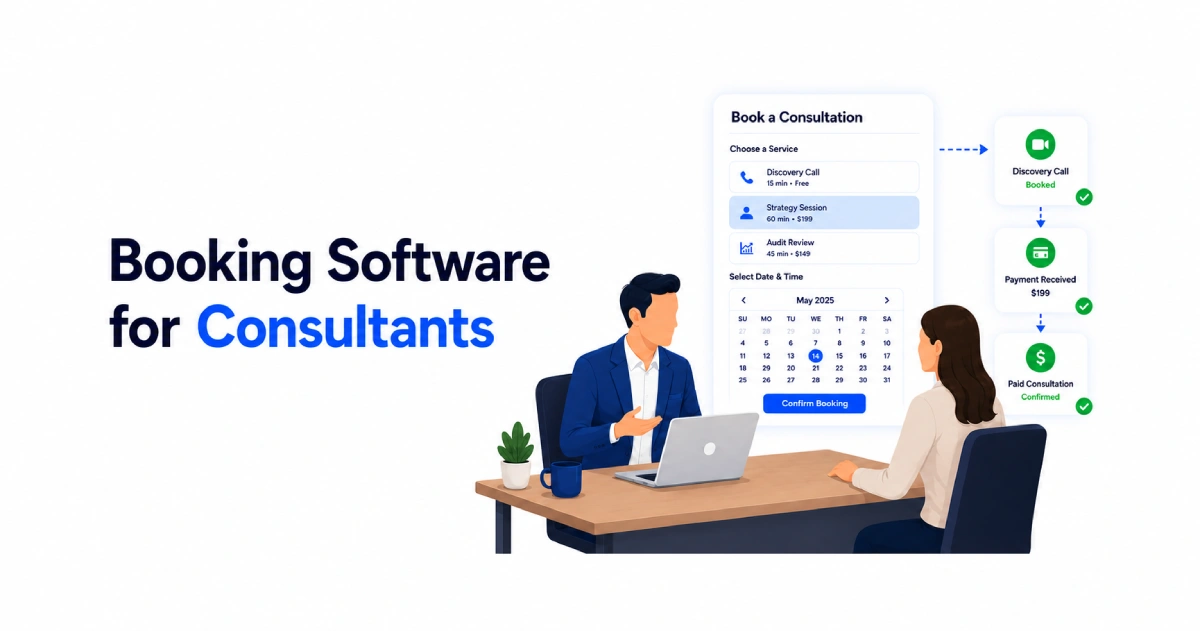
Table of Contents
A full calendar does not always mean more consulting revenue.
You can spend hours on discovery calls with people who do not understand your service, cannot afford your rate, or need something you do not offer.
A basic scheduling link can book the meeting, but it cannot always qualify the prospect, explain your pricing, or collect payment before the call.
Booking software for consultants helps solve that problem by combining service selection, client intake, payments, and scheduling in one flow. This gives you more context before the meeting and helps clients understand what they are booking.
In this guide, we will explain the common booking problems consultants face, the features that matter most, and how Timetics AI can help create a more structured path from first contact to paid consultation.
Why Is a Basic Scheduling Link Often Not Enough for Consultants?
A basic scheduling link helps a prospect choose an available time, but it usually stops there. It does not always explain what the consultation includes, how much it costs, or whether the prospect is a good fit for the service.
For consultants, that gap can create problems before the meeting even starts.
- A prospect may book a free discovery call when they actually need a paid strategy session.
- Another may expect detailed advice during an introductory call.
- Some may arrive without sharing enough information, forcing you to spend the first part of the meeting understanding their situation.
Basic scheduling tools can also leave important steps outside the booking process. You may need to send a separate intake form, share a payment link, create the meeting manually, and follow up with reminders. Each extra step adds more work and gives the client another chance to drop out.
A structured consultant booking flow handles more than availability. It can show separate services, display pricing, collect relevant client details, take payment or a deposit, and send the correct meeting information automatically.
The Real Booking Problems Consultants Run Into
Consultants do not usually struggle with finding a time slot. The bigger problem is managing everything that happens before and after the booking.
1. Too Many Unpaid Discovery Calls
Free discovery calls can help you find new clients, but they can also fill your calendar with people who are not ready to buy. Without clear service options, pricing, or qualifying questions, it becomes harder to separate serious prospects from casual inquiries.
2. Clients Book the Wrong Type of Session
A prospect may choose a short discovery call when they actually need a paid audit or strategy session. This creates confusion about what the call includes and can lead to scope problems before the work even begins.
3. Important Client Details Arrive Too Late
When the booking form only asks for a name and email address, you enter the call with little context. You may spend the first 15 minutes asking basic questions instead of discussing the client’s actual problem.
4. Manual Invoices Slow Down Paid Bookings
Sending an invoice after someone books creates an extra step for both sides. Some clients delay payment, forget to complete it, or cancel before the session because the booking and payment process feel disconnected.
5. No-Shows Waste Valuable Consulting Time
A missed consultation is not just an empty calendar slot. It can mean lost income, unused preparation time, and fewer opportunities to work with clients who were ready to attend.
6. Repeated Scheduling Emails Take Too Much Time
Back-and-forth messages about availability, time zones, meeting links, and rescheduling may seem small, but they add up. The more clients you manage, the harder it becomes to keep every booking detail organized.
7. Different Clients and Services Become Hard to Manage
Consultants often work across multiple services, client groups, or brands. Without clear separation, booking pages, availability rules, client details, and follow-up tasks can become mixed together.
How Timetics AI Works for Consultants
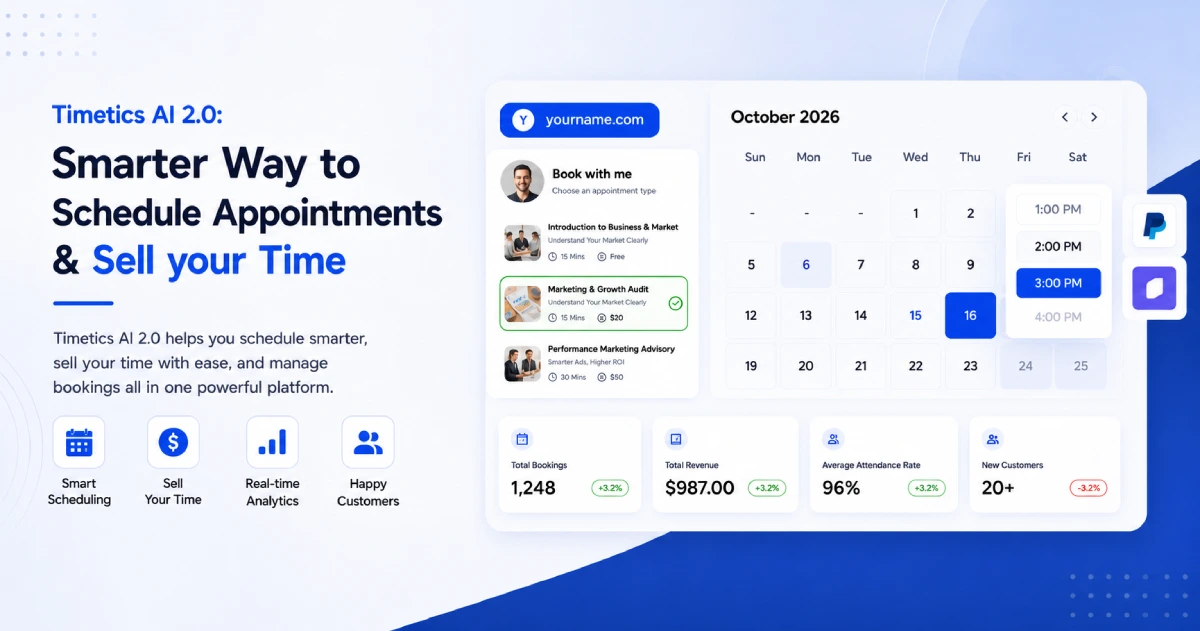
Timetics AI helps consultants build a booking process around the services they sell, not just the hours they have available. You can present consultation options, collect client information, accept payment, and confirm the meeting from one booking flow.
Present Each Consultation as a Clear Service
Consultants rarely offer only one type of meeting. You may provide a free discovery call, a paid strategy session, an audit review, or an ongoing advisory call.
With Timetics AI’s service-based scheduling, you can give each service its own description, price, duration, and availability. The client chooses what they need before selecting a time, which can reduce bookings made with the wrong expectations. Timetics also supports one-to-one bookings for personal meetings and consultations.
For example, an SEO consultant could create separate booking options for:
- A 15-minute discovery call
- A 60-minute SEO strategy consultation
- A technical audit review
- A recurring monthly advisory session
Collect Payments Before Confirming the Session
Timetics AI helps you collect full payments or partial deposits during the booking process. This can help you secure commitment for paid consultations without sending a separate invoice after the client chooses a time.
The platform currently supports Stripe, PayPal, deposit payments, refunds, and on-site payment options. For offline payments, Timetics records the amount due, while you confirm the payment manually after receiving it through your chosen method.
You can use different payment approaches for different services. A discovery call may remain free, while an audit or strategy session can require a deposit or full payment.
Use the AI Agent to Set Up Booking Calendars
The Timetics AI Agent can help create and update booking calendars through natural-language instructions. Instead of configuring every field manually, you can describe the type of consultation you want to offer.
For example, you could enter a request such as:
Create a 60-minute paid marketing strategy consultation available from Monday to Thursday.
The AI Agent assists with calendar setup. It should not be treated as a replacement for your own client qualification process. You still need to decide which services to offer, what questions to ask, and which clients are a good fit.
Keep Different Services or Businesses Separate With Workspaces
Some consultants manage several service lines, teams, brands, or client-facing businesses from one account. Mixing their booking pages, availability rules, and team members can make the process difficult to manage.
Timetics AI workspaces provide separate environments with their own services, teams, availability, and booking pages. A consultant could use one workspace for personal advisory services and another for an agency or separate brand.
Automate Confirmations, Reminders, and Booking Updates
Once a client completes a booking, Timetics AI can handle confirmation notifications and calendar updates. It can also send notifications when a meeting is cancelled, reducing the need to update both sides manually.
You can connect booking data with other business tools through integrations. For example, a confirmed booking could trigger a CRM update, preparation email, or internal task through a connected automation platform.
Together, these features give consultants a clearer process:
- The prospect chooses the right service.
- They review the price and session details.
- They answer the required booking questions.
- They pay or place a deposit when required.
- They select an available time.
- Timetics confirms the booking and updates the connected calendar.
This means you receive more than a meeting notification. You receive a scheduled consultation with clearer expectations, useful client details, and payment already handled when required.
Timetics AI vs. Calendly for Consultants
Both tools can remove back-and-forth scheduling. Calendly is a well-established choice for simple meeting scheduling and larger teams, while Timetics AI focuses more on paid services, booking workflows, and AI-assisted setup.
| Topic | Timetics AI | Calendly |
| Starting price | $49 one-time lifetime offer | Standard from $10/user/month, billed annually |
| Pricing model | One-time payment during the current offer | Monthly or annual per-user subscription |
| Paid consultations | Rates, discounts, deposits, coupons, and refunds | Payments available on supported paid plans |
| AI support | AI Agent creates and updates booking calendars | Automation and routing features; no comparable calendar-creation agent listed |
| Workspaces | Separate services, teams, and booking environments | Team administration and managed user groups |
| Integrations | Covers key tools such as calendars, video calls, Zapier, and ActiveCampaign | Broader integration library and stronger enterprise connections |
| Best match | Consultants selling services, deposits, or paid sessions | Consultants needing simple scheduling, mobile access, or advanced team routing |
Timetics AI may offer better value when you need service pricing, deposits, and AI-assisted calendar setup without a recurring per-user bill.
📚 Related reading: Calendly vs. Timetics: A Side-by-Side Comparison
Getting Started: Setting Up Booking Software as a Consultant
Setting up consultant booking software does not need to be complicated. Start with the services you already offer, then build the booking flow around them.
Step 1. Define Your Services and Rates
List the sessions clients can book, such as a free discovery call, paid strategy session, audit review, or recurring advisory meeting. Add a clear duration and price for each one.
Step 2. Set Your Availability Rules
Choose when clients can book and how much time you need between meetings. This helps protect your schedule and prevents back-to-back calls.
Step 3. Connect Your Payment Gateway
Add Stripe or PayPal if you charge for consultations. You can collect full payment or a deposit before the booking is confirmed.
Step 4. Turn On Reminders and Follow-Ups
Set booking confirmations, reminders, and cancellation updates so clients always know what happens next.
Step 5. Share Your Booking Link
Add the link to your website, email signature, social profiles, and proposal pages. Make sure each service has a clear description so clients choose the right option.
Timetics AI lets you manage these steps from one booking platform, including service setup, payments, calendar connections, reminders, and AI-assisted calendar creation.
Frequently Asked Questions About Booking Software for Consultants
What is booking software for consultants?
Booking software for consultants helps clients choose a service, select a time, provide details, and pay when required. It reduces scheduling emails and creates a clearer path from inquiry to consultation.
What features should consultant booking software include?
The most useful features are service pricing, intake questions, calendar sync, payment collection, reminders, recurring bookings, and workflow integrations.
Can consultants accept payment when clients book?
Yes. Many booking platforms let consultants collect full payment or a deposit through payment gateways such as Stripe or PayPal before confirming the session.
How can booking software reduce no-shows?
Booking software can reduce no-shows by sending confirmations, reminders, cancellation updates, and payment requests before the meeting.
Can booking software help qualify consulting leads?
Yes. You can add intake questions about the client’s goals, budget, timeline, and current challenges before they confirm the booking.
Is Timetics AI suitable for consultants?
Timetics AI is suitable for consultants who need service-based booking, payments, deposits, workspaces, calendar integrations, reminders, and AI-assisted booking setup in one platform.