Smart Appointment Scheduling Software for Teams


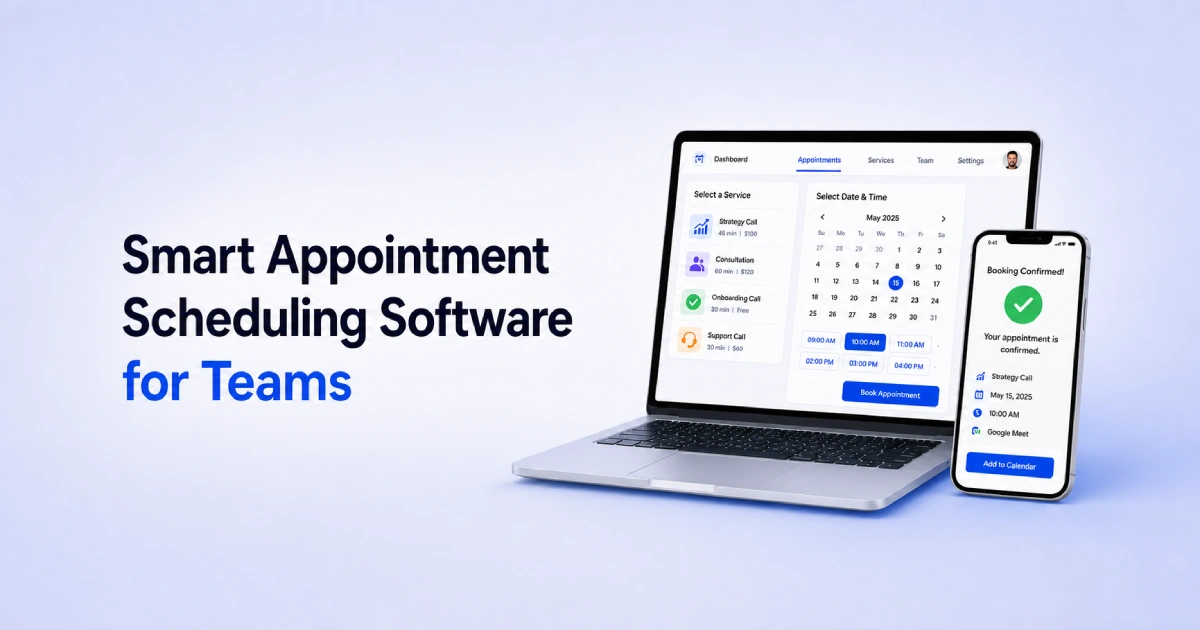
Table of Contents
Smart appointment scheduling software helps teams manage bookings without wasting time on manual coordination.
For growing teams, this matters a lot. A simple calendar link may work for one person. But when multiple team members, services, clients, time zones, and payments are involved, scheduling becomes harder to manage.
That is where smart scheduling software becomes useful. It helps your team stay organized, reduce missed bookings, avoid double-booking, and give clients a smoother appointment experience.
In this guide, we’ll explain what makes appointment scheduling software smart, what problems teams usually face, which features matter most, and how Timetics AI helps teams manage bookings with less manual work.
What Makes Scheduling Software “Smart” for a Team?
Scheduling software becomes “smart” when it does more than show available time slots. For a team, it should help manage services, team availability, client details, payments, reminders, and follow-ups from one place.
Here’s what separates a “smart” tool from a basic calendar link:
- Real-time availability sync – Pulls from every team member’s calendar so clients only see slots that are actually open
- Conflict detection – Blocks double-bookings before they happen, automatically
- Service-first booking flow – Clients choose what they need before picking a time
- Automated reminders – Confirmation emails, pre-appointment nudges, and follow-ups run on their own
- AI assistance – Handles reschedules, cancellations, and routine requests without manual input
- Built-in payments – Collects fees or deposits at the time of booking
This is important because team scheduling is not only about finding time. It is also about making sure the right person handles the right appointment with the right information.
For service businesses, agencies, consultants, and customer-facing teams, smart scheduling can save hours of admin work every week. It also makes the booking experience smoother for clients because they do not need to ask basic questions before confirming an appointment.
In simple words, smart scheduling software works like a booking assistant for your team. It helps people book faster, keeps your team updated, and reduces the small manual tasks that slow everyone down.
📚 Goodreads: Agentic AI: The Next Evolution of Conversational AI
The 3 Booking Problems Teams Face (And Why Basic Tools Don’t Fix Them)
Most teams don’t have a scheduling problem. They have three – and a basic calendar link only makes the first one slightly easier.
Layer 1 – Availability Conflicts
When each team member manages their own calendar independently, gaps appear. One person marked themselves available but forgot about a meeting. Another has a personal block that never synced. The result: double-bookings, awkward client calls, and time spent fixing what the tool should have prevented.
Layer 2 – Manual Overhead
Every unautomated booking creates a chain of tasks – confirmation email, reminder, follow-up if they cancel, reschedule request if they no-show. For a team handling 20+ bookings a week, that overhead quietly consumes hours that should go toward actual work.
Layer 3 – Unqualified Bookings
This one costs the most. A client books without understanding the service, the price, or what to expect. They arrive unprepared – or don’t arrive at all. The slot is wasted, and the team member walks away with nothing.
Smart scheduling software is built to eliminate all three layers – not patch one while ignoring the others.
Key Features to Look for in Smart Appointment Scheduling Software
Not every scheduling tool is built for teams. Here are the features that actually matter when more than one person is taking bookings.
1. Real-Time Calendar Sync Across Your Team
Your tool should connect with Google Calendar, Outlook, and Apple Calendar – and reflect changes instantly. If a team member blocks time in their personal calendar, that slot should disappear from the booking page automatically. No sync delay, no manual updates.
2. Multi-Staff Availability and Conflict Prevention
Clients should only see slots where the right person is actually free. Smart tools handle this through staff-level availability rules, buffer times between appointments, and automatic conflict detection – so no two clients ever land on the same slot with the same person.
3. Automated Reminders and Follow-Up Workflows
No-shows drop significantly when reminders go out at the right time. Look for tools that send automated confirmations at booking, reminders before the appointment, and follow-ups after – without anyone on your team manually triggering them.
4. Service-Based Booking Pages
Instead of just showing a calendar, the service-based booking page should display your services, descriptions, and pricing upfront. Clients arrive knowing what they booked and what it costs – which means fewer low-intent bookings and fewer awkward “wait, how much is this?” conversations.
5. Built-In Payment Collection
Collecting payment or a deposit at booking does two things: it filters out unserious clients and protects your team’s time if someone cancels at the last minute. Look for support for Stripe, PayPal, or on-site payment, depending on your setup.
6. Role-Based Permissions and Team Management
Not everyone on your team needs access to everything. Staff should manage their own availability and bookings. Admins should control settings, payments, and reporting. A smart tool lets you define those boundaries clearly – so nothing gets changed by accident.
How Timetics AI Handles Smart Scheduling for Teams
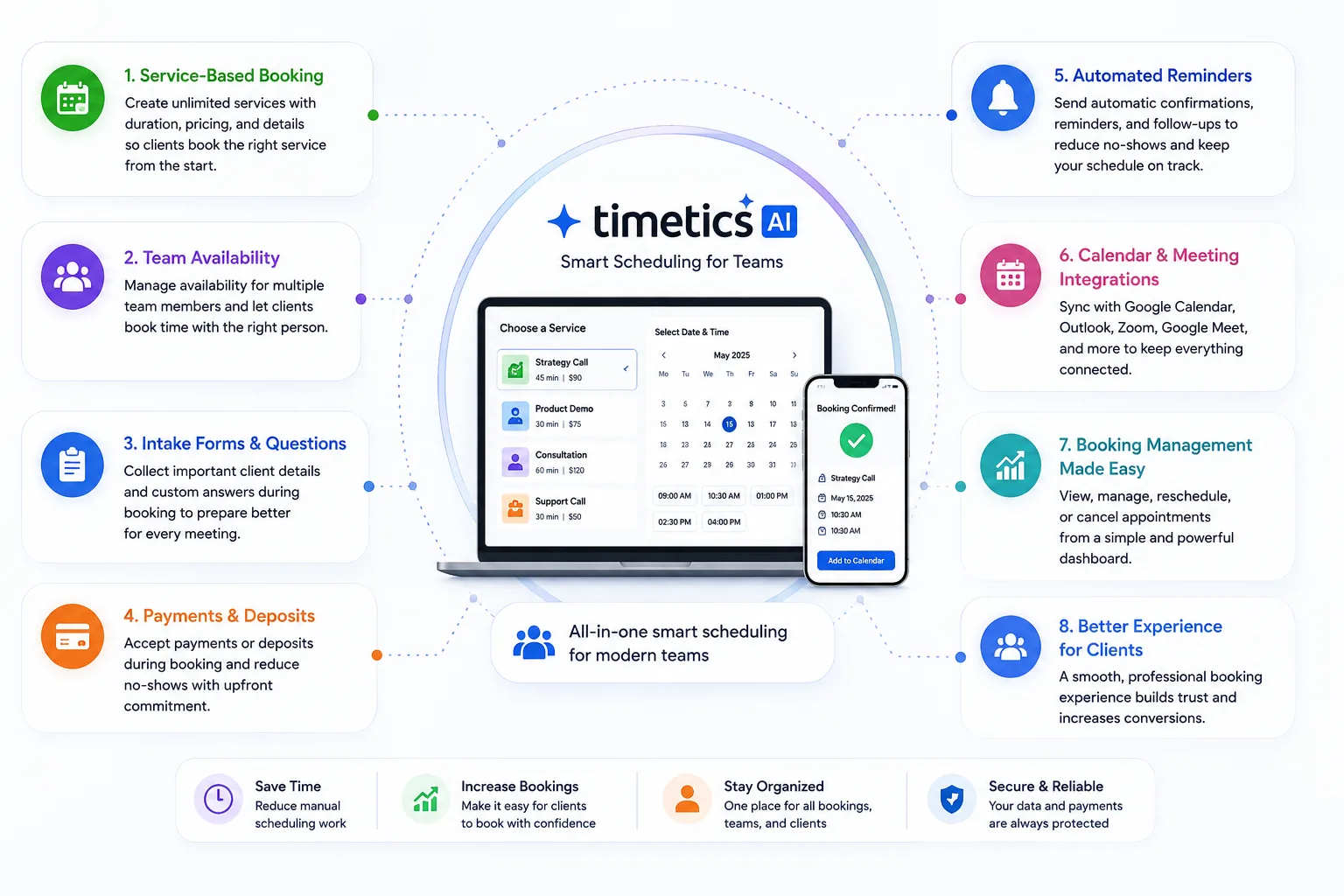
Timetics AI helps teams manage appointments in a more organized way. Instead of using one simple booking link for every meeting, your team can create proper booking flows based on services, team members, availability, client needs, and payment requirements.
This makes it useful for service businesses, agencies, consultants, coaches, sales teams, and support teams that need more than basic time-slot booking.
Here’s how it handles each layer of team scheduling specifically.
The AI Agent Handles the Routine Work
Timetics includes a built-in AI Agent that manages the tasks that usually fall on a team member or admin. Reschedule a session, send a refund, update a reminder, adjust a slot – the agent handles it conversationally, without anyone needing to log in and dig through settings.
For teams, this matters because routine booking management doesn’t scale. The more bookings you take, the more requests you get. The AI Agent absorbs that load so your team stays focused on delivery, not inbox management.
Workspaces Keep Teams and Brands Organized
If you run multiple service lines, manage different teams, or operate under more than one brand, Timetics Workspaces lets you handle all of it from a single dashboard – with fully isolated data for each workspace.
Each workspace has its own booking page, availability settings, staff assignments, and payment configuration. Clients never see the backend complexity. Your team sees only what’s relevant to them.
This is particularly useful for:
- Agencies managing bookings across multiple clients
- Consulting firms with separate practice areas
- Studios or clinics with distinct service departments
Service Booking Pages That Qualify Clients Before the Call
Instead of sending a calendar link, Timetics gives each team or individual a booking page that shows services, pricing, descriptions, and intake questions – before the client picks a time slot.
By the time a booking is confirmed, the client already knows:
- Which service they’re booking
- What it costs
- What to bring or prepare
- Who they’re meeting with
This removes the most common source of wasted team time: the discovery call that should have been an email.
Automated Workflows Run the Follow-Up
Timetics Workflows handle the post-booking sequence automatically – confirmation emails, pre-appointment reminders, no-show nudges, and follow-up messages – all triggered by booking events without manual setup after the initial configuration.
For a team taking 30+ bookings a week, this alone saves several hours of admin time. More importantly, it keeps clients informed and engaged, which directly reduces no-show rates.
Integrations That Fit Into Your Team’s Existing Stack
Timetics connects with the tools most service teams already use:
- Calendars – Google Calendar, Microsoft Outlook, Apple Calendar
- Video meetings – Zoom, Google Meet, Microsoft Teams, FaceTime
- Communication – Slack, Discord
- CRM & automation – GoHighLevel, ActiveCampaign, Zapier
- Payments – Stripe, PayPal, bKash, on-site payment
No need to rebuild your workflow around the tool. Timetics fits into what you already have.
Verified by Real Users
Timetics AI carries a 4.8/5 on G2, 4.6/5 on AppSumo, and 4.6/5 on Trustpilot – ratings that reflect consistent use by service businesses, not just early adopters. For teams evaluating tools, that consistency across platforms is a reliable signal.
Smart Scheduling Software vs. a Basic Calendar Link – A Quick Comparison
A basic calendar link is useful when you only need someone to pick a time. But for teams, scheduling is usually more than that.
That is where Timetics AI becomes more useful as a smart scheduling software. It helps teams manage the full booking process, not just the time slot.
| Feature | Basic Calendar Link | Timetics AI |
| Shows available time slots | ✅ | ✅ |
| Displays services & pricing | ❌ | ✅ |
| Multi-staff availability management | ❌ | ✅ |
| Automatic conflict detection | ✅ | ✅ |
| Collects payment at booking | ❌ | ✅ |
| Intake questions before booking | ❌ | ✅ |
| Automated reminders & follow-ups | ❌ | ✅ |
| AI agent for reschedules & requests | ❌ | ✅ |
| Role-based team permissions | ❌ | ✅ |
| CRM & automation integrations | ❌ | ✅ |
| Workspace support (multi-brand/team) | ❌ | ✅ |
| Built-in reporting & analytics | ❌ | ✅ |
The gap isn’t just about features. It’s about what each approach costs your team in time, missed revenue, and avoidable friction every single week.
A basic calendar link answers one question: “When are you free?”
Timetics AI answers the questions that actually drive better bookings:
“What do you offer?
Who should book it?
What does it cost? How does the follow-up work?”
For a solo professional with light booking volume, a calendar link might be enough. For a team managing multiple staff members, services, and clients, it isn’t.
The manual work that fills the gaps between a basic link and a smart system is exactly what burns out operations teams and kills booking quality over time.
📚 Goodreads: Top 10 SaaS Tools That Every Startup Should Use in 2026
How to Choose the Right Smart Scheduling Tool for Your Team
Choosing the right smart scheduling tool starts with one simple question: what does your team need to manage before, during, and after each appointment?
With plenty of options available, the right choice comes down to one question: does this tool solve the actual problems your team faces every day – or does it just add another app to manage?
Here are five things to check before committing to any scheduling software:
1. Does it sync with the calendars your team already uses? If your team uses Google Calendar, Outlook, or Apple Calendar, your scheduling tool needs to connect with all of them – in real time. A tool that only partially syncs creates more problems than it solves.
2. Can it handle multiple staff with different availability? Every team member has their own schedule, services, and working hours. Your tool should let you configure availability per person – not force everyone into the same template.
3. Does it show services and pricing before the booking? This is what separates a smart tool from a basic link. Clients should understand what they’re booking and what it costs before they pick a time – not after.
4. Does it automate reminders and follow-ups? Manual follow-ups don’t scale. If your tool doesn’t handle confirmations, reminders, and post-booking sequences automatically, your team will.
5. Does it collect payment at the time of booking? Deposits and upfront payments reduce no-shows significantly. If payment is an afterthought in the booking flow, no-show rates will reflect that.
If your answer to most of these is “no” with your current tool, that’s the gap smart scheduling software is designed to close.
Timetics AI checks all five. It’s built specifically for service teams that need more than a calendar link without the complexity of an enterprise platform.
Final Word
Smart scheduling software isn’t a luxury for teams – it’s the difference between a booking system that works for you and one that creates more work.
It helps your team reduce manual scheduling work, collect the right client information, manage service-based appointments, and create a more professional booking experience from one place.
So if your current booking process feels scattered, slow, or too manual, this is the right time to make it smarter.
Start using Timetics AI and give your team a better way to manage appointments, clients, and paid bookings without the extra admin work.
FAQs About Smart Appointment Scheduling Software
What is smart appointment scheduling software?
Smart appointment scheduling software helps teams manage bookings, availability, client details, reminders, and payments from one place. It does more than show free time slots. Tools like Timetics AI help turn scheduling into a complete booking workflow.
What is the best smart appointment scheduling software for teams?
The best tool depends on your team’s needs. If you need service-based booking, payments, reminders, team scheduling, and client intake in one system, Timetics AI is a strong option for service teams and growing businesses.
How does smart appointment scheduling software help teams?
It helps teams reduce manual messages, avoid booking confusion, manage availability, collect client details, and send reminders automatically. This saves time and creates a better appointment experience for clients.
Is Timetics AI good for team appointment scheduling?
Yes. Timetics AI is useful for teams that manage client calls, consultations, demos, coaching sessions, paid appointments, or recurring bookings. It helps teams organize the booking process from service selection to confirmation.
Can smart scheduling software collect payments?
Yes, many smart scheduling tools support payment collection. Timetics AI can help teams collect payments during the booking flow, which is useful for paid consultations, coaching, training, and service appointments.
Who should use smart appointment scheduling software?
Service businesses, agencies, consultants, coaches, sales teams, support teams, clinics, and freelancers can use smart appointment scheduling software to manage bookings with less manual work.
What makes Timetics AI different from a basic calendar link?
A basic calendar link mainly helps someone pick a time. Timetics AI helps teams manage services, availability, client questions, payments, reminders, and booking records in a more complete workflow.
Can Timetics AI help reduce no-shows?
Yes. Timetics AI can help reduce no-shows by sending confirmations and reminders before the appointment. This helps clients remember their booking and keeps your team better prepared.
Does smart appointment scheduling software work for service businesses?
Yes. Service businesses can use smart scheduling software to show services, collect client details, accept payments, manage staff availability, and confirm appointments automatically.
Is smart appointment scheduling software better than manual booking?
Yes, for most growing teams. Manual booking takes more time and creates more errors. Smart appointment scheduling software like Timetics AI helps teams save time, reduce missed details, and manage appointments more smoothly.