What is a service-based booking?
A service-based booking page lets you choose a service, optional extras, a provider or location, and an available time.
Why do you need this?
Use it when the business offers several appointment services from one booking calendar.
Prerequisites
– A public service booking link.
Step-by-step instructions
Step 1: Select a service
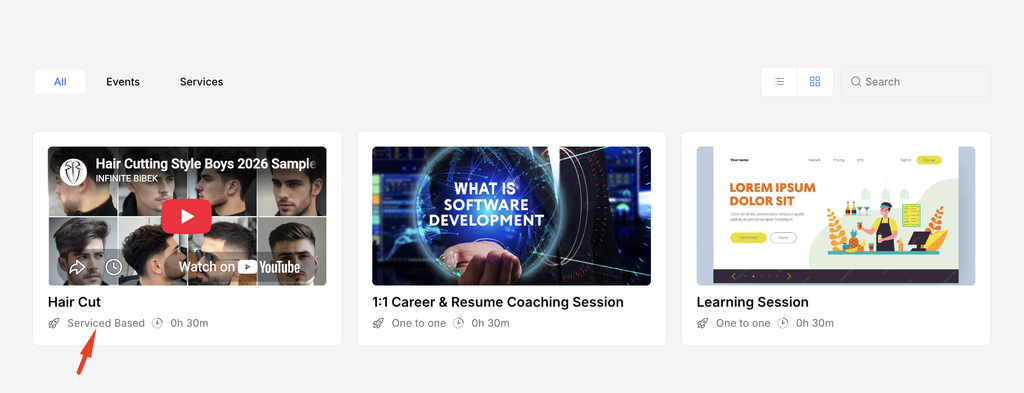
Open the booking page and select the service that matches your needs.

Step 2: Choose extras
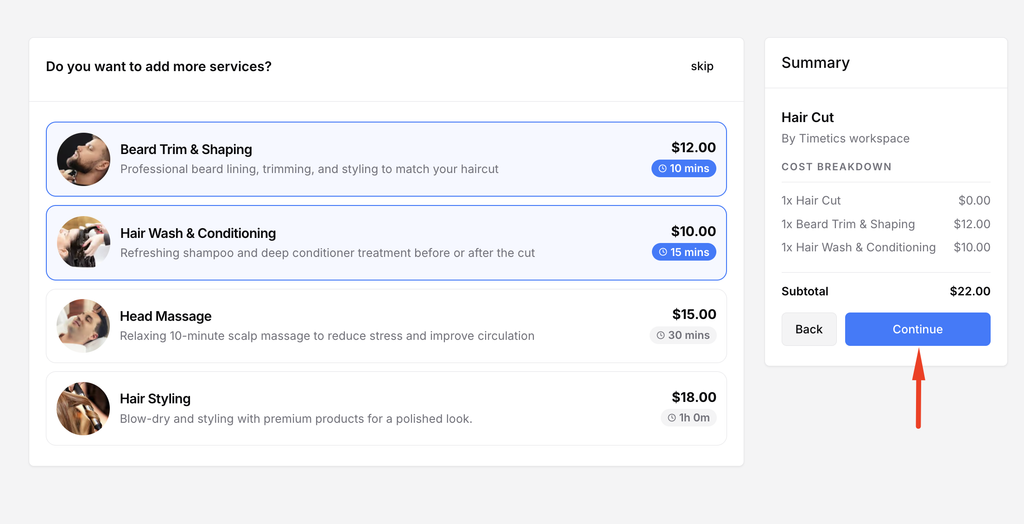
Add any optional extra services offered for the appointment. Review their duration and cost.
Step 3: Choose a provider and location
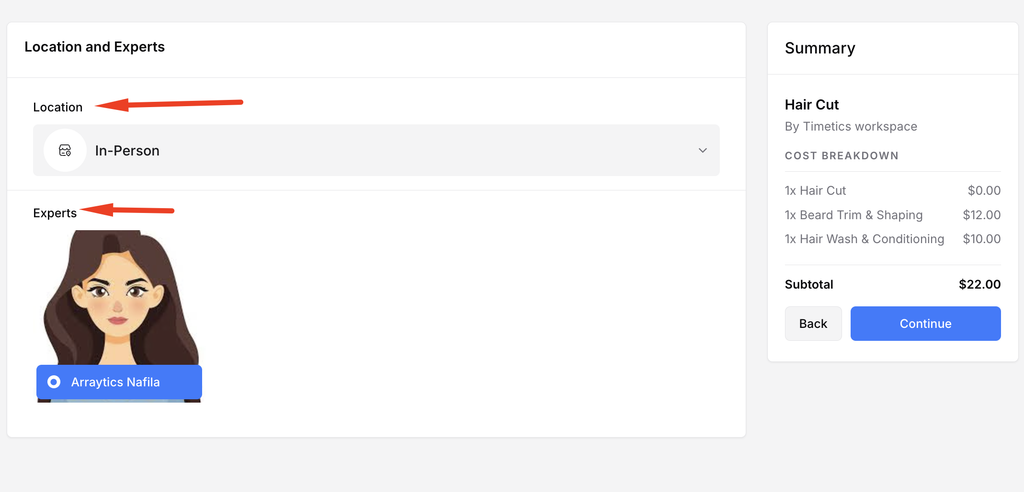
If the page offers options, select the expert and location or meeting platform.
Step 4: Choose a slot
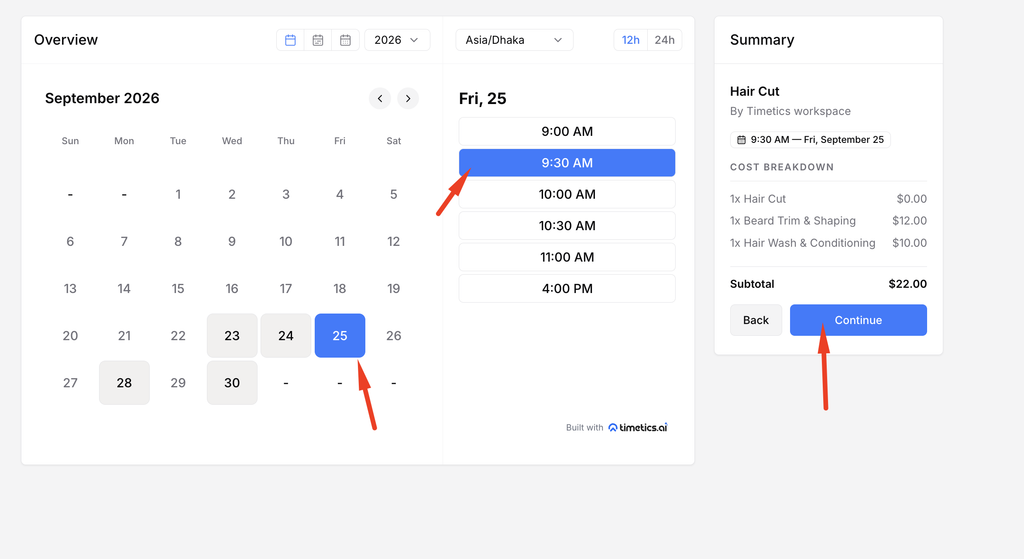
Select a date and available time in your preferred timezone.
Step 5: Confirm the booking
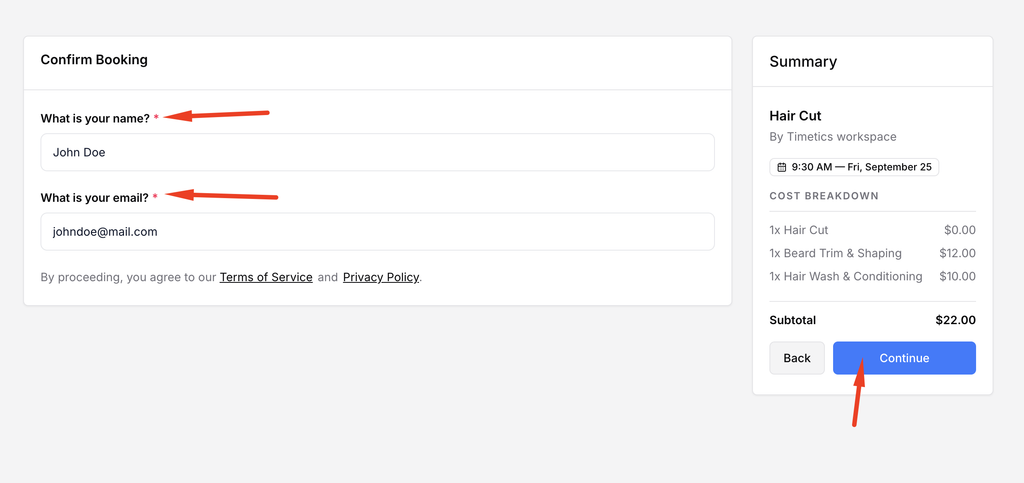
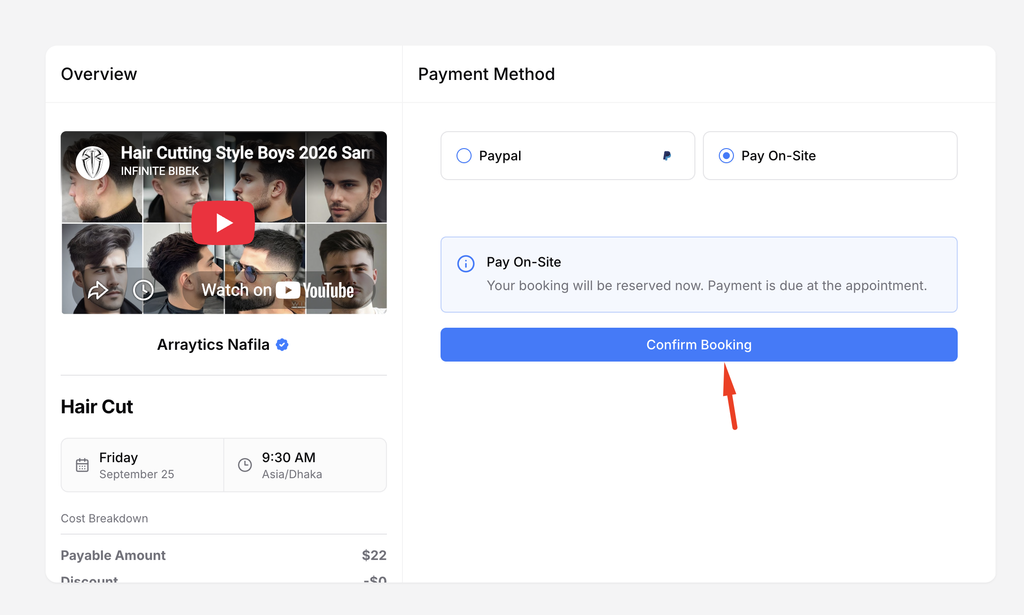
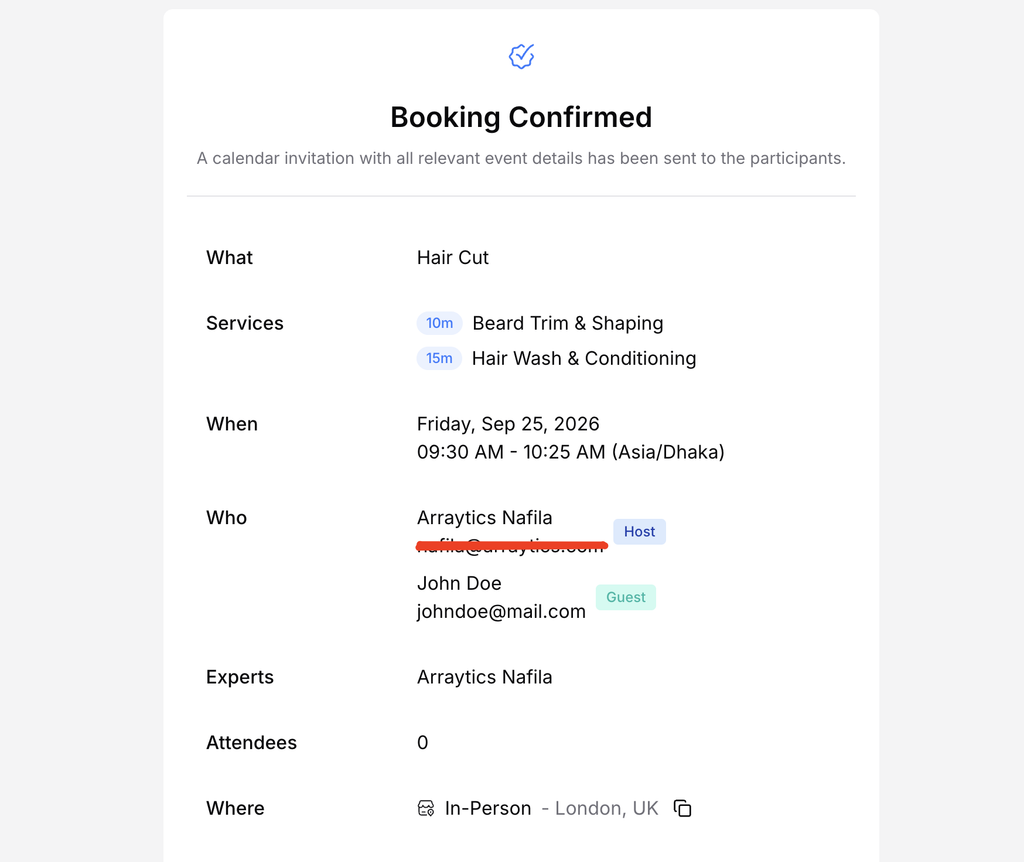
Complete the contact form, review the cost summary, and submit the booking or payment.
Important notes
- Extra services can change the total duration and price.
- Available providers and locations depend on how the business configured the calendar.
Frequently asked questions
Can I change an extra after booking?
Use the booking management link or contact the business if the change is not available online.
Conclusion
A service-based booking page lets you choose a service, optional extras, a provider or location, and an available time.