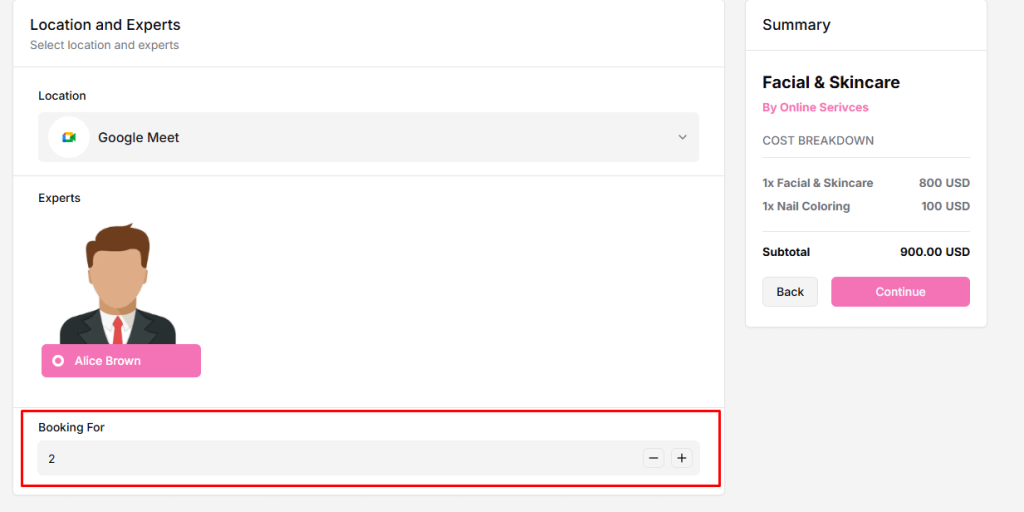
What Is Group Booking?
Group Booking allows customers to book a single time slot for multiple participants. It is primarily available for service-based bookings, making it ideal for parlours, classes, workshops, training sessions, and other group activities.
How to Enable Group Booking
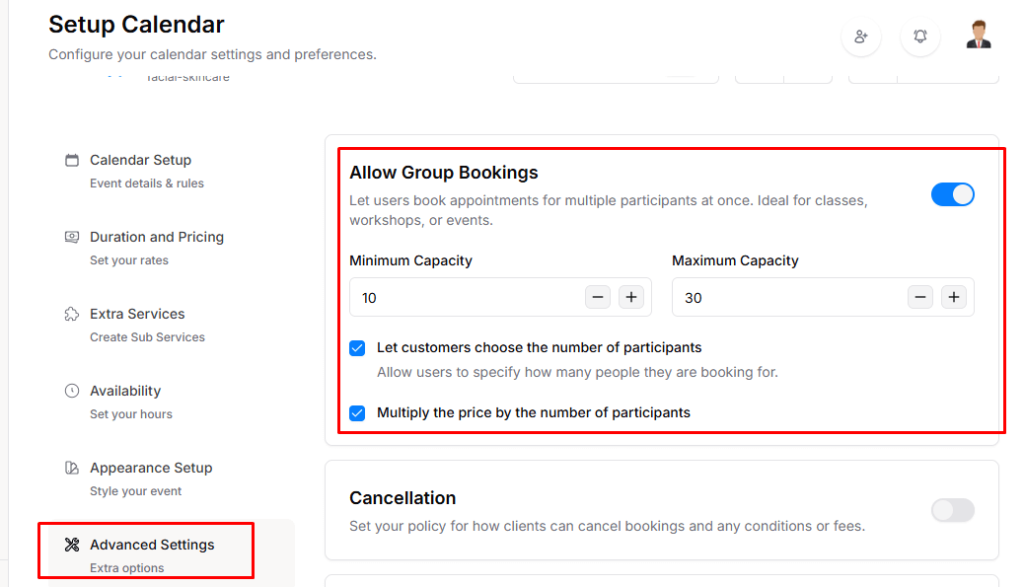
- Go to the Service Edit Page → Advanced Settings.
- Find the Allow Group Bookings option at the top of the settings page and enable the toggle.
- Set the Minimum Capacity and Maximum Capacity for the group.
Optional settings:
- Let customers choose the number of participants: Check this to let users specify how many people they are booking for.
- Multiply the price by the number of participants: Check this to automatically calculate the total price based on the number of participants.
Once Group Booking is enabled, the front-end booking page will automatically display the group booking options for that service. Customers will then be able to select the number of participants and see the updated pricing accordingly.