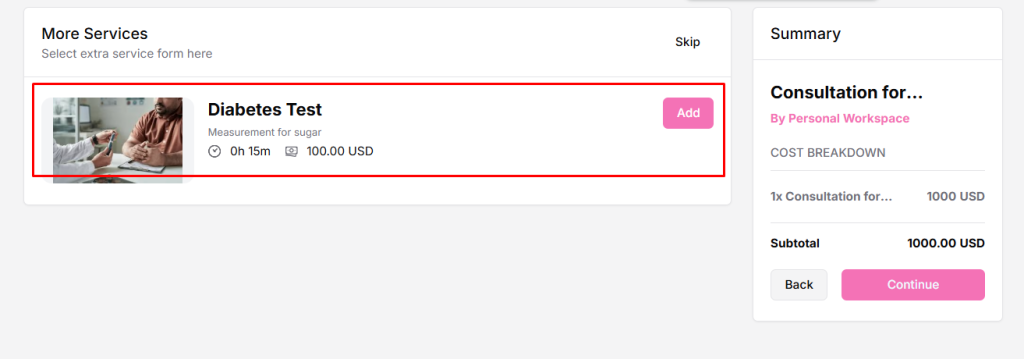
What Is Extra Service?
Extra Services are optional add-ons that clients can select during a booking. They allow you to offer additional services alongside the main booking and increase the overall booking value.
For example, if you offer a spa session, you can add Aromatherapy or Hot Stone Massage as optional extra services that clients can select when booking.
Why Use Extra Services?
- Provides clients with more flexibility and options.
- Increases the overall booking value by offering additional services.
- Lets you offer multiple services with a single booking.
Watch the full video to learn how to add Extra Services in Timetics AI.
How to Add Extra Services
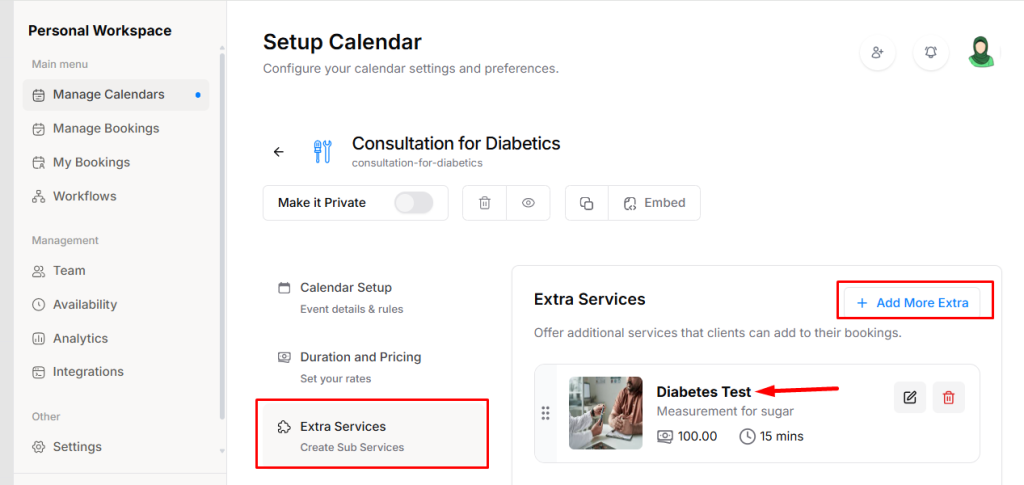
- Go to Service Booking → Extra Services → click on “Add Extra Service”.
- In the pop-up, fill in the following:
- Service Title – The name of the extra service.
- Short Description – A brief description of the service.
- Duration – How long this service takes.
- Price – The additional cost for the service.
- Thumbnail – Optional image representing the service.
- Click Save. The extra service will now be added to your main service and available for clients to select during booking.
You can repeat the above steps to add multiple extra services for the same booking, giving clients more choices.
How Extra Services Look on the Frontend Booking Form