What Is the AI-to-Support Handoff in Timetics AI?
The AI-to-support handoff in Timetics AI allows you to switch between AI assistance and human support directly from the chat interface. You can start by asking the AI Agent a question and switch to a human support agent when you need further assistance. You can also return to AI assistance whenever needed.
Why do you need this?
Use human support when you need help beyond an automated answer or scheduling action.
Step-by-step instructions
Step 1: Open chat
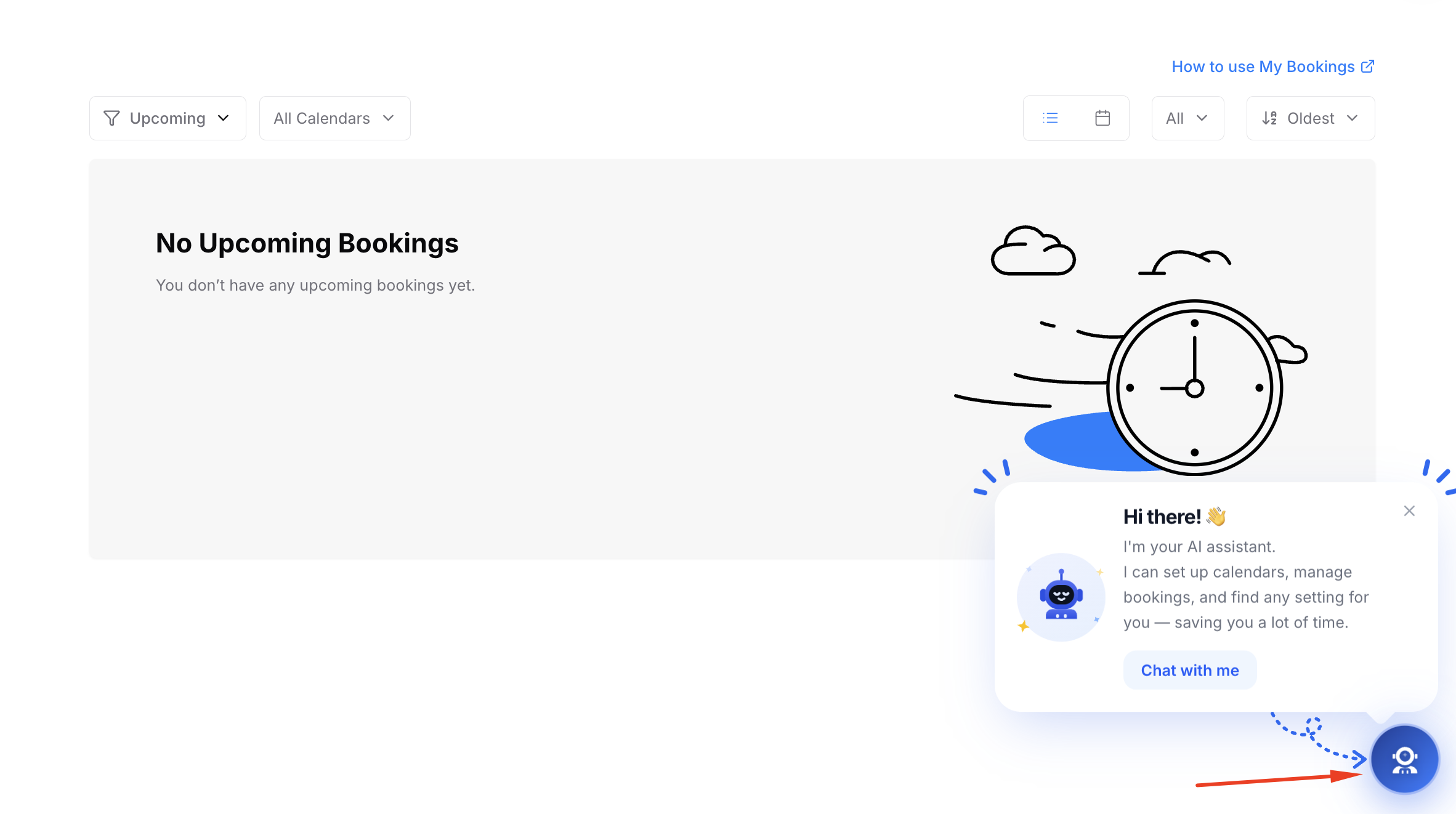
Select the chat control in the Timetics interface.
Step 2: Start with the assistant
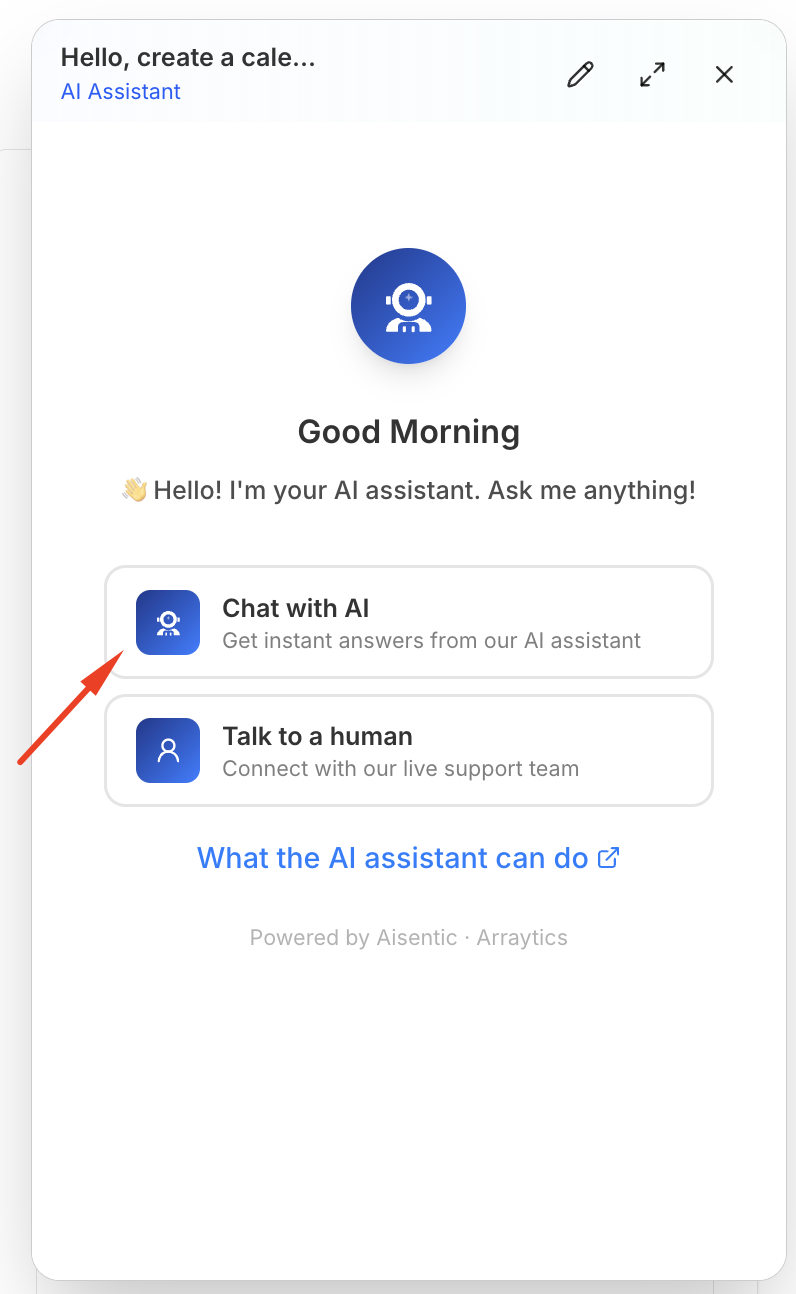
Ask your question or describe the task in the chat.
Step 3: Switch to support
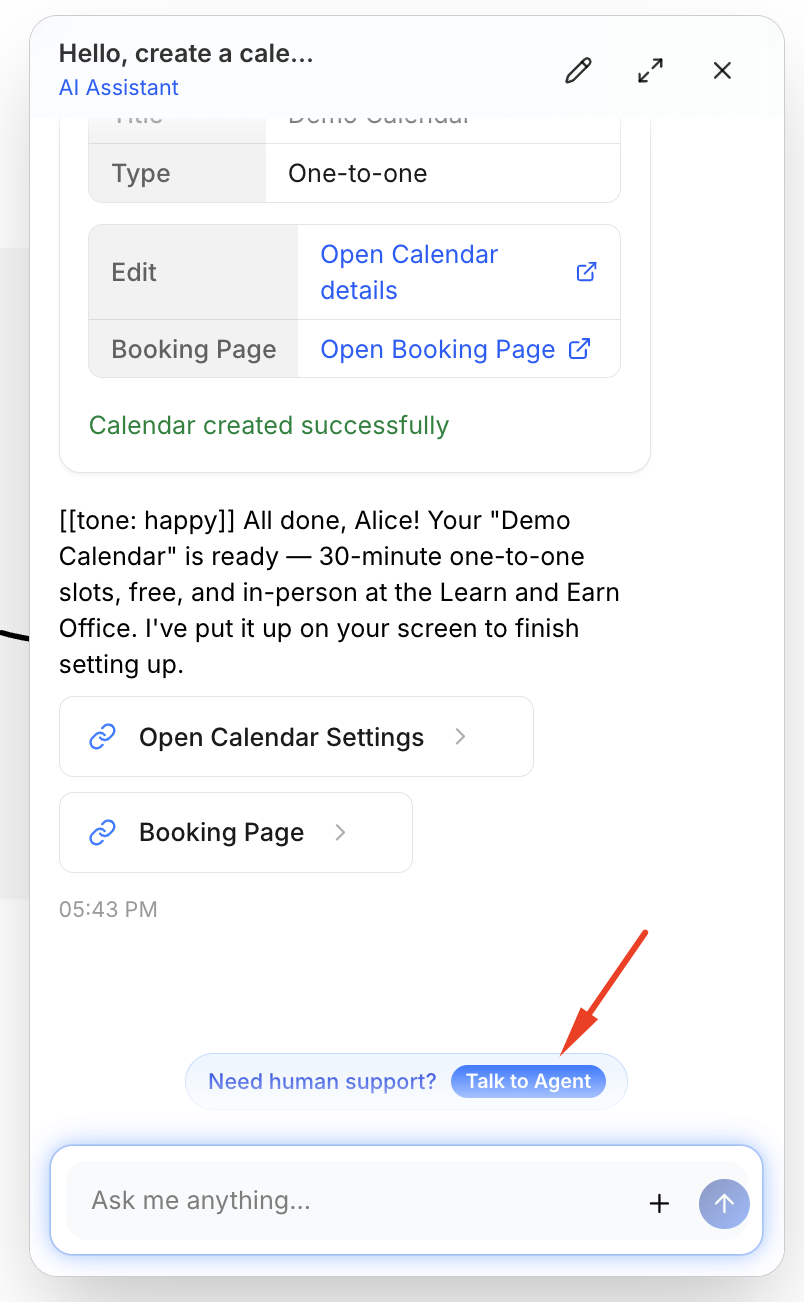
Use the Talk to agent or support option shown in the chat to move to the human support mode.
Step 4: Send your message
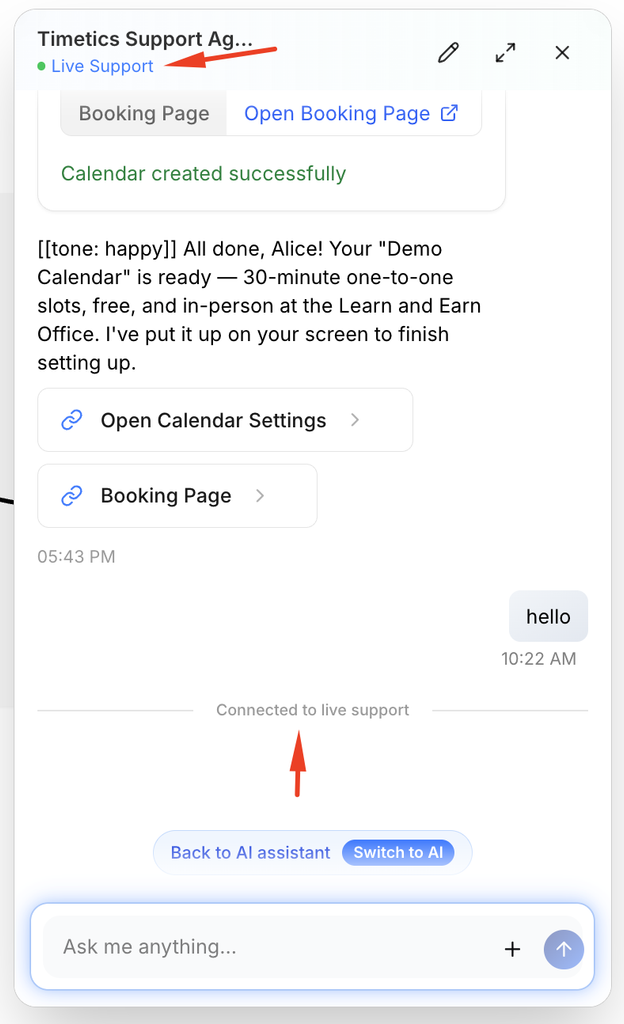
Describe the issue and include the relevant booking or workspace details without sharing passwords or payment credentials.
Step 5: Switch back if needed
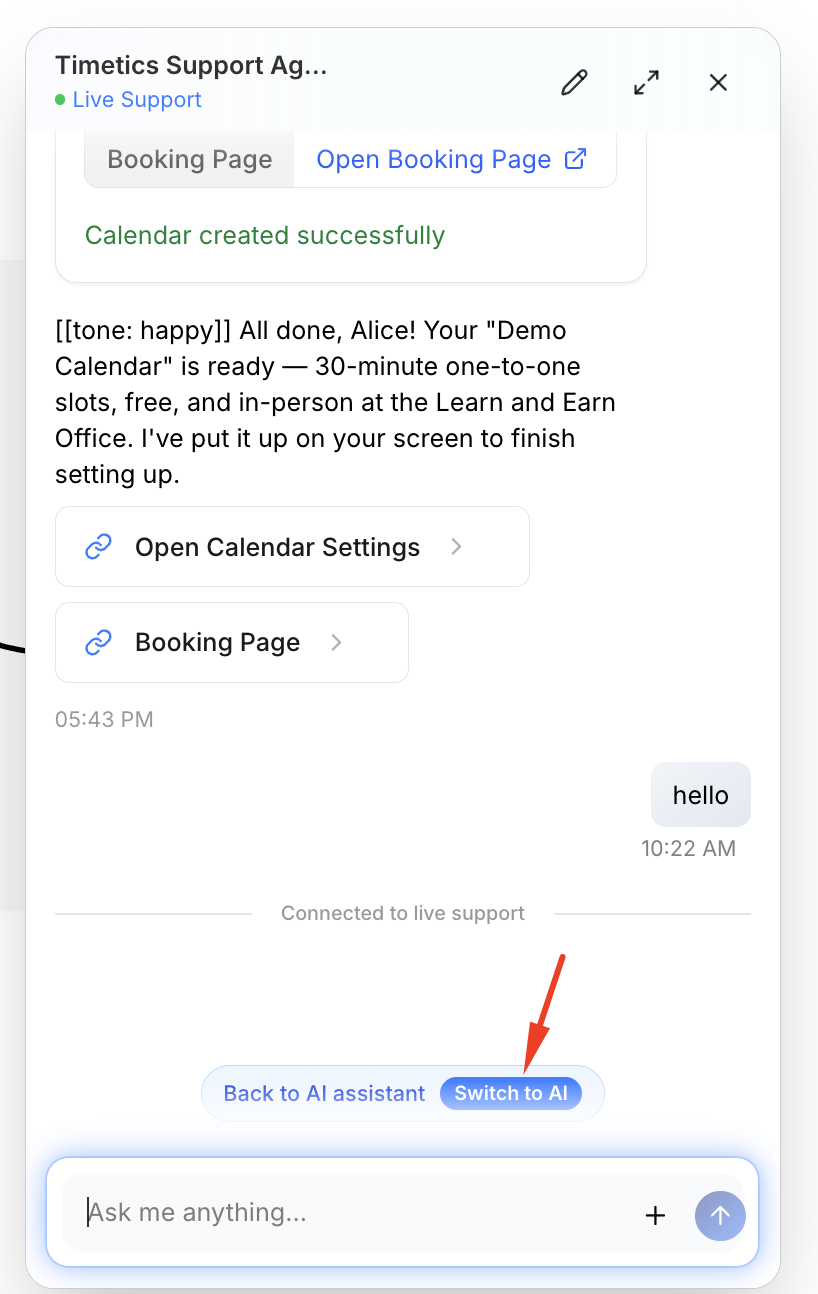
Use the Switch to AI option when you want to return to assistant mode.
Important notes
- Support replies may not be immediate; the support conversation can remain available while you wait.
- The two modes may show different chat histories or actions.
Frequently asked questions
I do not see Talk to agent.
The option may depend on chat availability or the current chat state. Use the Support link in the account menu if needed.
Conclusion
The Timetics chat widget can switch between AI assistance and a human support conversation. A handoff control appears in the chat interface.