What are Booking Questions?
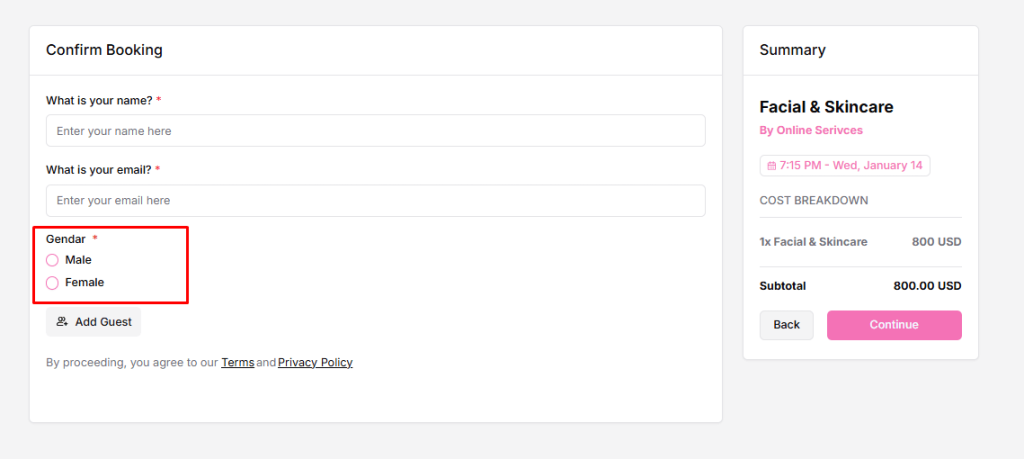
Booking Questions are the questions guests answer on the booking form when they schedule a time. They include required system questions, such as name and email, and custom questions you create to collect details before the meeting.
They help you understand the meeting goal, gather preparation details, avoid back-and-forth messages, and run meetings more smoothly.
Types of Questions
- System Questions (default, cannot be removed)
- What is your name? – identifies the invitee
- What is your email? – used for booking confirmation and notifications
- Labels can be edited, but the questions remain mandatory
- Custom Questions (create your own)
- Ask about the meeting purpose, requirements, or notes
- Can be turned on/off anytime
How to Add a Custom Question
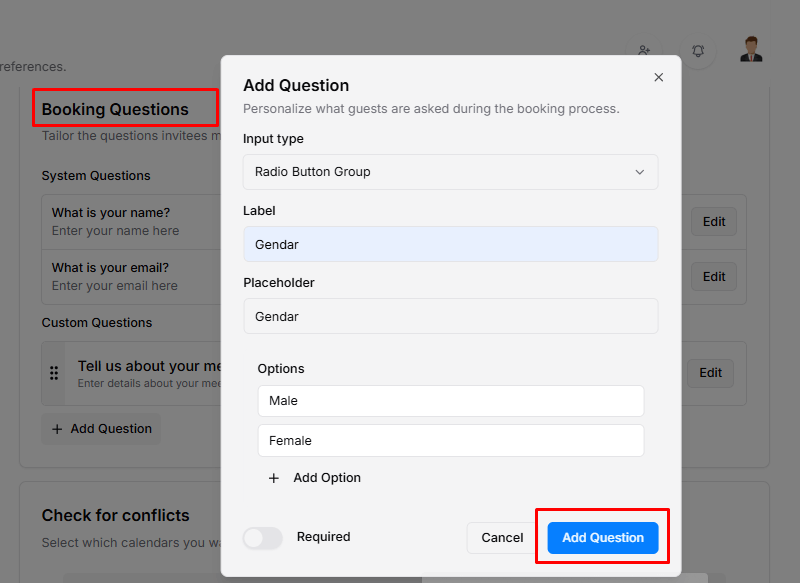
- Go to Booking Questions
- Click Add Question
- Choose an Input Type:
- Text Area →
textarea - Email →
email - Website URL →
url - Single Selection Dropdown →
select - Checkbox Group →
checkbox - Text Input →
text(selected) - Radio Button Group →
radio - Multiple Selection Dropdown →
multi_select
- Text Area →
- Enter a Label – the question users will see
- Enter a Placeholder – helper text inside the field
- Toggle Required if an answer is mandatory
- Click Add Question – it will appear on your booking form
Manage Existing Questions
- You can edit, enable or disable, delete, and reorder questions to manage their labels, visibility, and order.
Front-end View – Details