What is a one-to-one meeting booking?
A one-to-one booking page lets you choose a session and a free time with its host. The booking form collects the information needed to confirm the appointment.
Why do you need this?
Use it to reserve a consultation or meeting without arranging the time by email.
Prerequisites
– A public booking link from the host.
Step-by-step instructions
Step 1: Open the booking page
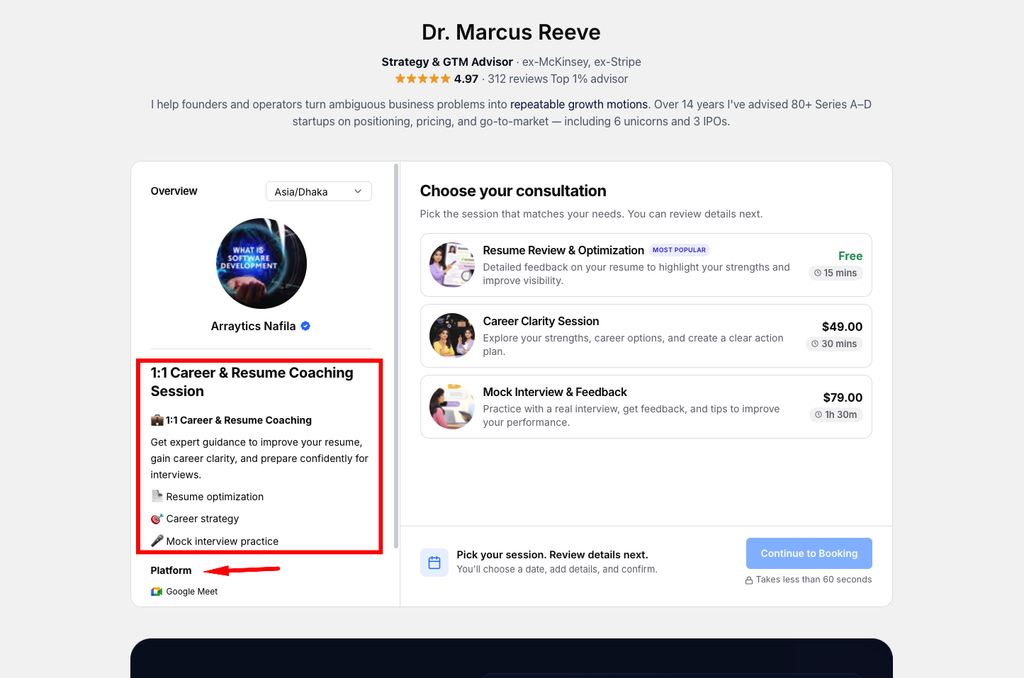
Follow the link shared by the host. Review the session title, duration, price, and available location options.
Step 2: Choose the session
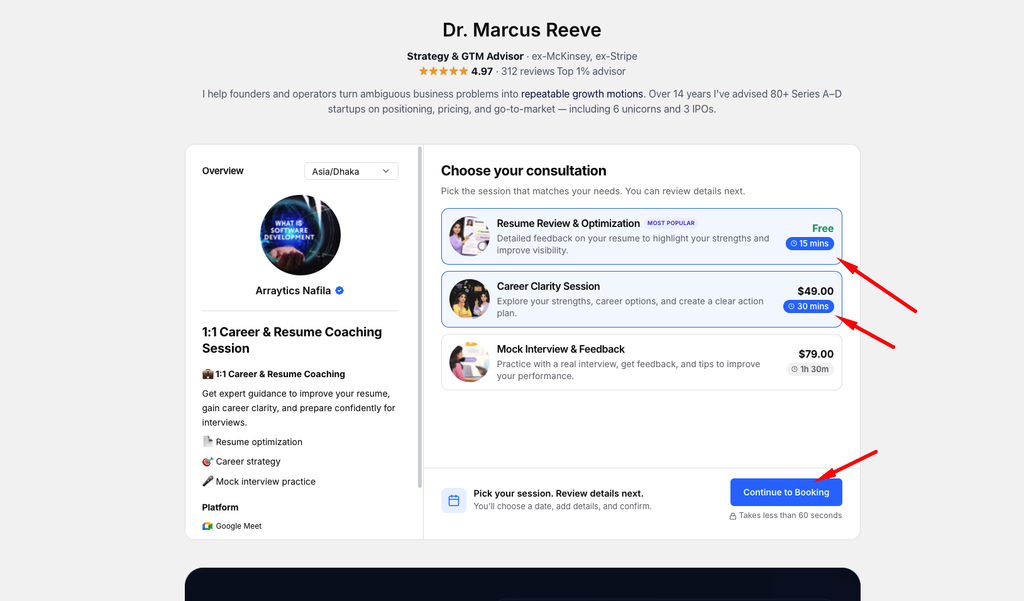
If Consultation Types are enabled, choose one or more consultation options before selecting a time.
Step 3: Choose a time
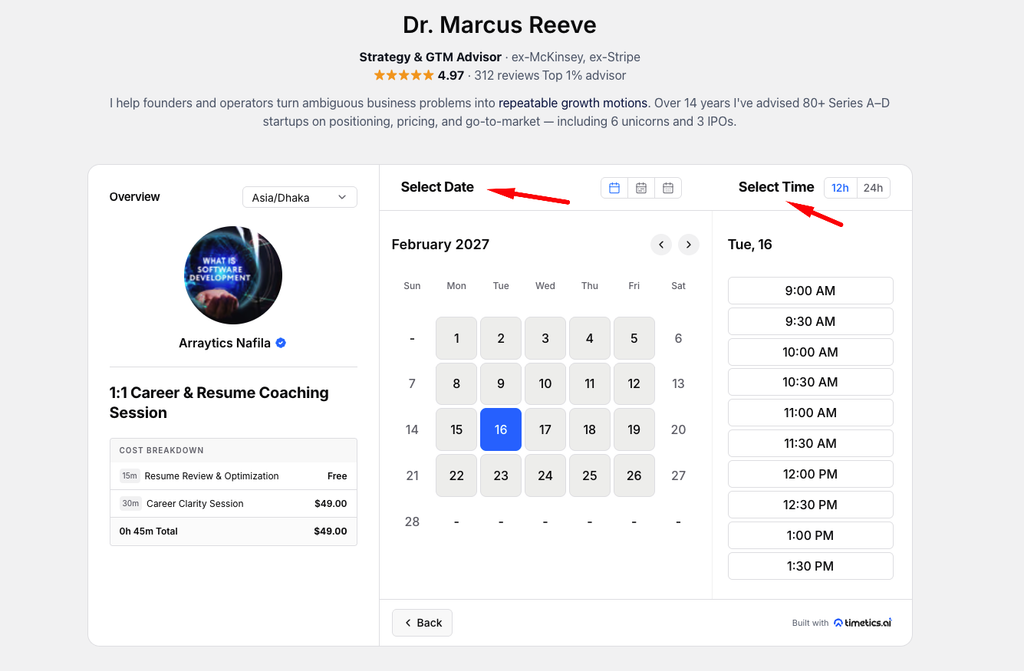
Pick a date and available start time. Use the timezone selector to display slots in your timezone.
Step 4: Complete the form
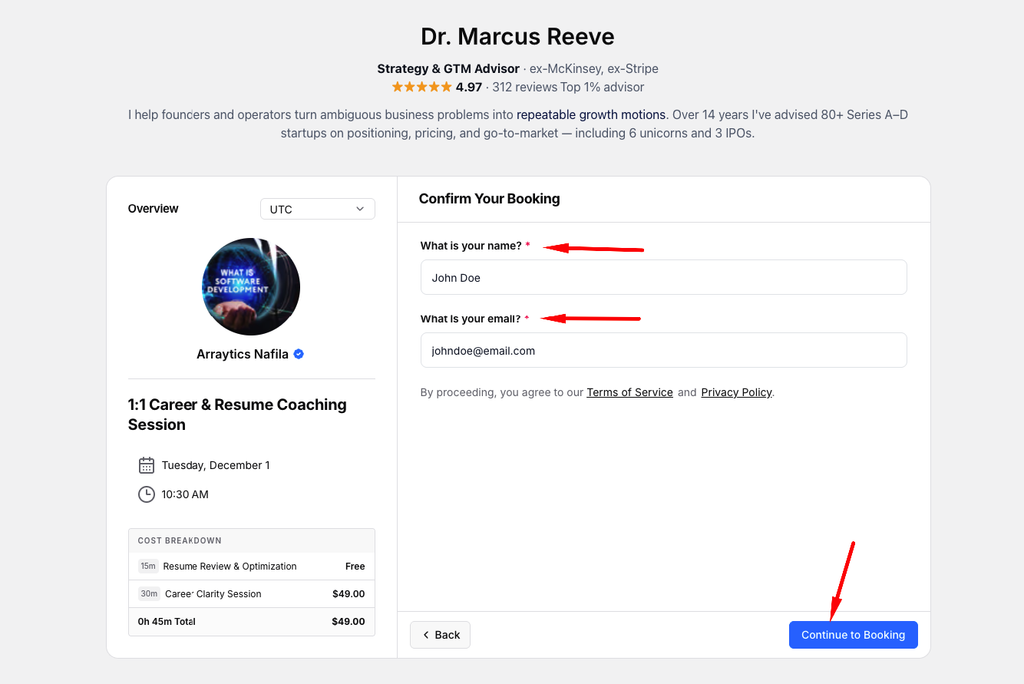
Enter your contact details, answer any booking questions, and add guests if the host allows them.
Step 5: Confirm
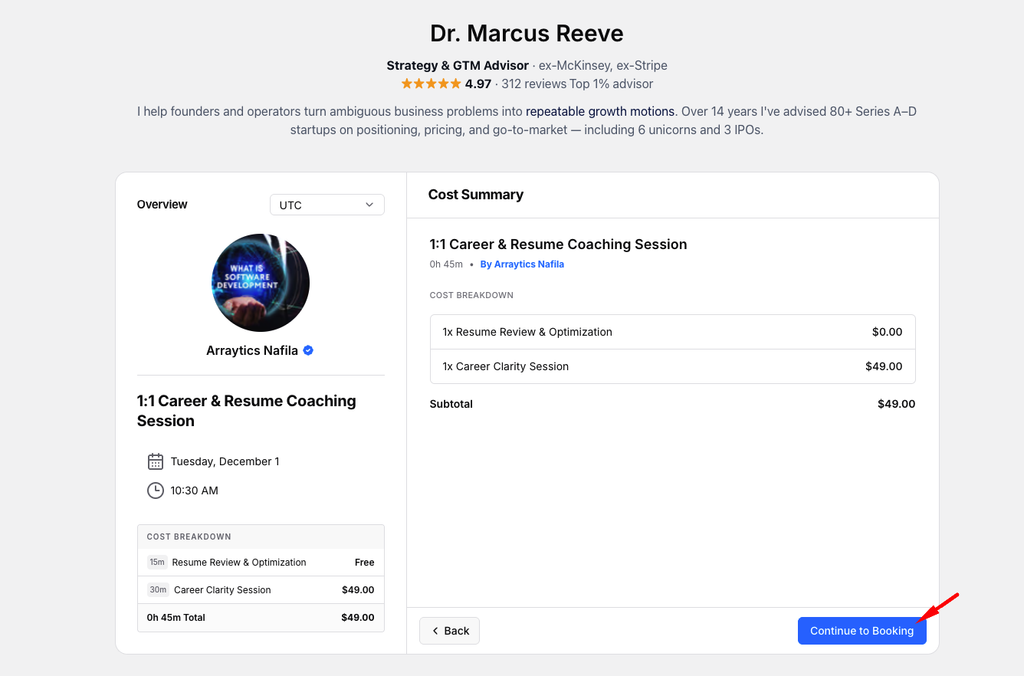
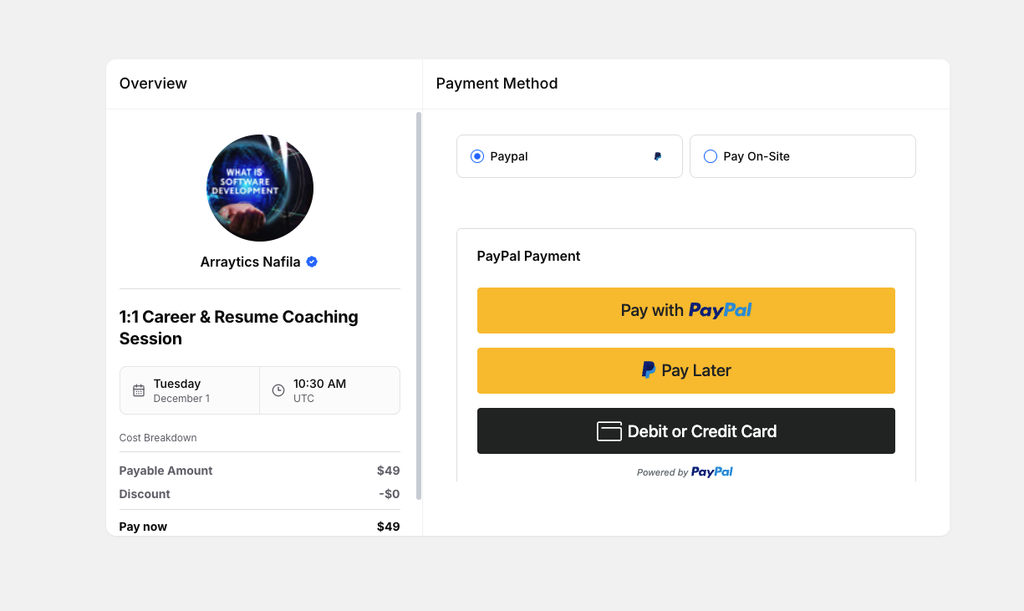
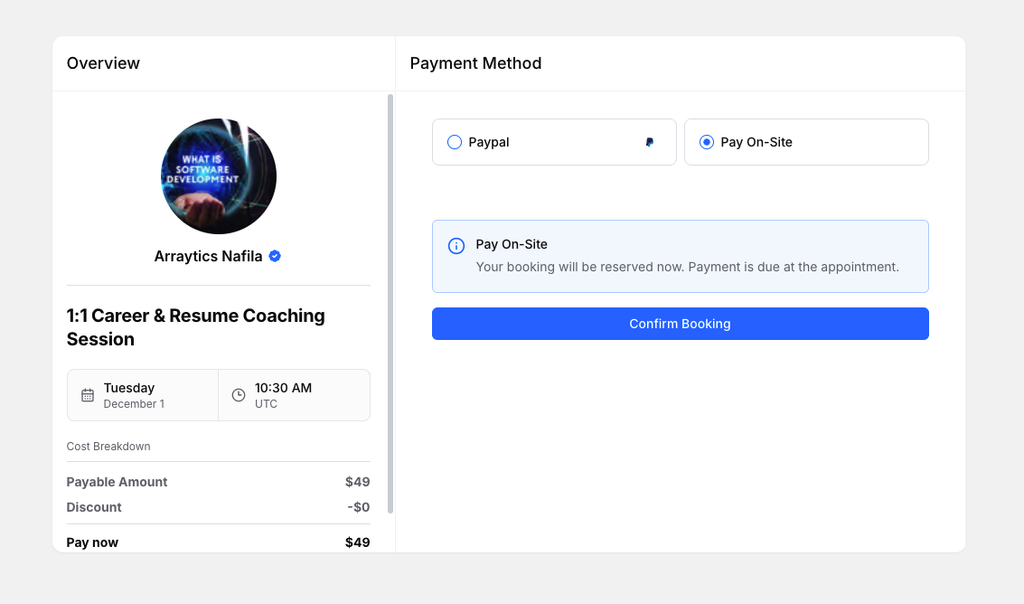
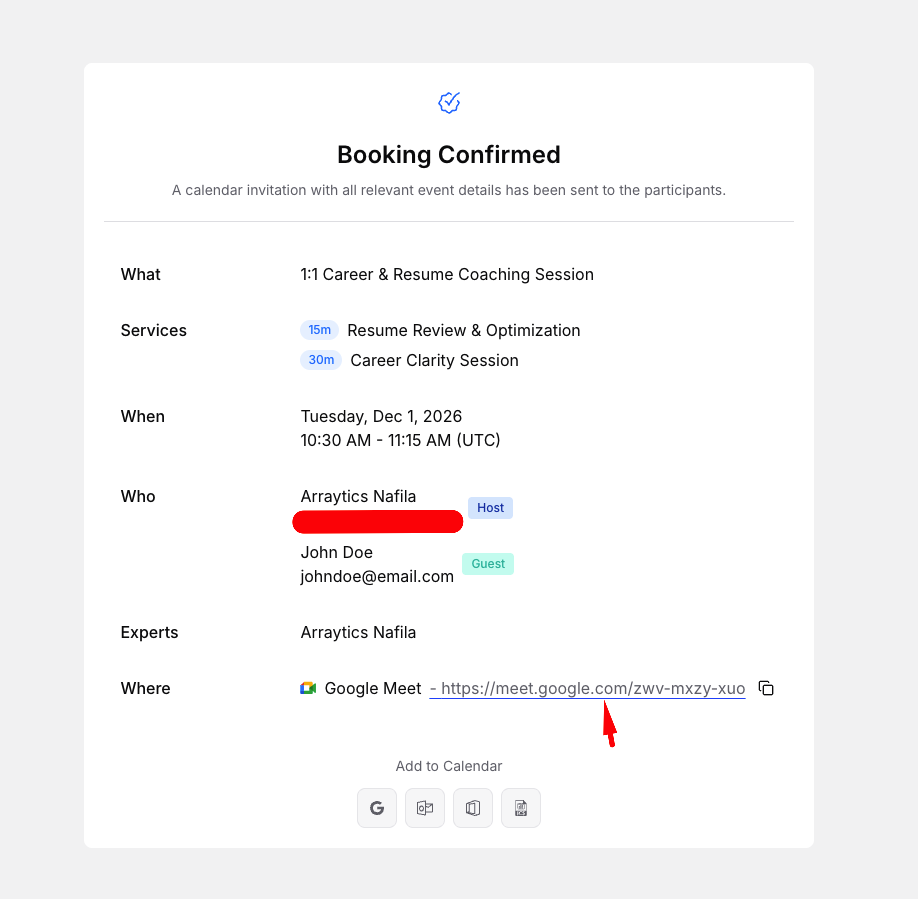
Review the summary and payment amount, then complete the booking or payment step. Keep the confirmation email.
Important notes
- The host’s availability and booking rules determine which slots appear.
- A paid booking may require a payment step before confirmation.
Frequently asked questions
Why is my preferred time missing?
It may be outside the host’s availability, booked already, or blocked by a notice period.
Conclusion
A one-to-one booking page lets you choose a session and a free time with its host. The booking form collects the information needed to confirm the appointment.