What are booking coupons and payments?
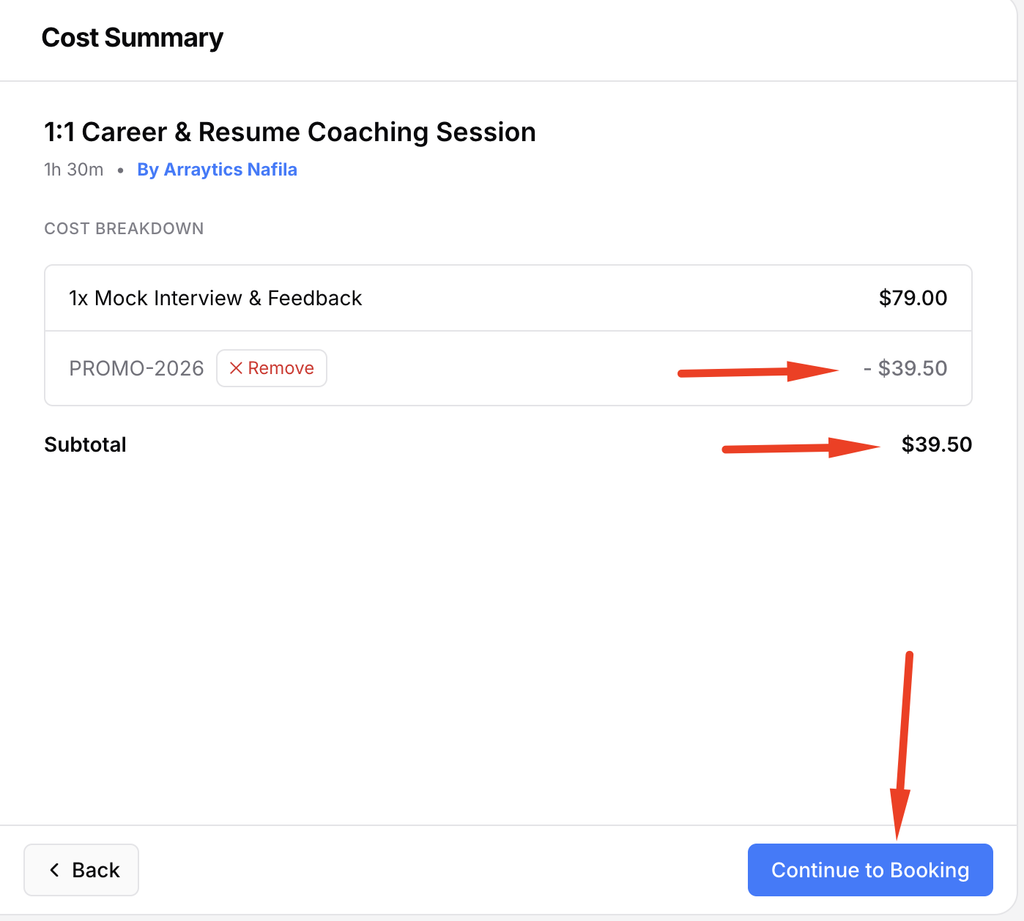
When a booking calendar accepts coupons and payments, the checkout summary shows the discount and the remaining amount due.
Why do you need this?
Use a valid coupon before paying to make sure the final price is correct.
Prerequisites
- A paid booking with coupons enabled, if you plan to use a code.
- An available payment option on the booking page.
Step-by-step instructions
Step 1: Reach the booking summary
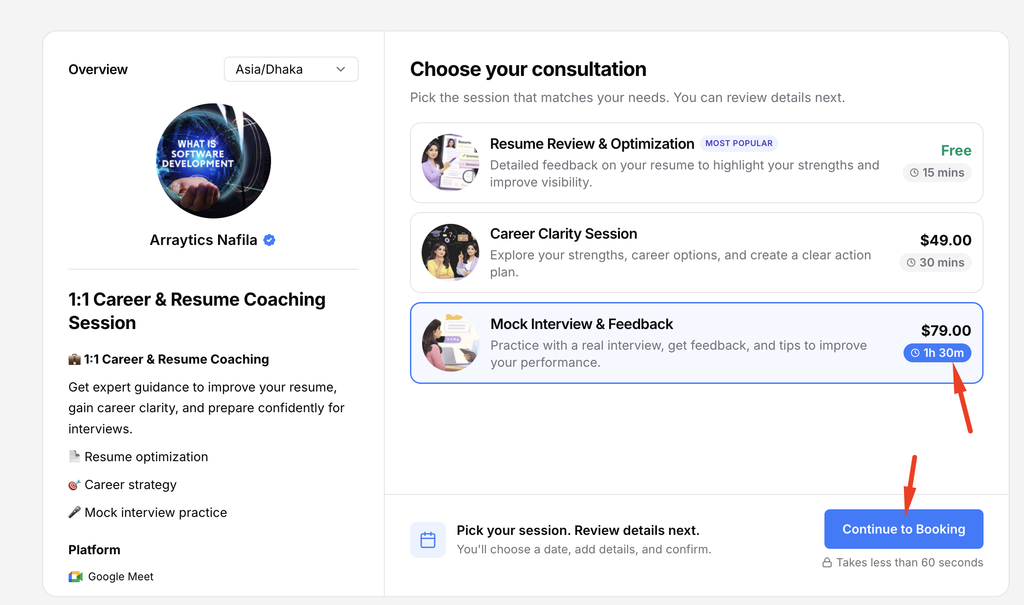
Choose the service or consultation, time, and any extras, then fill in the booking form.
Step 2: Apply the coupon
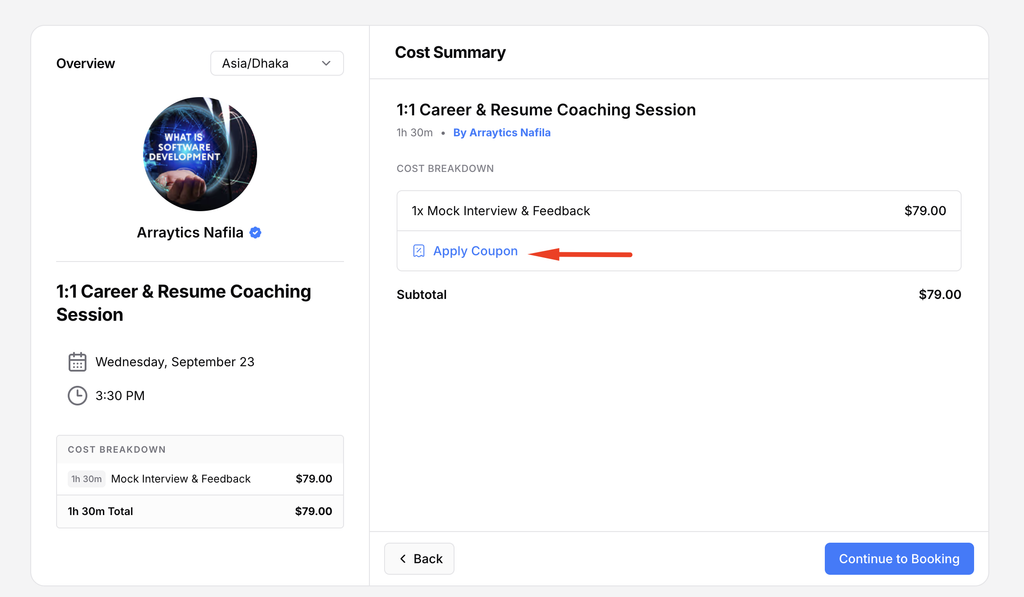
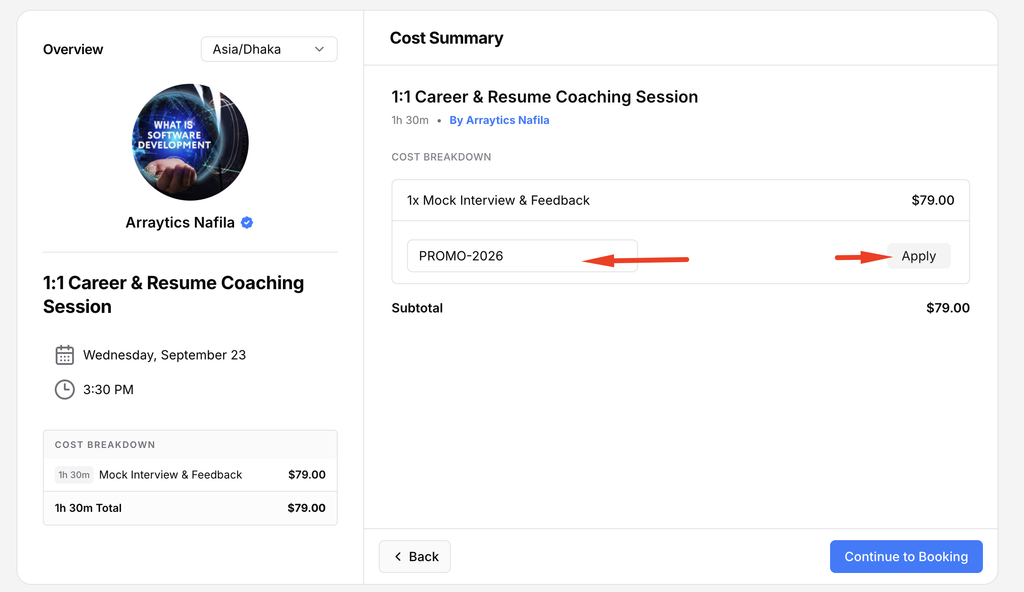
Enter the coupon code in the checkout area and apply it. Check the updated price before continuing.
Step 3: Choose how to pay
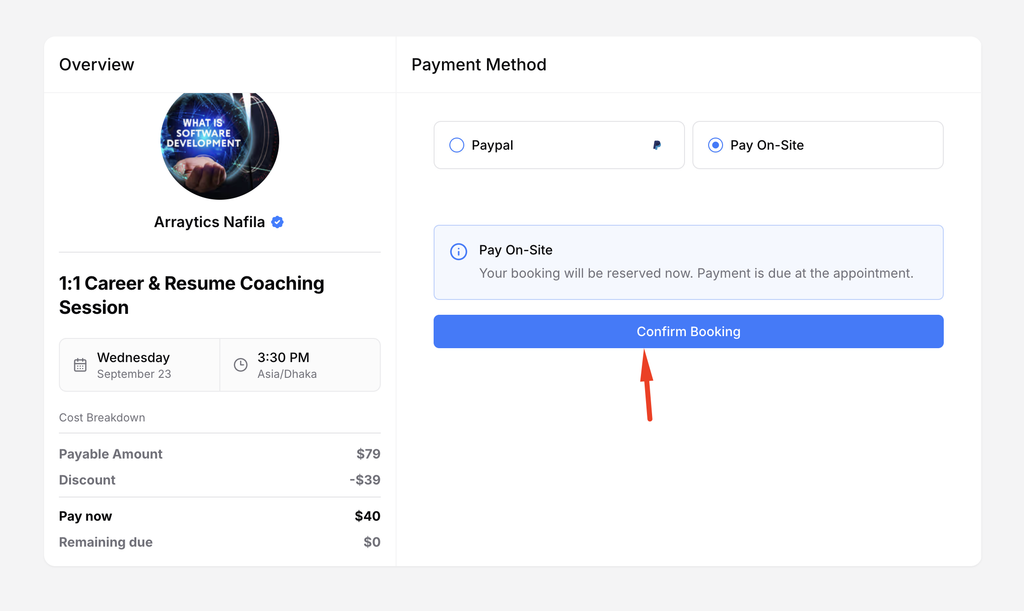
Select one of the payment methods shown. Options vary by the host’s integrations and settings.
Step 4: Complete checkout
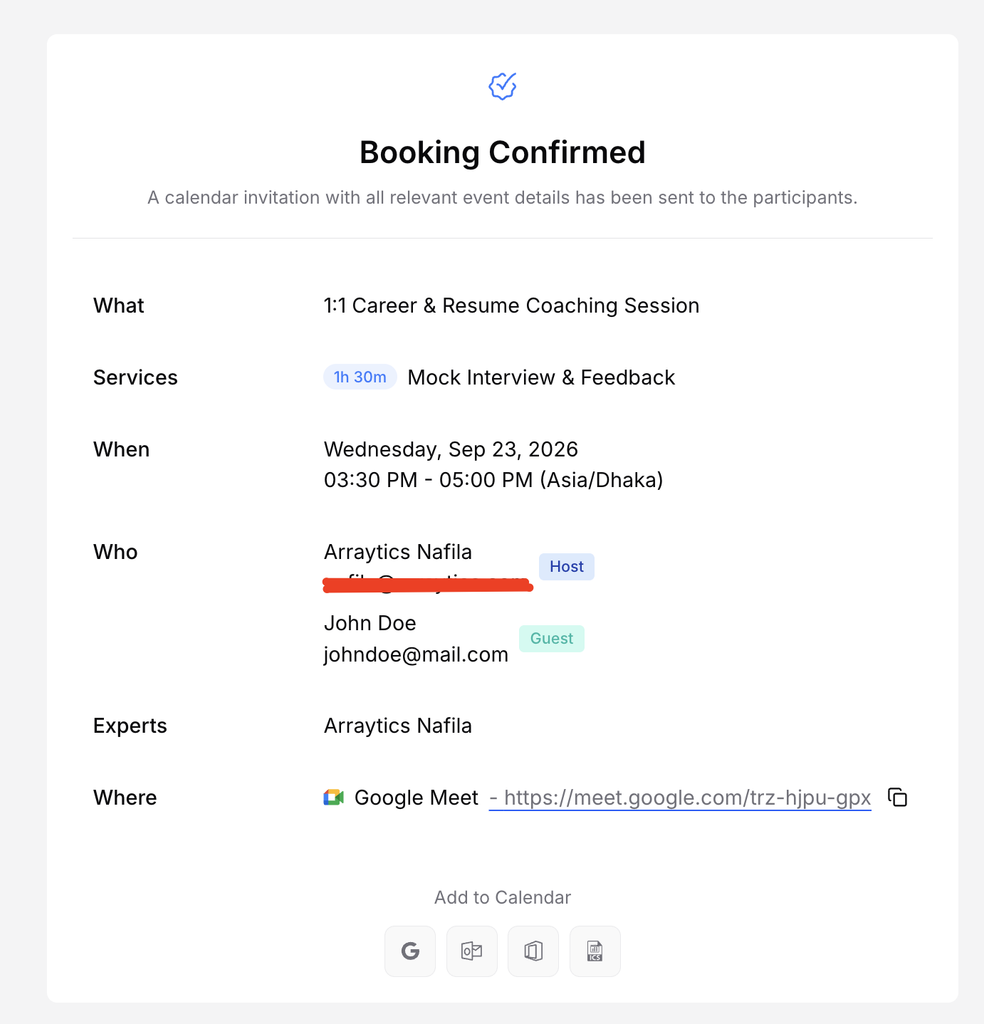
Follow the payment provider or on-site instructions. Return to the confirmation page and save your booking details.
Important notes
- A coupon may be limited to certain calendars, customers, dates, or uses.
- Some bookings require only a deposit now, with a balance due later.
Frequently asked questions
Why did a coupon fail?
Check the code and its eligibility rules, or ask the host whether it applies to this calendar.
Conclusion
When a booking calendar accepts coupons and payments, the checkout summary shows the discount and the remaining amount due.