What is self-service booking management?
Guests can manage eligible bookings through the link in their confirmation email. Available actions depend on the host’s cancellation and rescheduling rules.
Why do you need this?
Use the self-service link to notify the host promptly when your plans change.
Prerequisites
– Your booking confirmation or management link.
Step-by-step instructions
Step 1: Open your booking
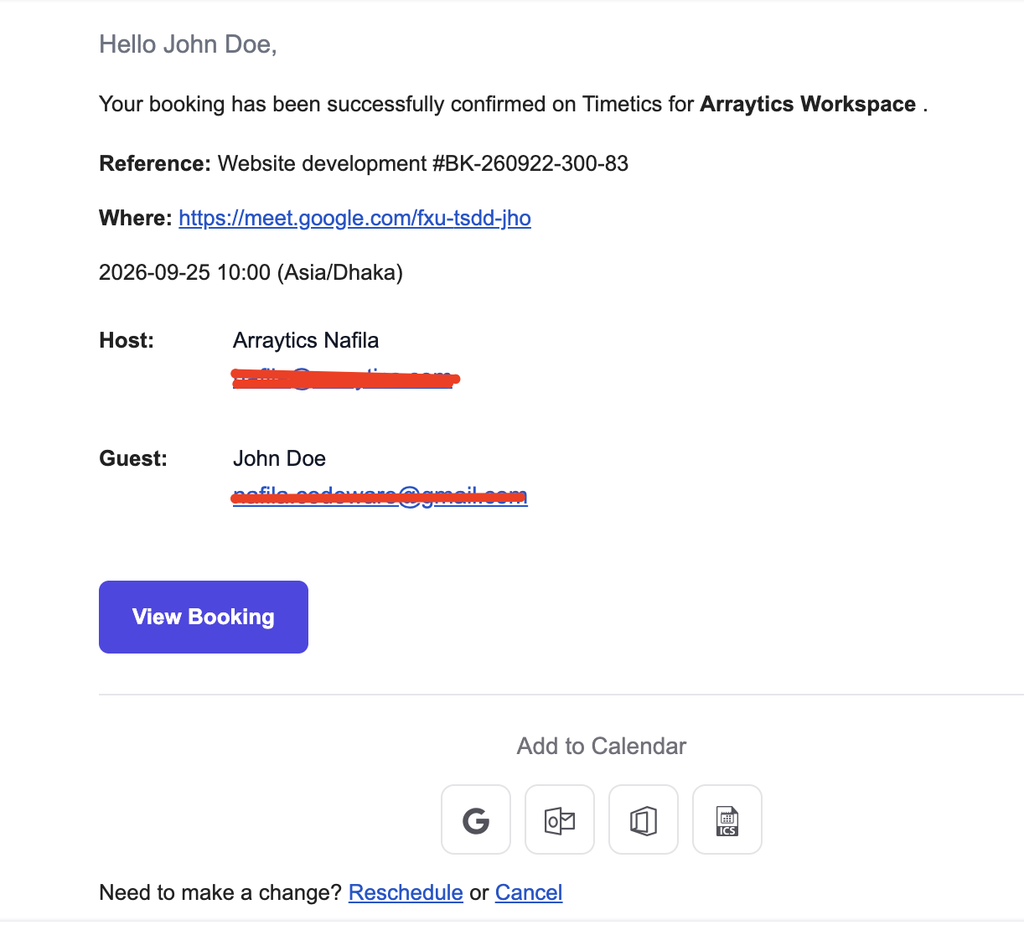
Follow the management link from the confirmation email.
Step 2: Choose an action
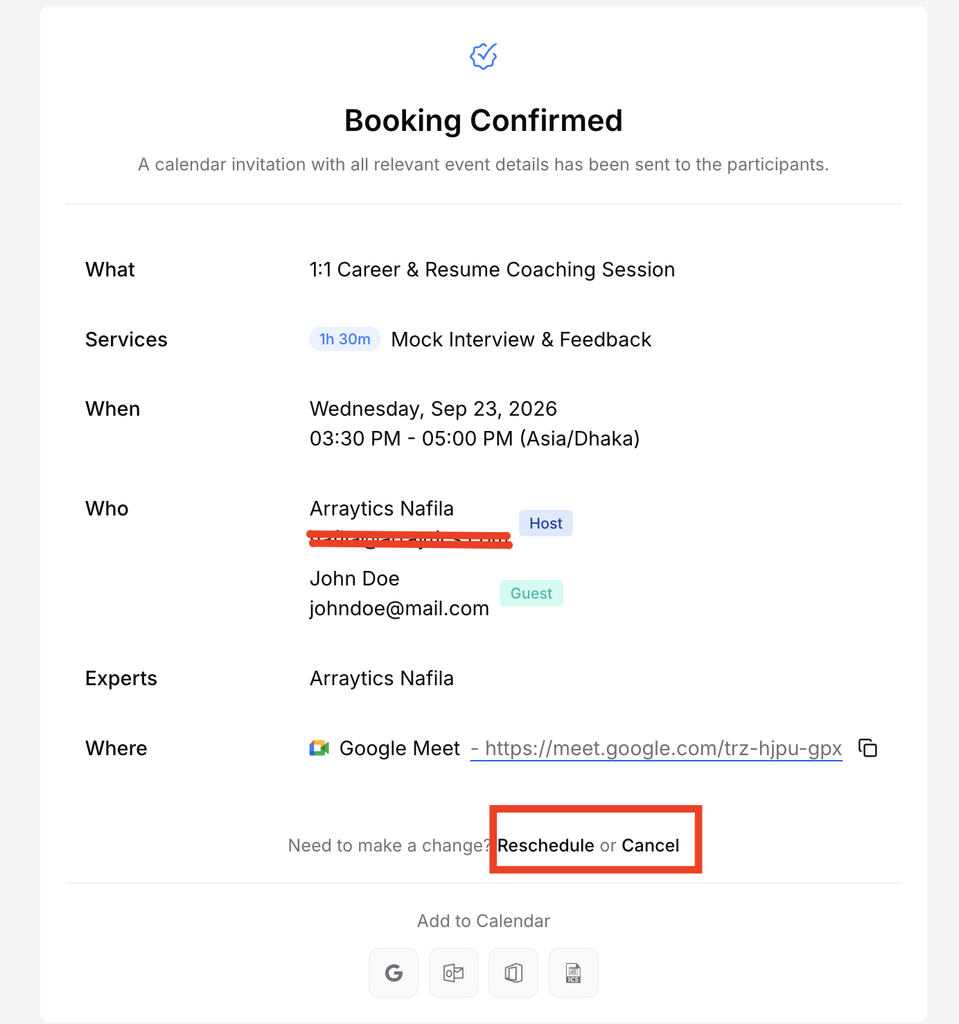
Select Cancel or Reschedule if that action is offered for this booking.
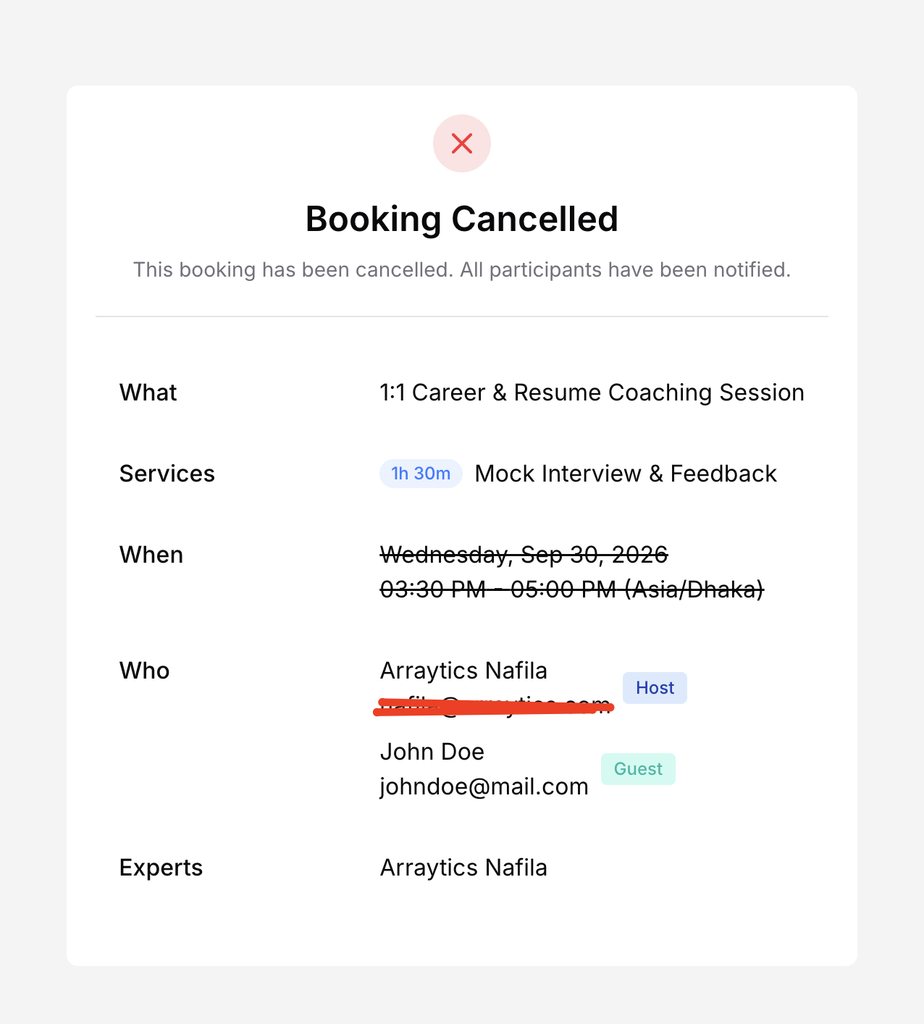
Step 3: Cancel
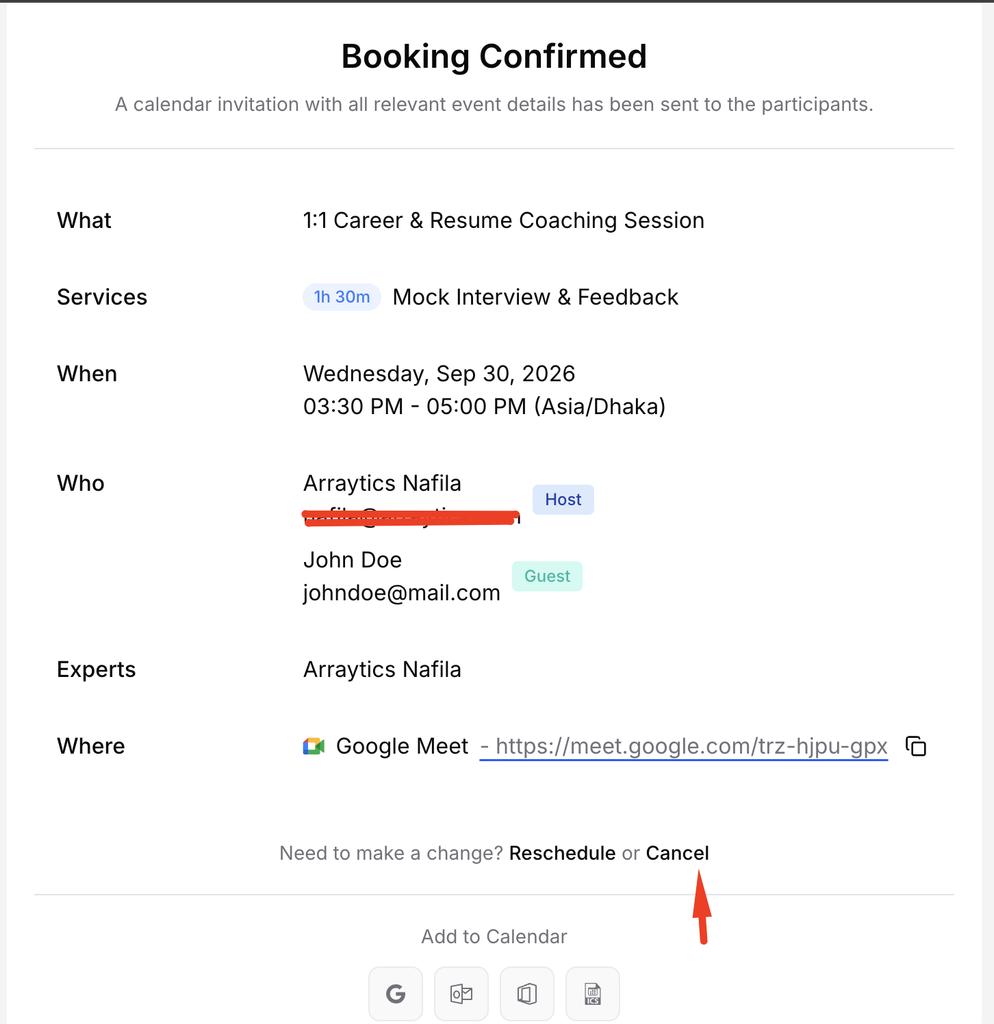
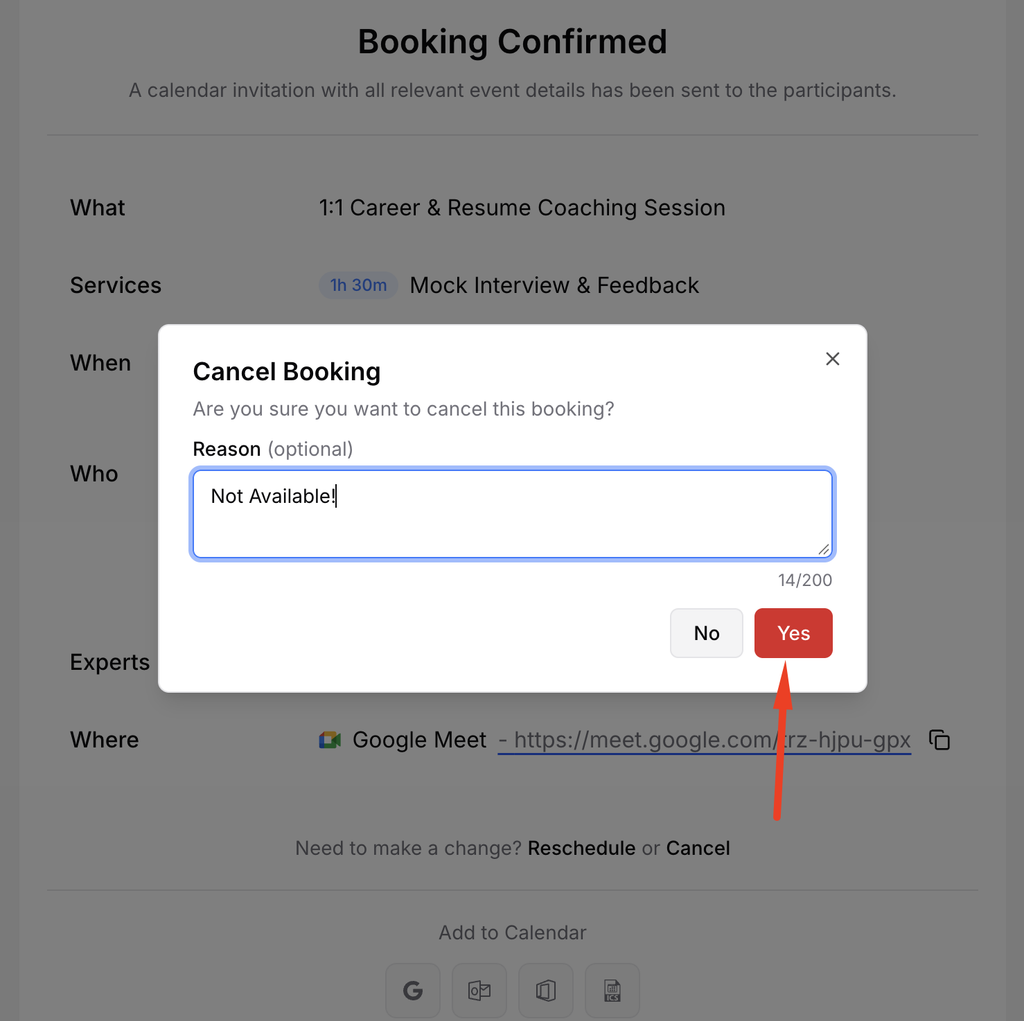
Review any notice or refund information, provide the requested reason if shown, and confirm the cancellation.
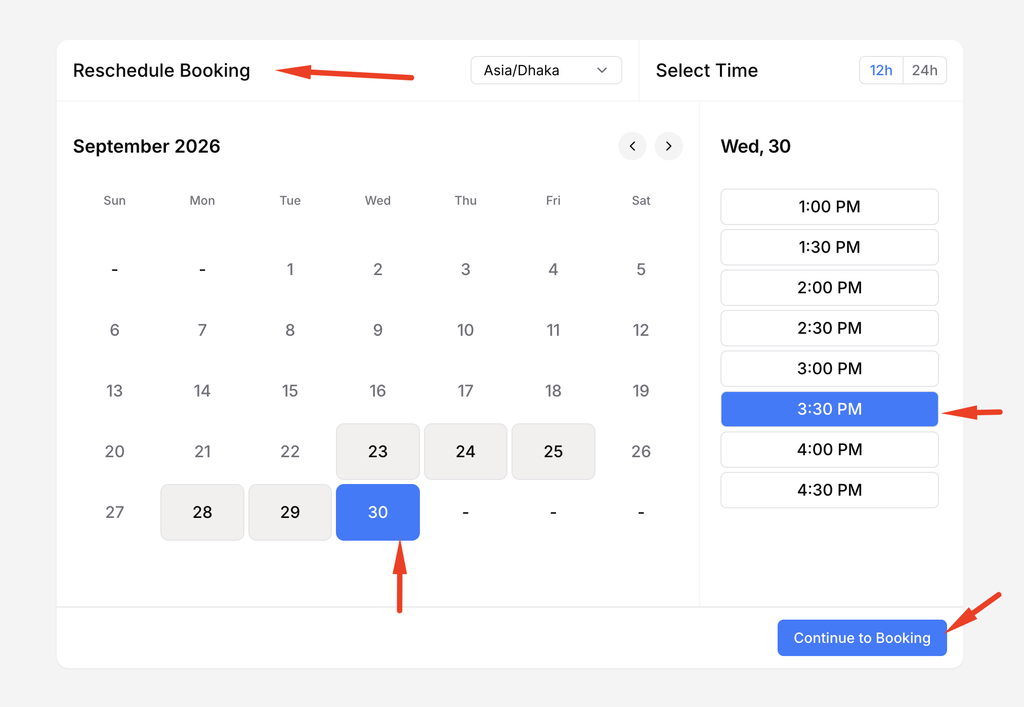
Step 4: Reschedule
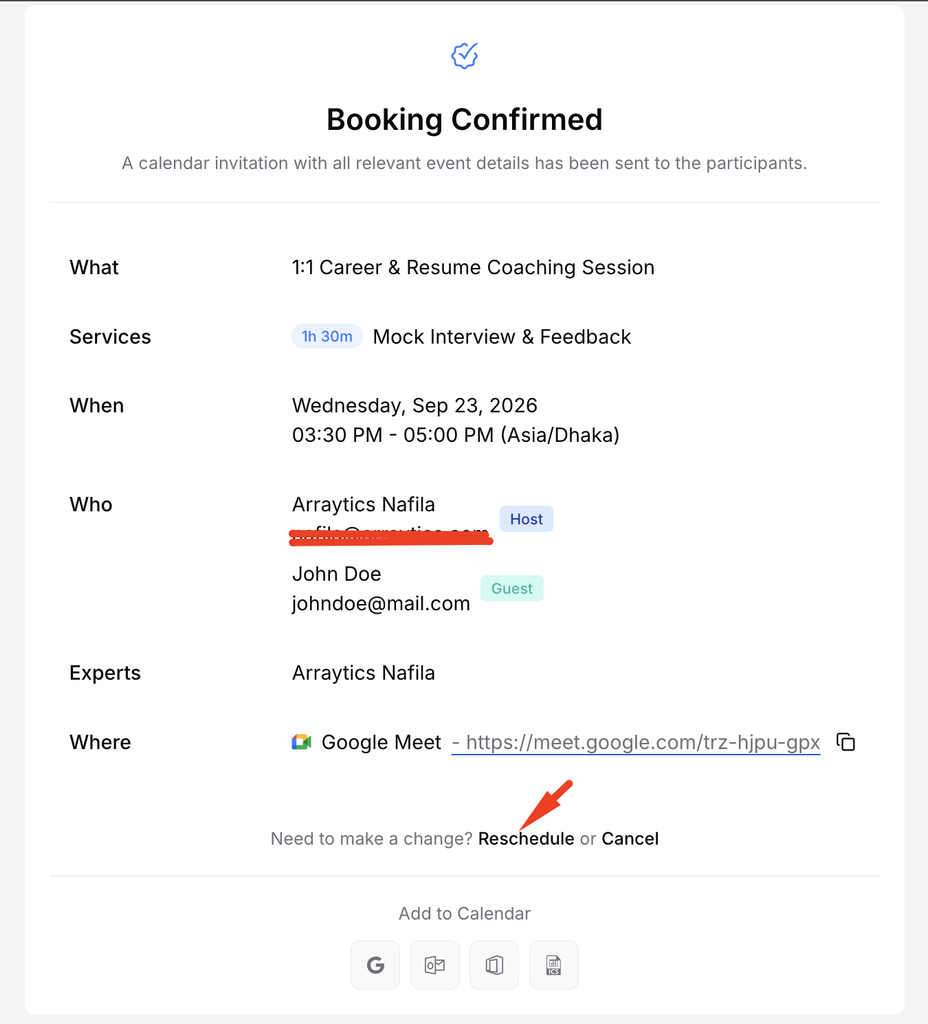
Choose a new available date and time, review the change, and submit it.
Step 5: Check the email
Keep the resulting confirmation or cancellation email for your records.
Important notes
- A host can disable either action or require advance notice.
- Changing a paid booking does not by itself guarantee a refund or additional charge.
Frequently asked questions
Why is the action missing?
The booking may be outside the allowed notice period or the host may have disabled it.
Conclusion
Guests can manage eligible bookings through the link in their confirmation email. Available actions depend on the host’s cancellation and rescheduling rules.