What are service categories?
Workspace categories organize service-based booking offerings. Settings → Categories lets you create, search, edit, and remove them.
Why do you need this?
Categories help guests and team members find related services.
Prerequisites
– Permission to manage categories.
Step-by-step instructions
Step 1: Open Categories
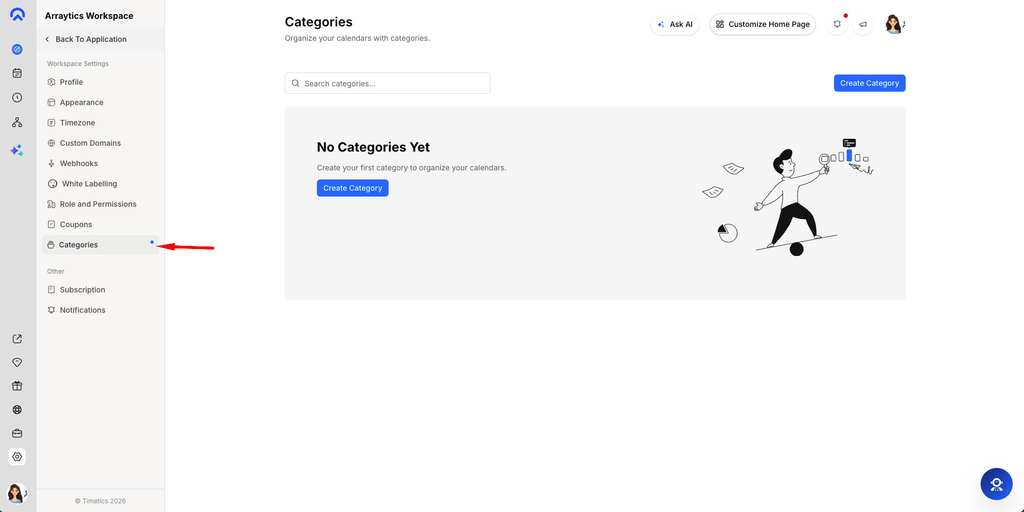
Go to Settings → Categories.
Step 2: Create a category
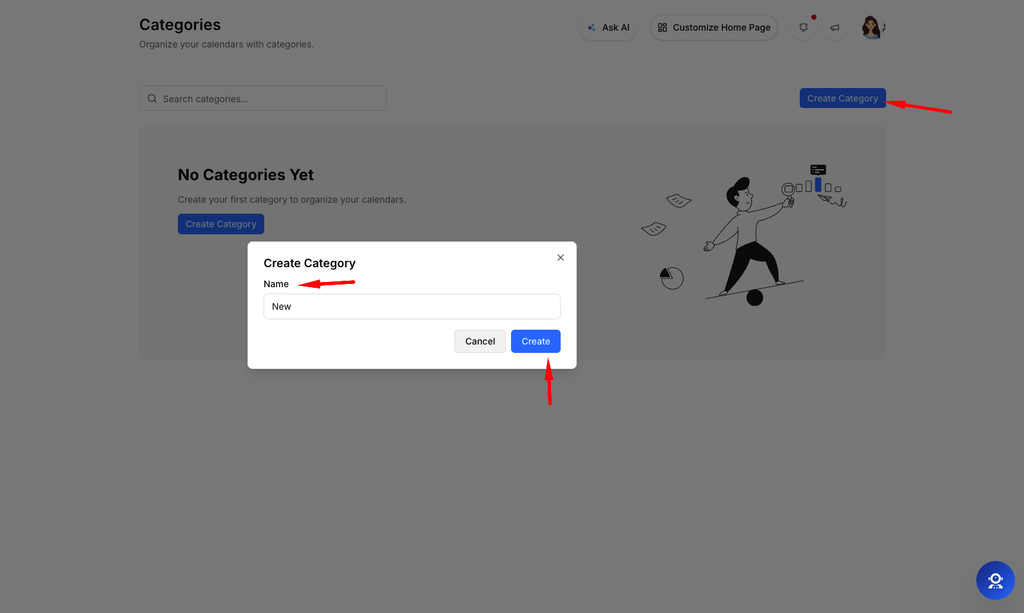
Select Create Category, enter a name, and save.
Step 3: Edit a category
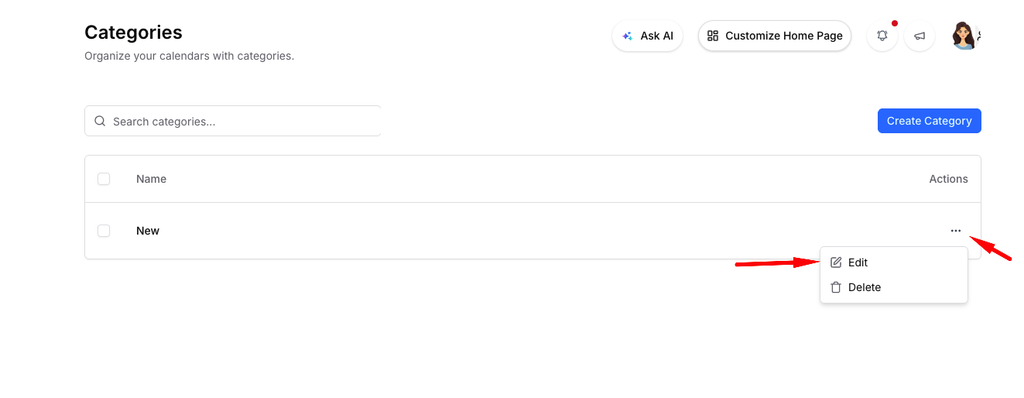
Find the category in the list, open its action menu, and choose Edit.
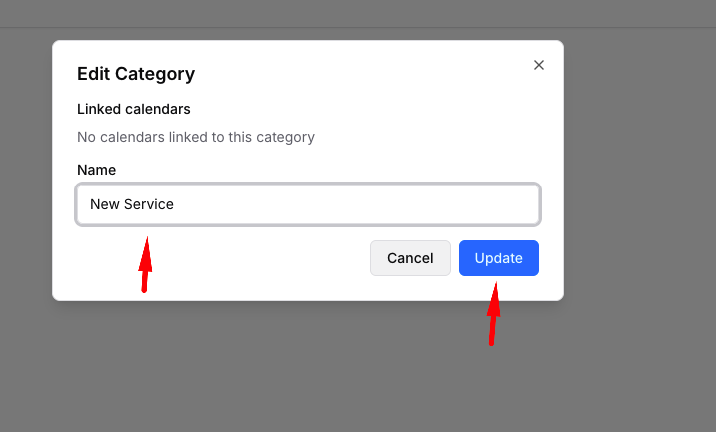
Step 4: Remove categories
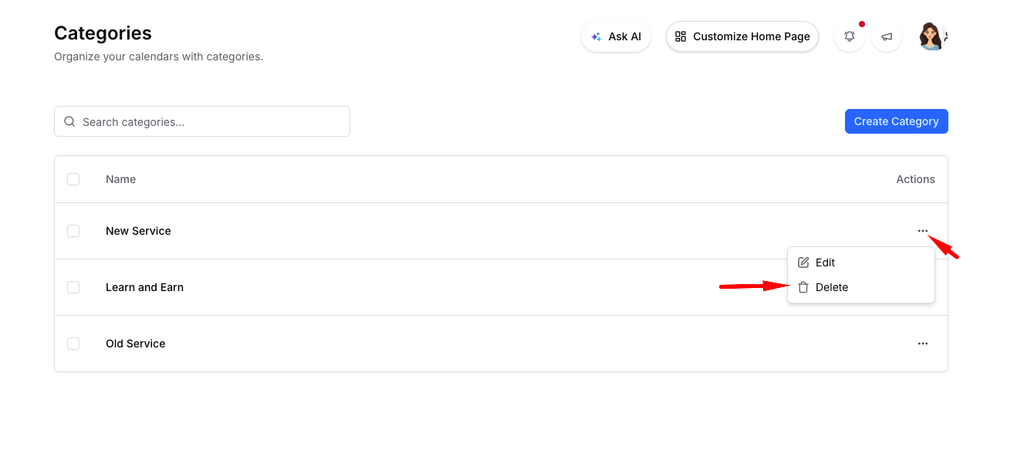
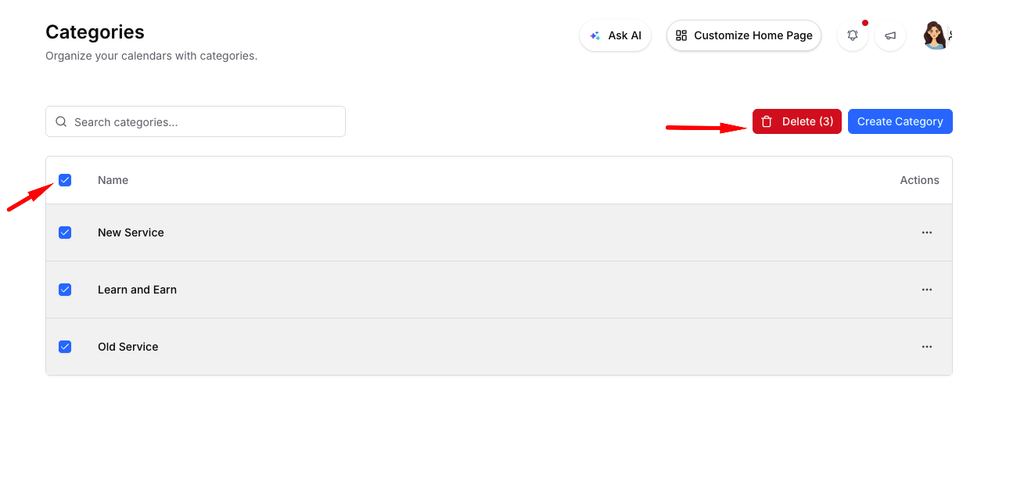
Use Delete for one category, or select multiple rows and choose the bulk delete action.
Step 5: Use it on a service
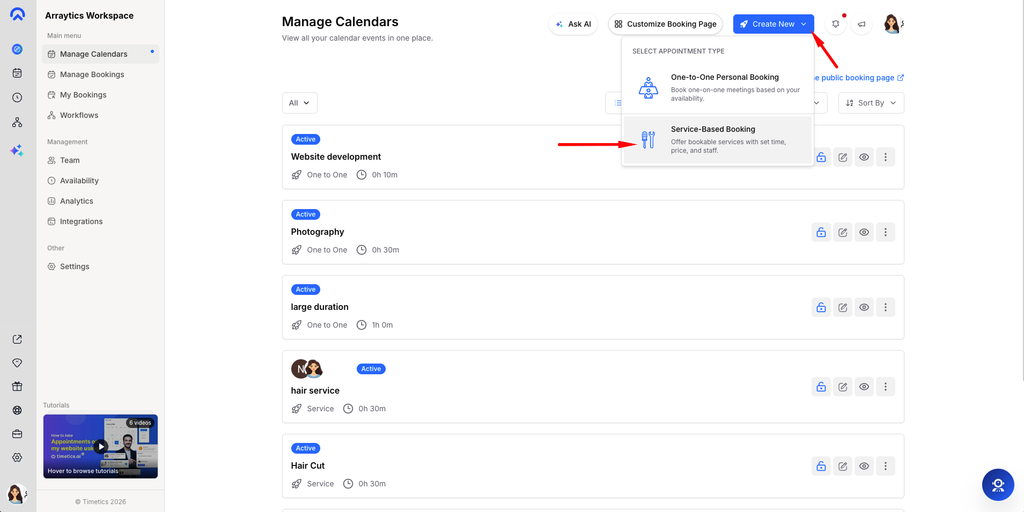
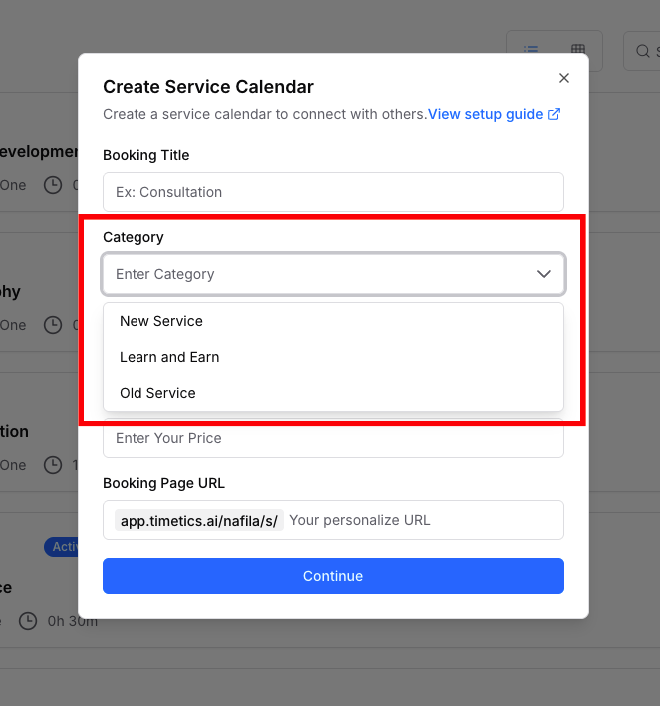
Open a service-based calendar and assign the relevant category in its setup.
Important notes
- Bulk deletion may skip categories that are still in use.
- Check linked services before removing a category.
Frequently asked questions
Why was a category skipped?
The app may prevent deletion while the category is assigned to a service.
Conclusion
Workspace categories organize service-based booking offerings. Settings → Categories lets you create, search, edit, and remove them.