What is the password reset flow?
Use the password reset flow when you cannot sign in with your email and password. Timetics sends a reset link to the account email address.
Why do you need this?
A reset link lets you regain access without knowing your old password.
Prerequisites
– Access to the email address used for your Timetics account.
Step-by-step instructions
Step 1: Open the reset page
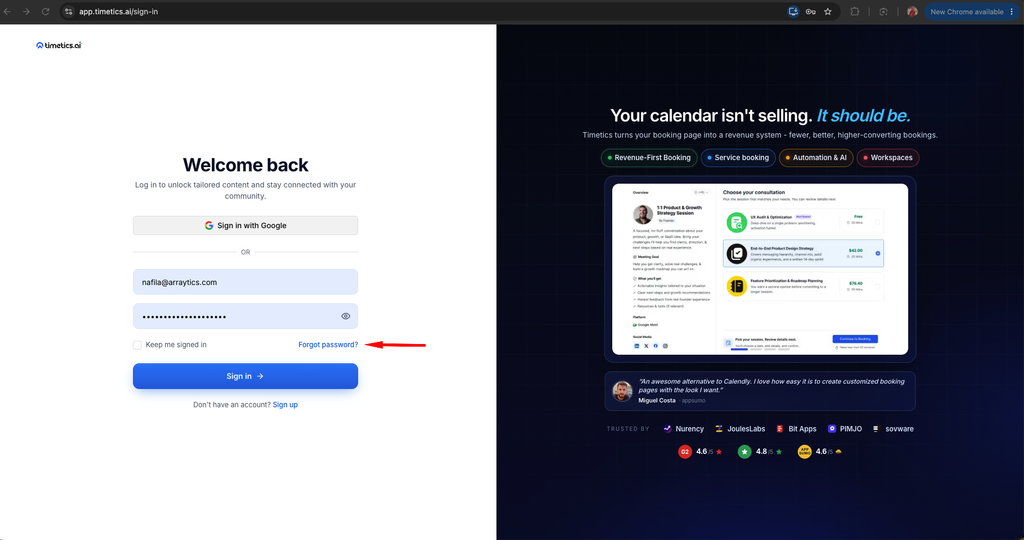
On the Sign In page, select Forgot Password.
Step 2: Request a link
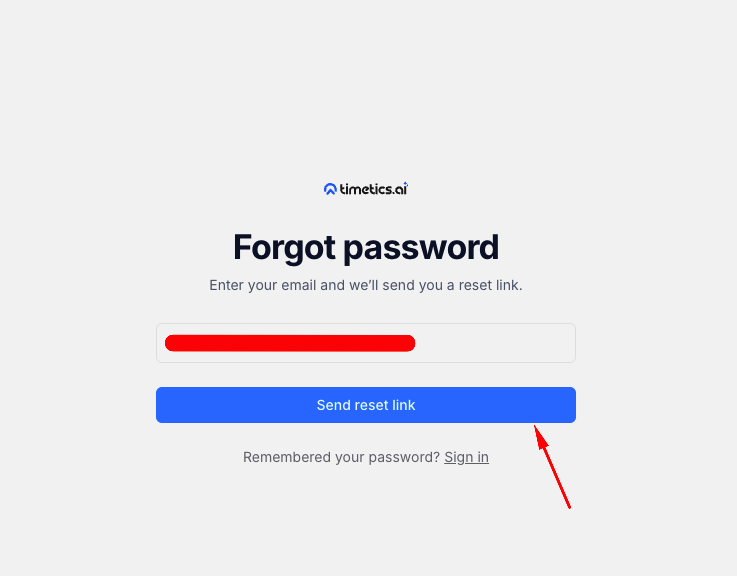
Enter your account email address and submit the form. Check that inbox for the password reset email.
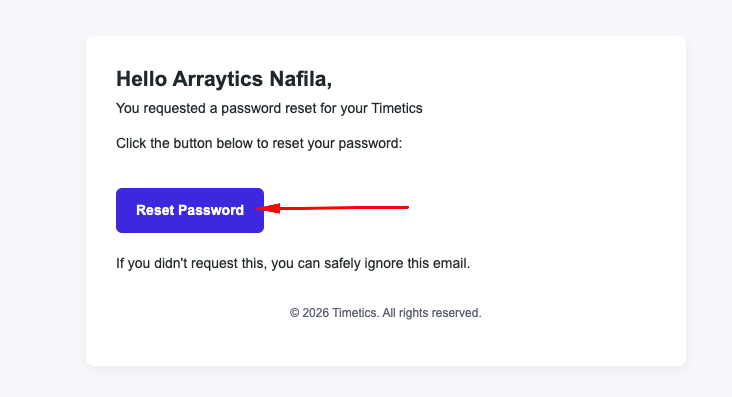
Step 3: Choose a new password
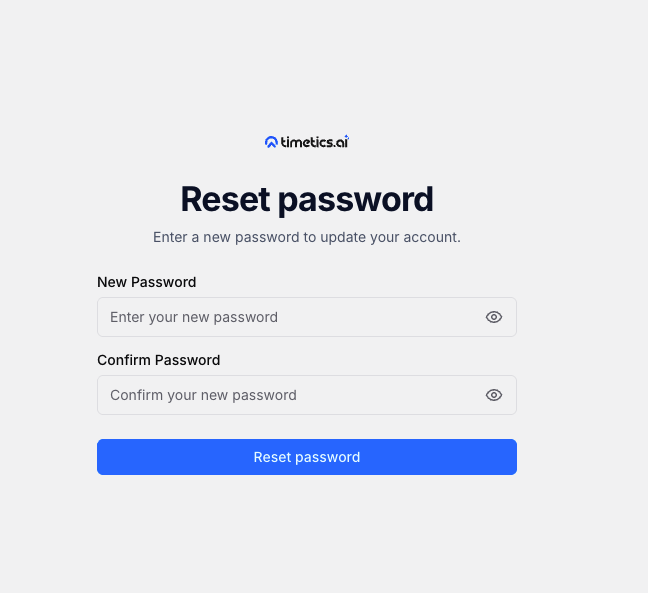
Open the link in the email, enter a new password, and submit it.
Step 4: Sign in again
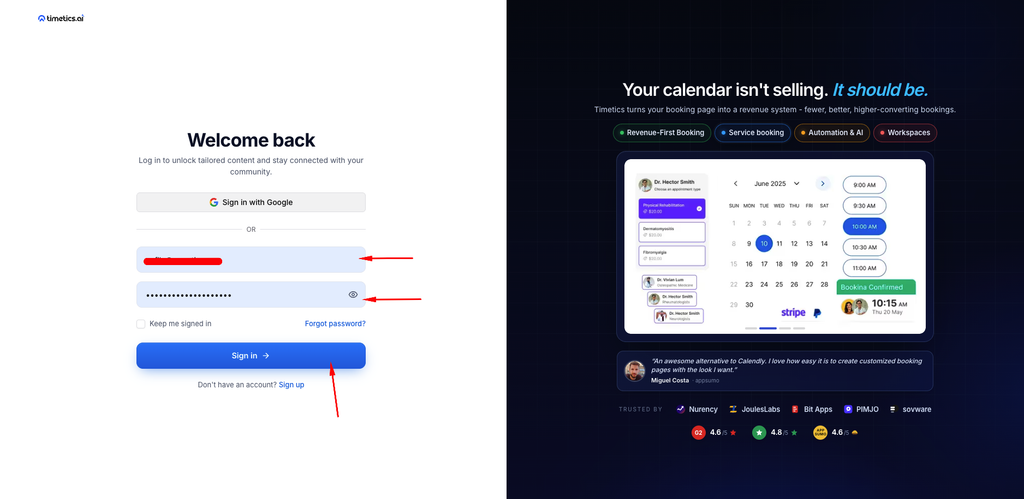
Return to Sign In and use your email address and new password.
Important notes
- Reset links include a token and may expire. If one fails, request a new link from Forgot Password.
- If you registered through a social provider, use that provider’s sign-in button.
Frequently asked questions
I did not receive the email.
Check spam and confirm that you entered the address tied to your account.
Conclusion
Use the password reset flow when you cannot sign in with your email and password. Timetics sends a reset link to the account email address.