What is an after-booking redirect URL?
An after-booking redirect URL is an optional destination that opens after a guest completes a booking. It lets you guide guests to a confirmation page, payment page, onboarding form, or another relevant next step.
Why do you need this?
Use a redirect URL to send guests to the next step in your booking flow automatically.
Prerequisites
- A calendar you can update.
- A valid destination URL if you want to redirect guests.
Step-by-step instructions
Step 1: Open Advanced Settings
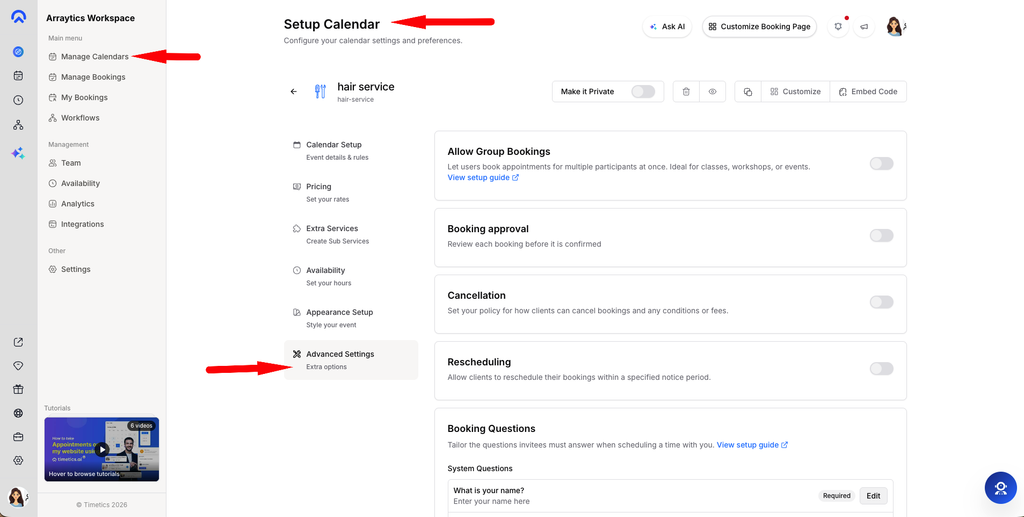
Open the calendar you want to update and go to Advanced Settings.
Step 2: Add the redirect URL
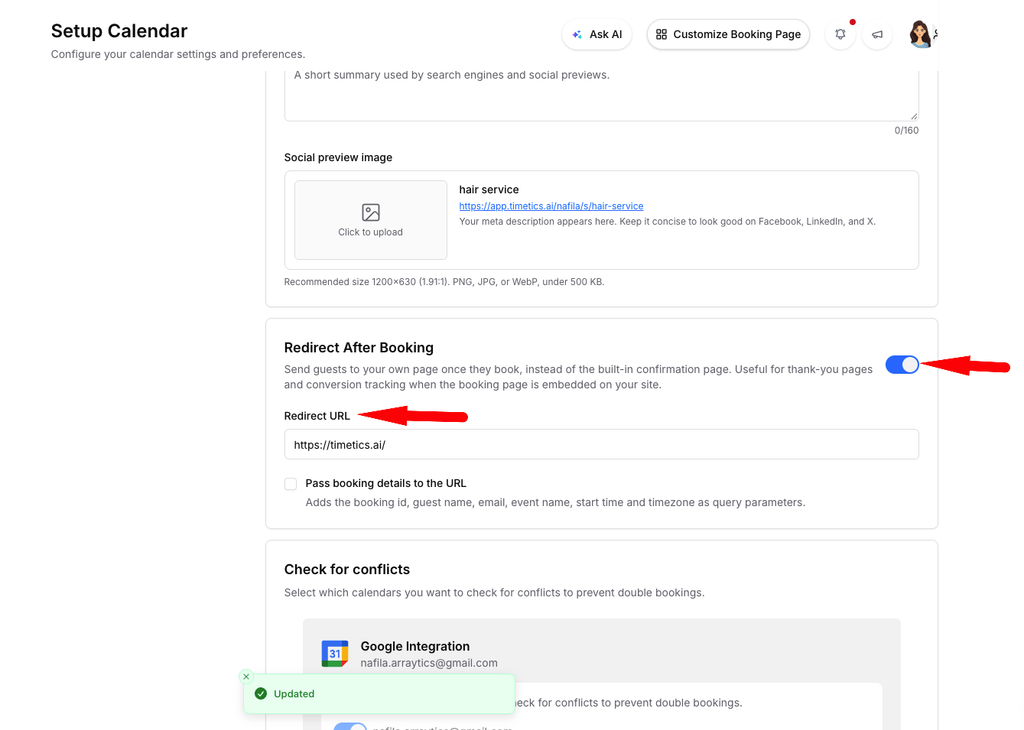
Expand Redirect after booking and enter the full destination URL.
Step 3: Save and test the redirect
Save your changes, then complete a test booking to confirm that the correct page opens.
Important notes
- Enter a complete URL, including `https://`.
- Make sure the destination page is published and accessible to guests.
- The redirect changes where guests go after booking, so choose a page that clearly explains their next step.
Frequently asked questions
When does the redirect happen?
The redirect happens after the guest successfully completes the booking.
What should I do if the redirect does not work?
Check that the URL is complete and correct, save the calendar settings again, and test with a new booking.
Conclusion
The after-booking redirect URL helps you guide guests to the appropriate next step as soon as their booking is complete.