What is personal account deletion?
Account Settings includes a Delete Account action for the signed-in user. This action removes the personal account and signs you out when it succeeds.
Why do you need this?
Use this only when you intend to leave the account permanently.
Prerequisites
– You must be signed in to the account you want to delete.
Step-by-step instructions
Step 1: Open Account Settings
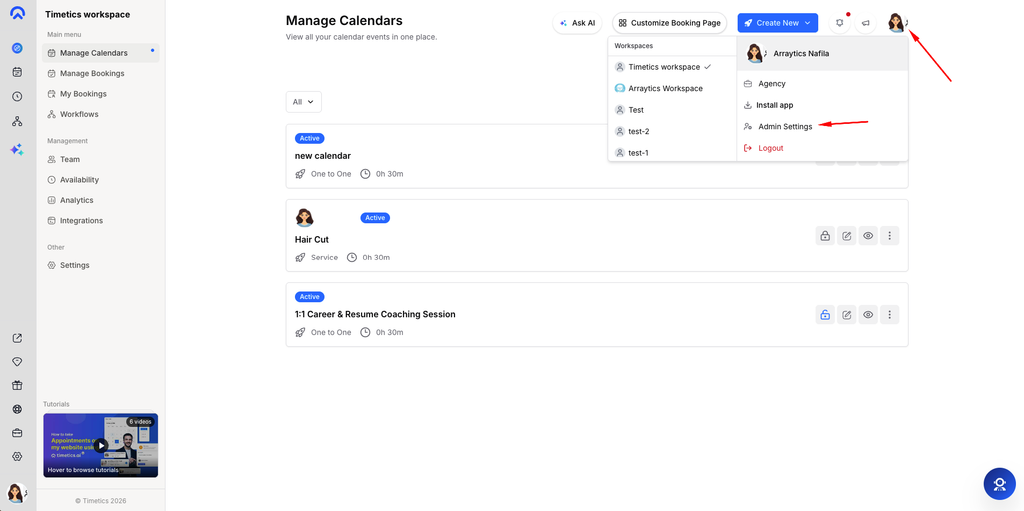
Open your account menu and go to Account Settings.
Step 2: Find Delete Account
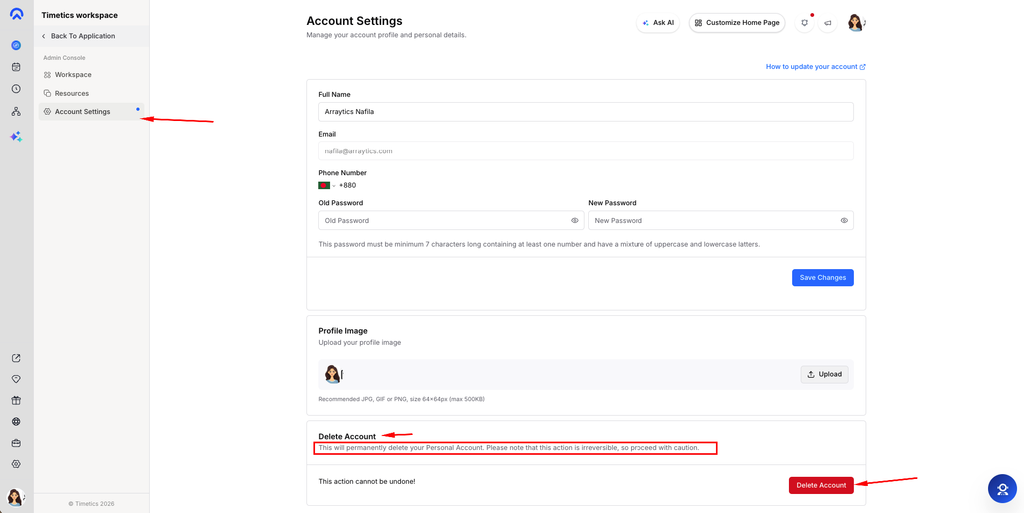
Scroll to the Delete Account section and read the warning.
Step 3: Confirm deletion
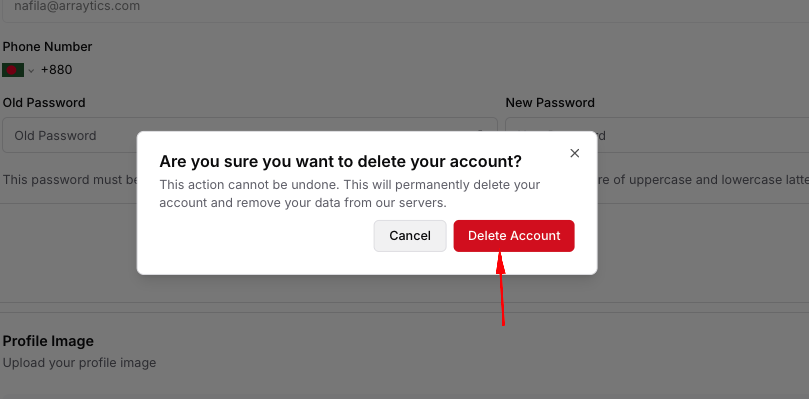
Select Delete Account and complete the confirmation dialog.
Step 4: Verify sign-out
After the request succeeds, Timetics clears the sign-in session and returns to Sign In.
Important notes
- The interface states that deletion cannot be undone.
- If you only want to stop using a workspace, review workspace membership before deleting your entire account.
Frequently asked questions
Can I undo deletion?
The UI says the action cannot be undone. Contact support before confirming if you need account data.
Conclusion
Account Settings includes a Delete Account action for the signed-in user. This action removes the personal account and signs you out when it succeeds.